
Question
Lightroom prints are dull compared w/ Photoshop; all settings identical
Lightroom prints on my old Epson 3880 have had dull or muted colors recently. So as a diagnostic test I tried printing the same image in Photoshop, and it looks fine. I used the same .icc profile, and walked through all the Print Settings screens in both LR and PS to make absolutely sure they're identical -- which they were. But, the images are decidetly different. A couple other things I tried:
- I reinstalled both apps
- I tried both matte and semi-gloss papers; same issue for both.
The image below is an iPhone snap of the same image printed on Ilford Gold Fibre Gloss. The dull LR print is at the top of the image, PS at the bottom. The difference is pretty stark.
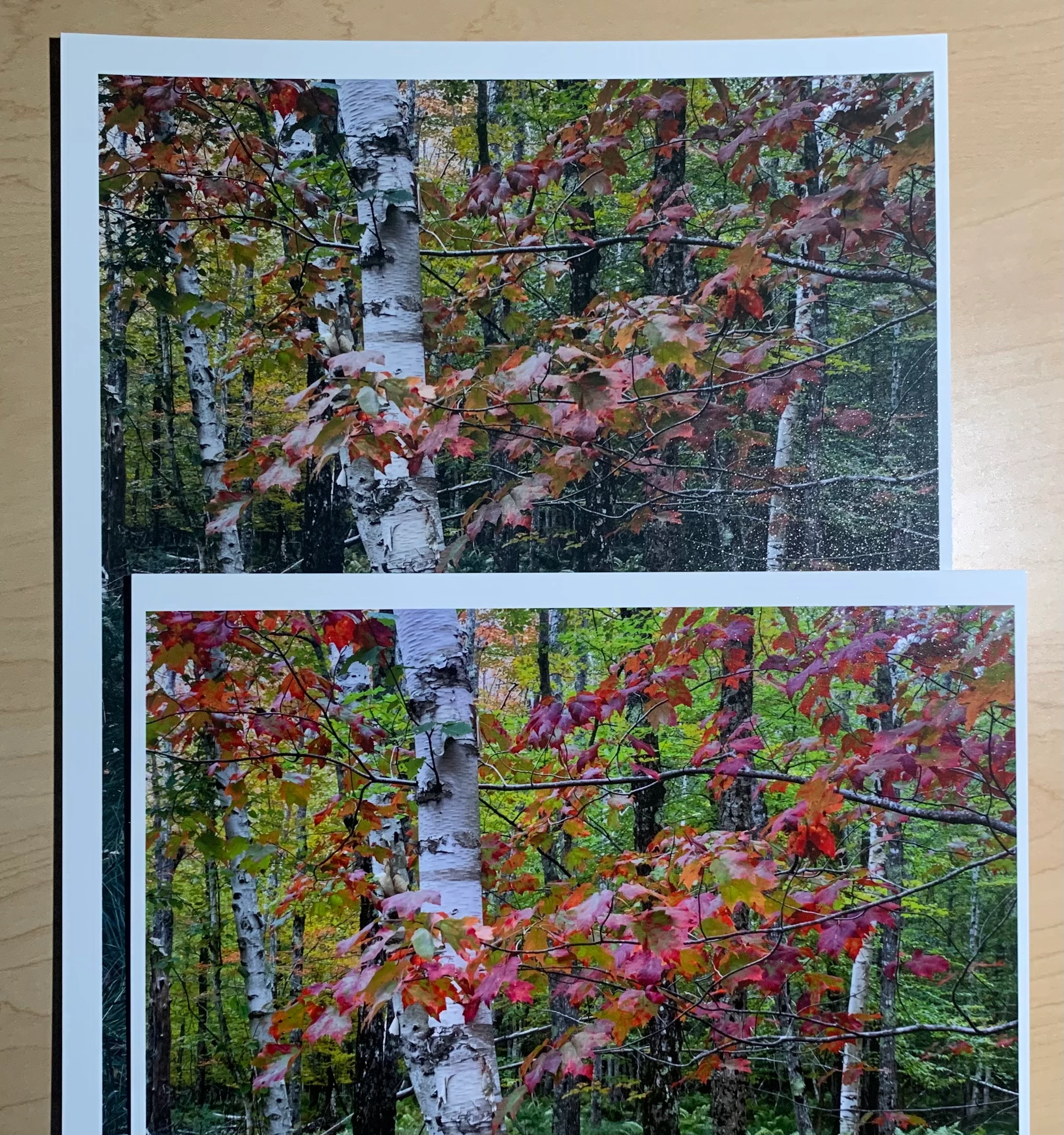
Any ideas what might be going on?
MacOS; LR Classic 12.4; PS 24.7.0
 AdChoices