Question
Lightroom Rapidly Maxes Out RAM
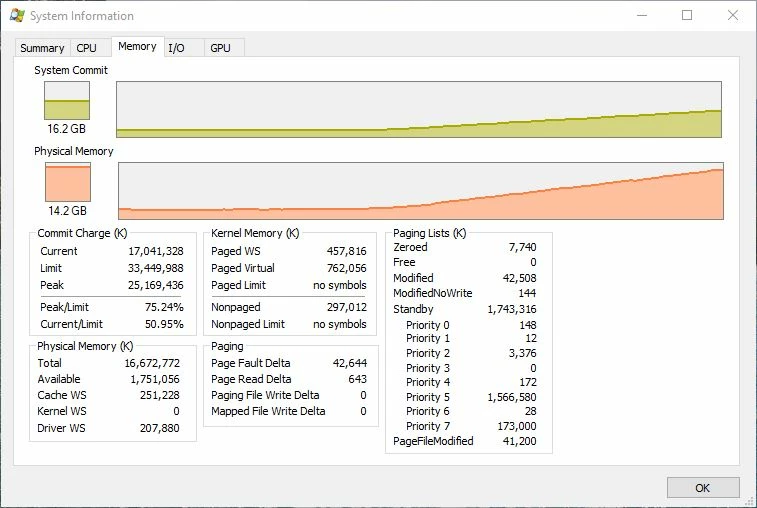
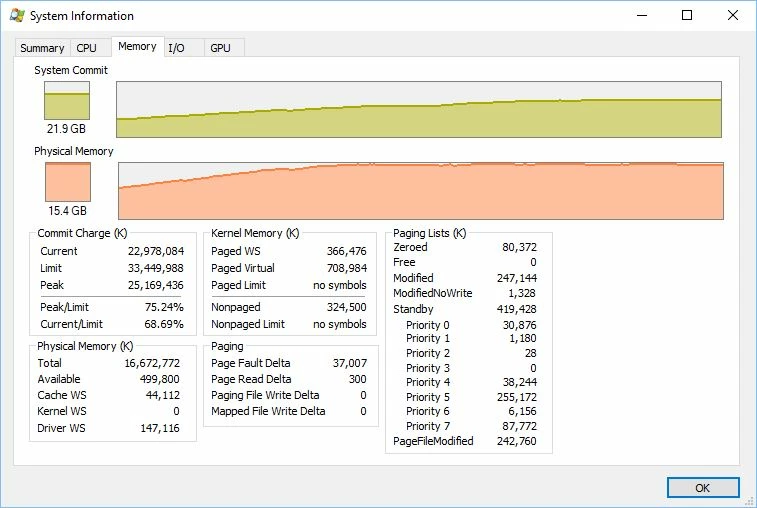
Since the most recent upgrade to Lightroom CC, the program has become almost unusable. I used to find that, after a lot of keywording and editing, it would start to get sluggish but now the problem happens almost immediately. I am running a Windows 10 system with 16Gb of RAM. When the program opens up, the RAM usgae rapidly rises, even if I haven't started doing anything and, once it gets to the limit of the physical RAM, everything becomes extremely slow and I can't do anything new until it has finished thinking about the previous issue. Below are a couple of shots of the RAM usage so you can see how quickly it starts to rise and where it ends up. Any suggestions as to where the leakage is coming from?
 AdChoices