
Lightroom refuses to relink missing photos – "The file _____ is associated with another photo"
Lightroom Classic 11.1. Windows 10.
Yes, I searched for this problem, and found a few posts and answers, but none are the same situation.
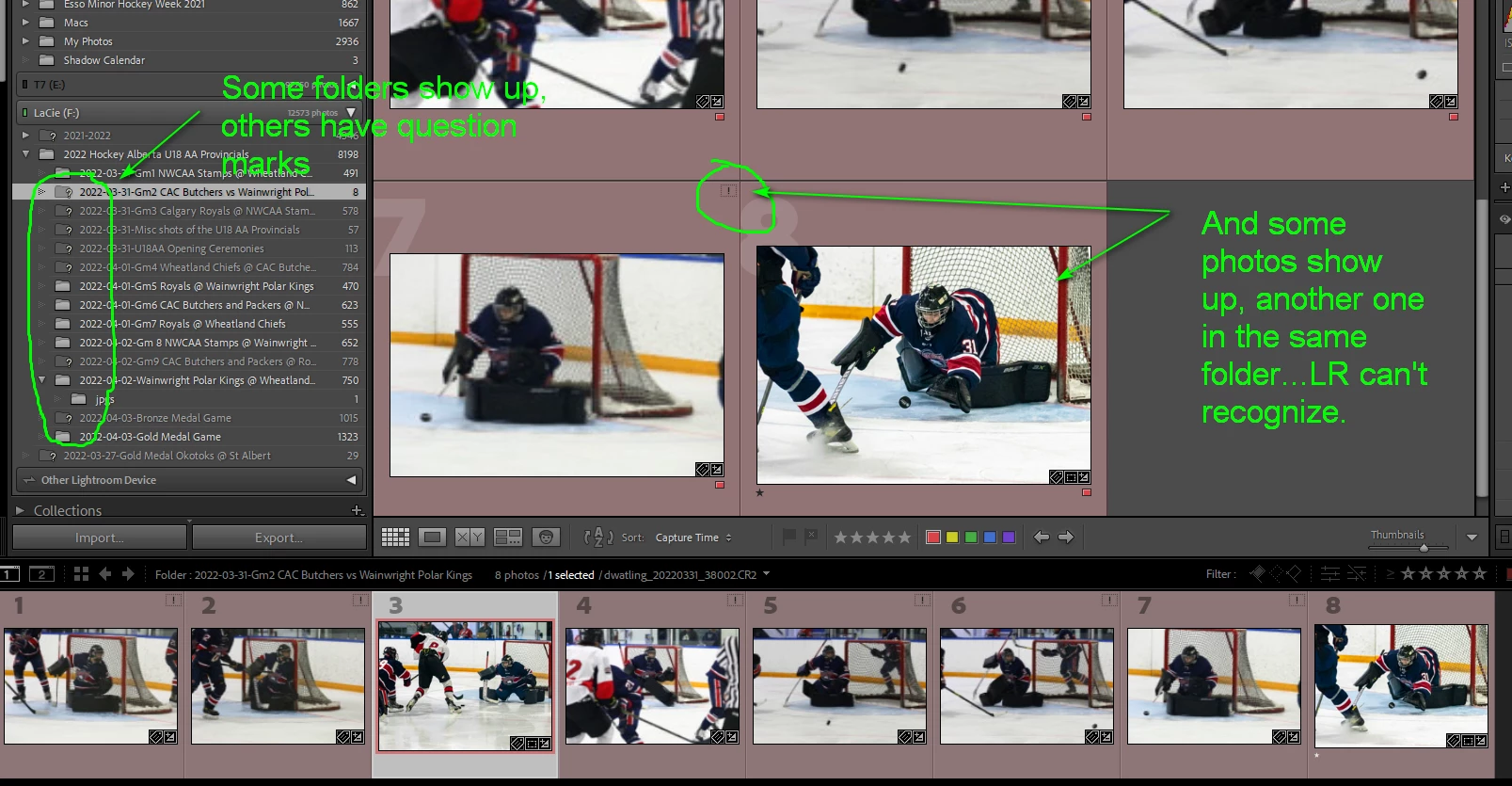
I have an external drive in my library. All folders have been imported in LR. I've been working on and editing a few hundred images over the past few weeks. When I unplug the drive, naturally the library has all the question marks beside the folders. I plug the drive in...they slowly repopulate like normal. All of a sudden, I plug the drive in today, half the folders show normal, but a bunch of others remain with question marks. I go to "locate" the folder, but nothing happens. When I go to locate one particular file within the folder, LR gives me an error saying the "photo is associated with another photo in the library". But it is the only photo. I haven't moved any folders or files around. In fact, some of the folders on the same drive, LR recognizes, others within the same folder, it doesn't. Even stranger, some photos within a folder are recognized, others are not.
I tried removing one of the folders from my library. Then imported a few photos within that folder (from Photomechanic) and again, get the very same error messages.
 AdChoices