


Participant
April 25, 2025
Answered

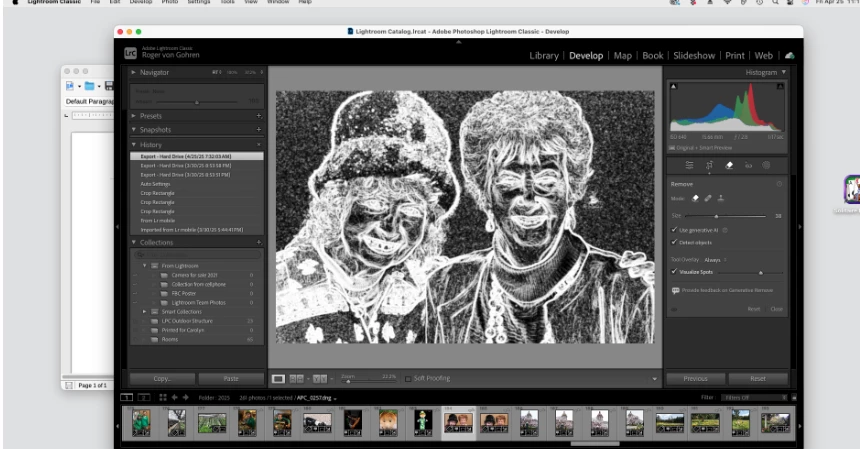
Lightroom remove tool removes color and reverses photo

  • April 25, 2025
  • 1 reply
  • 193 views

In LR Classic, Ver 14.2, running on Mac Mini Sequoia 15.3.2, in the Develop Module, when clicking on the remove tool:   My color photo turns to B & W and light and dark areas in it are all reversed (Normally light areas become the dark areas).  See the screen grab:
 

Correct answer Rikk Flohr_Photography

Uncheck "Visualize Spots" in the Remove Panel. 
This is a hinting mode to help you find dust spots. 


1 reply

Rikk Flohr_Photography
Community Manager
April 25, 2025

Uncheck "Visualize Spots" in the Remove Panel. 
This is a hinting mode to help you find dust spots. 


Rikk Flohr: Adobe Photography Org
RVON461Author
Participant
April 25, 2025

Thank you.  Your suggestion resolved the problem.
