
Lightroom seems completely broken. Pictures are pixelated and weirdly colored.
Hi there.
A couple days ago my mom installed lightroom to edit some of her photos, but it seems totally broken. The imported pictures are extremely pixelated and do have a weird color.
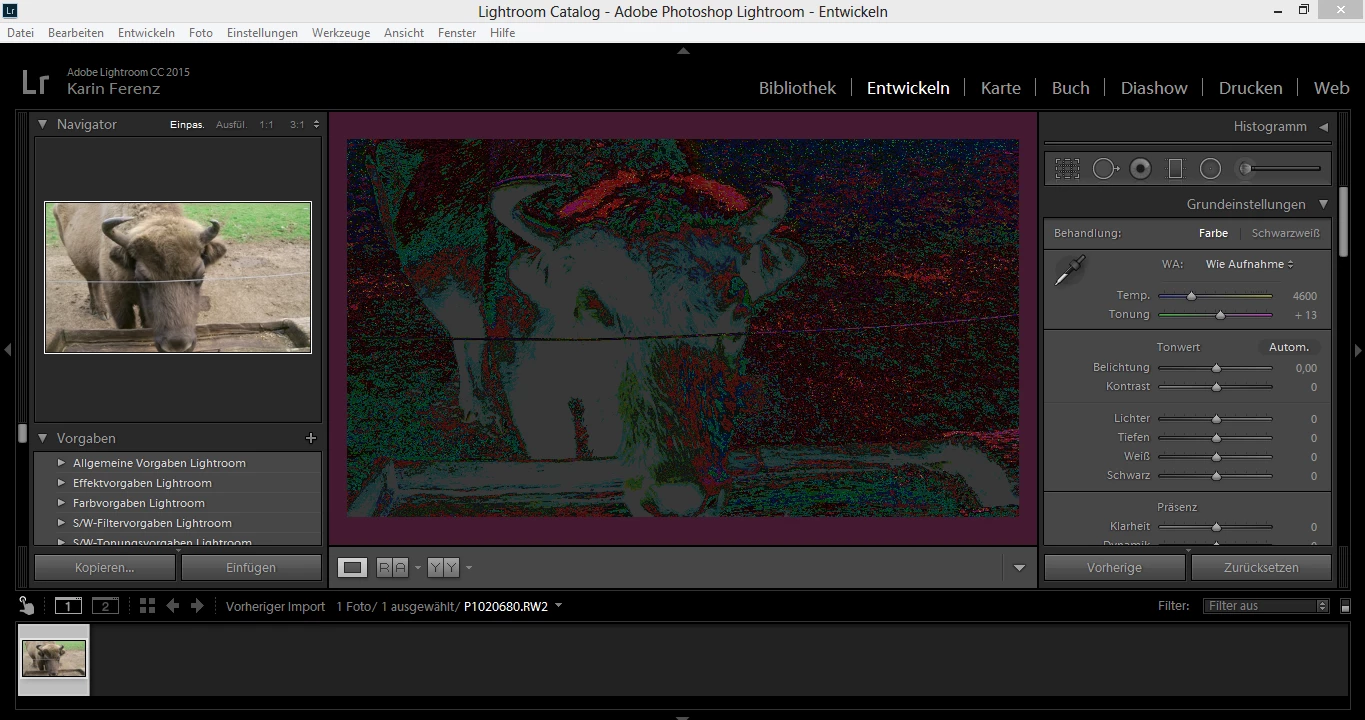
We already tried different file formats, - even different cameras. But still it doesn't work as it should. There is no filter activated, nothing new or unusual in the history but still, it doesn't work. Even the Histogramm looks like it should.
She reinstalled and updated lightroom several times, but the same problem, still appears.
Every picture she tried, don't work on here computer but it does work on mine. That's even more strange considering that her's is definitely better than mine and we are using the exact same lightroom version.
My laptop is using NVIDIA graphic chips and her's is using Intel graphic chips. Additional I'm using windows 10, she uses windows 8.1.
Already asked in another forum and in a usual helpful facebook group but still, nothing really helpful.
Hopefully some can help us,
have a great day!
 AdChoices