
Participant
November 28, 2022
Question

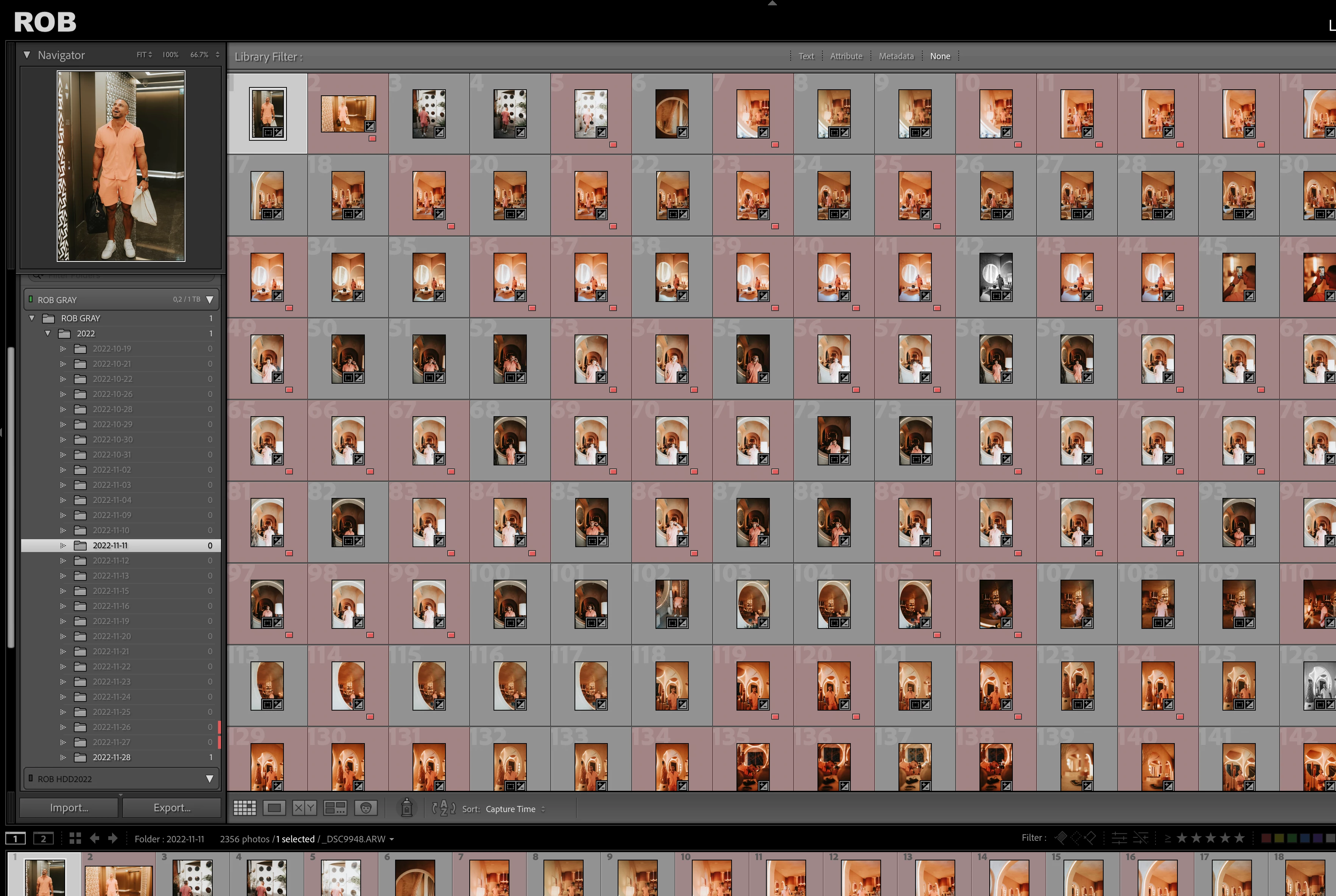
Lightroom shows 0 photos but there are photos

  • November 28, 2022
  • 2 replies
  • 1114 views

Hello!
So, I had an issue where all my folders randomly in Lightroom had parent folders showing (https://helpx.adobe.com/lightroom-classic/kb/volumes-drives-display-folders-lightoom.html)
This was the fix, but after it it shows me that I have 0 photos in my folders, even tho you can see clearly that there are pictures ther.
Ive tryed locating folder and other optons that are there, got any suggestions?
 

This topic has been closed for replies.

2 replies

Jill_C
Community Expert
Community Expert
January 31, 2024

Are your images in sub-folders below those high level folders you show in the screen print? On the top menu, Select Library, Show Photos in Subfolders to see the number of images in all folders.

Jill C., Forum Volunteer
Known Participant
February 5, 2024

Hi Jill , Thanks but The option menu "Show photos in subfolders" is already selected.


Pb isn't still fixed. For exemple on these 2 screen shots, as you can see, selected picture as one star rated but it does not appear on the thunbail. 

And when I do an import, files can't be seen during the import...


Is there a way to manage this bug directly by Adobe ?

Jill_C
Community Expert
Community Expert
February 5, 2024

You can open a secure chat session using the chat icon or "contact us" link on this page:

https://helpx.adobe.com/support/support-new/support-apps.html#phsp

Jill C., Forum Volunteer
johnrellis
Genius
November 29, 2022

Lightroom caches the folder counts in the file "<catalog> Helper.lrdata", and LR can sometimes corrupt the file. Try deleting it:


1. Do Catalog Settings > General > Show, to open Finder / File Explorer on your catalog folder.


2. Exit LR.


3. Delete "<catalog> Helper.lrdata".


4. Restart LR -- it will rebuild the file. 

Known Participant
January 31, 2024

I have the same pb and already done this but unfortunately nothing has changed.

johnrellis
Genius
January 31, 2024

[This post contains formatting and embedded images that don't appear in email. View the post in your Web browser.]


@Laurent Mayeux, please post a full-resolution screenshot (not a phone pic) of the entire LR window showing the problem.