



Vinni Ganndolfi
Participant
April 12, 2017
Answered

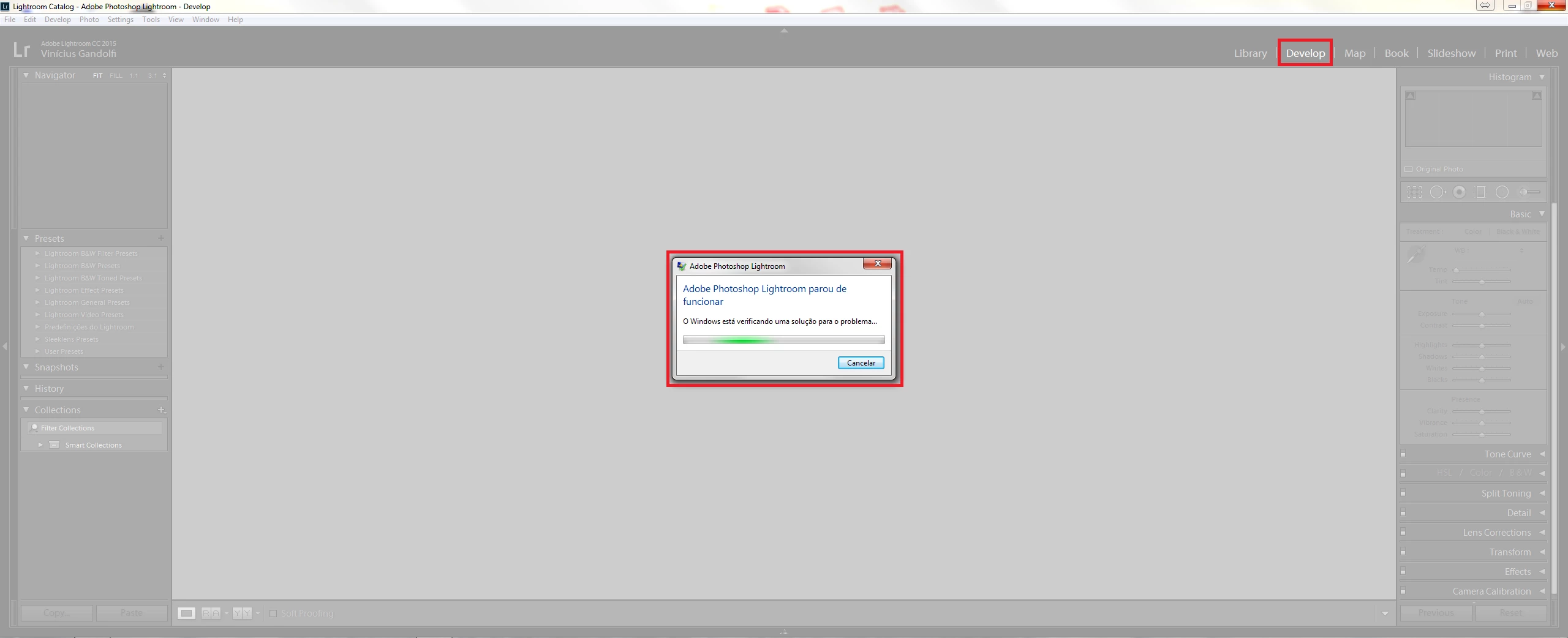
Lightroom stop to work when a change to Develop module

  • April 12, 2017
  • 1 reply
  • 329 views

I'm using Windows 7 64-bit and the last version of Lightroom.

When I open the software and import my photos and go to Develop module to edit them, my software stop to work and I can't edit my photos, I already uninstalled the software and cleaned up all the files and installed again but it doesn't work.

I need help to fix this problem, please help me.
This topic has been closed for replies.
Correct answer F. McLion

Please deactivate the GPU acceleration: Adobe Lightroom GPU Troubleshooting and FAQ

1 reply

F. McLion
Community Expert
F. McLionCommunity ExpertCorrect answer
Community Expert
April 12, 2017

Please deactivate the GPU acceleration: Adobe Lightroom GPU Troubleshooting and FAQ

--- Got your issue resolved? Please label the response as 'Correct Answer' to help your fellow community members find a solution to similar problems. ---
Vinni Ganndolfi
Participant
April 12, 2017

Thanks!!!!!

It solved.