Lightroom sync apocalypse - 3 products, all fully synced, all completely different edits. LOL.
Hi,
can someone please help me explain this???
I am running Lightroom Classic, Lightroom Cloud and Lightroom WEB.
All are fully synced under the same account and have no syncing errors.
All have the same number of images in sync.
All of them are different regarding the photo edits.
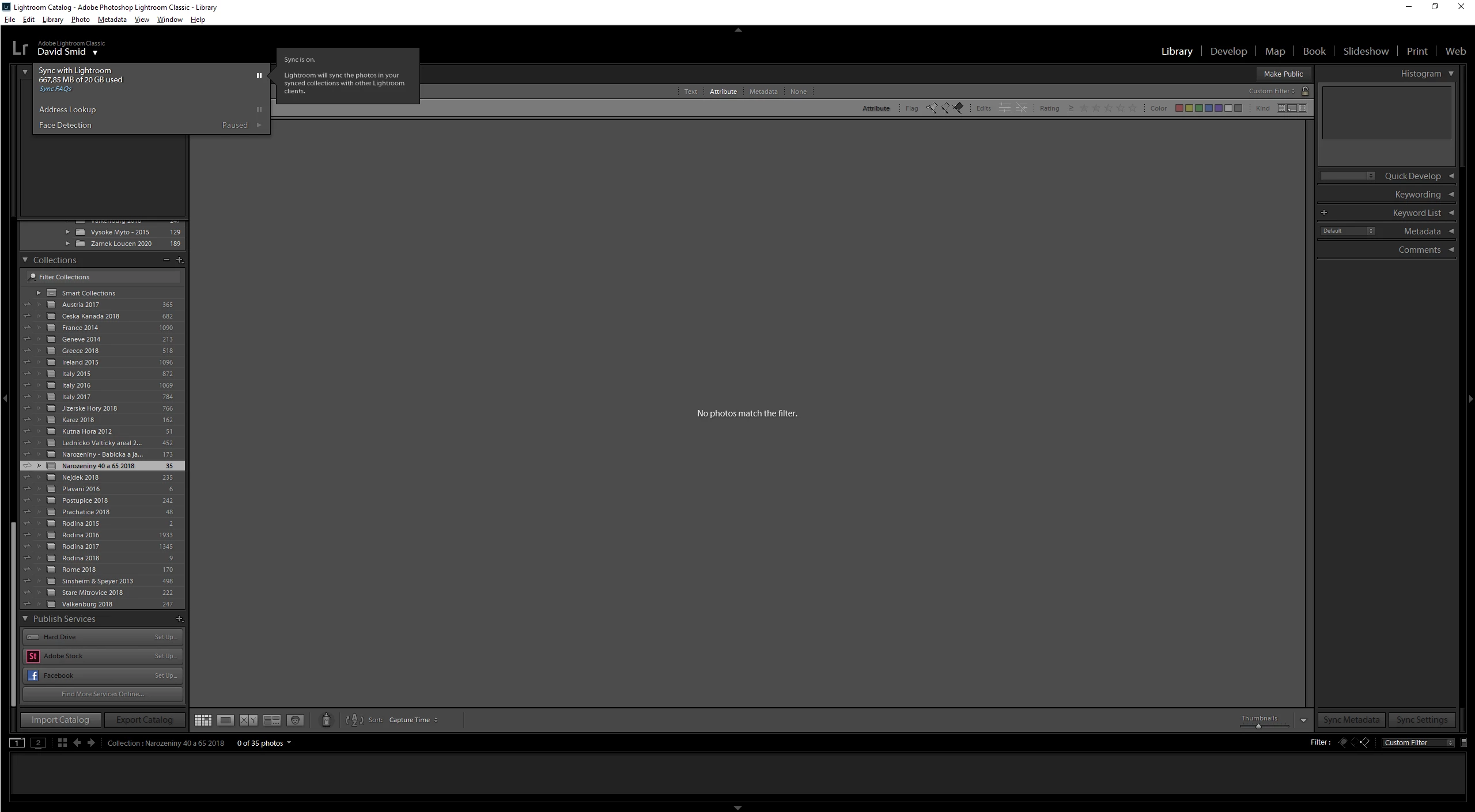
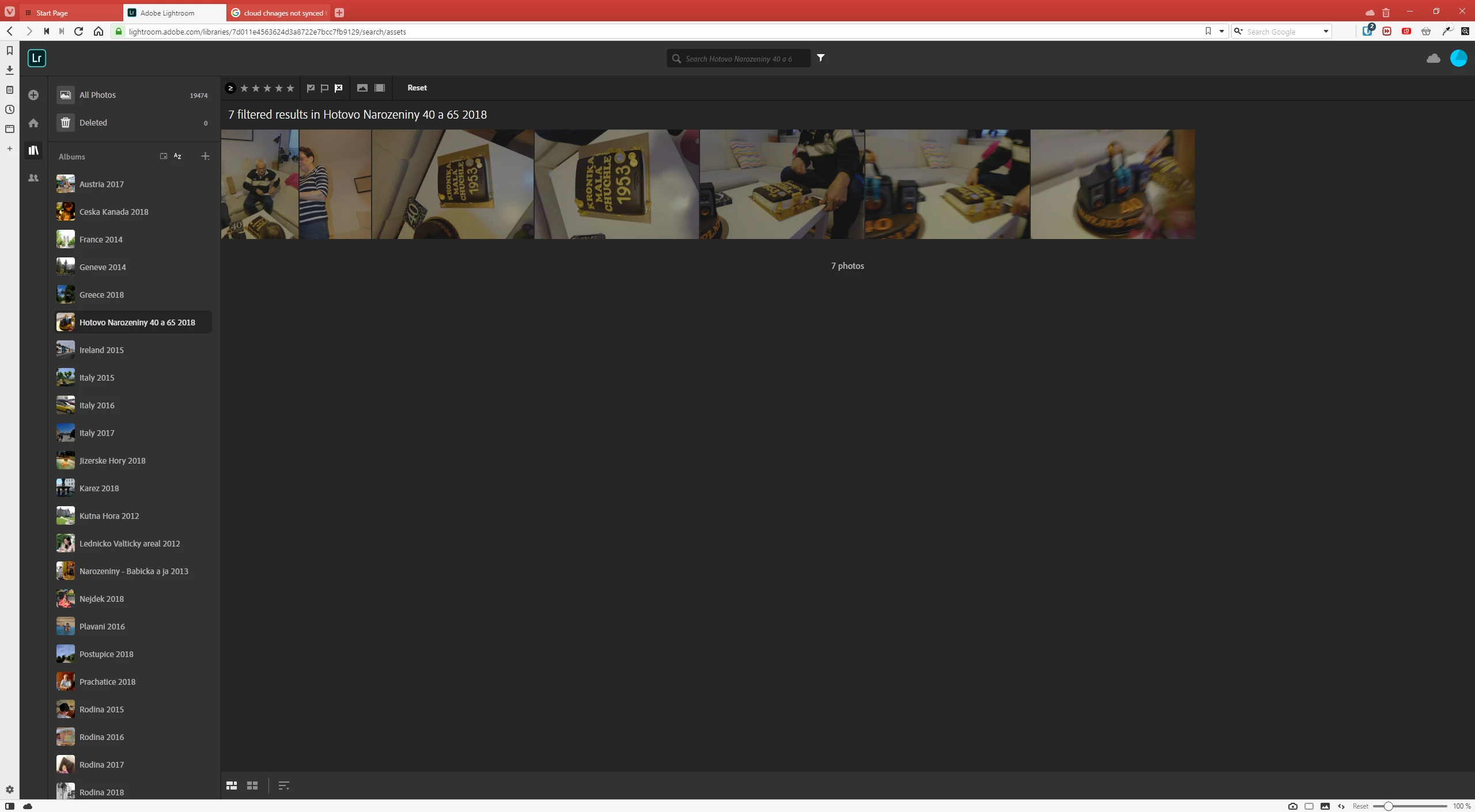
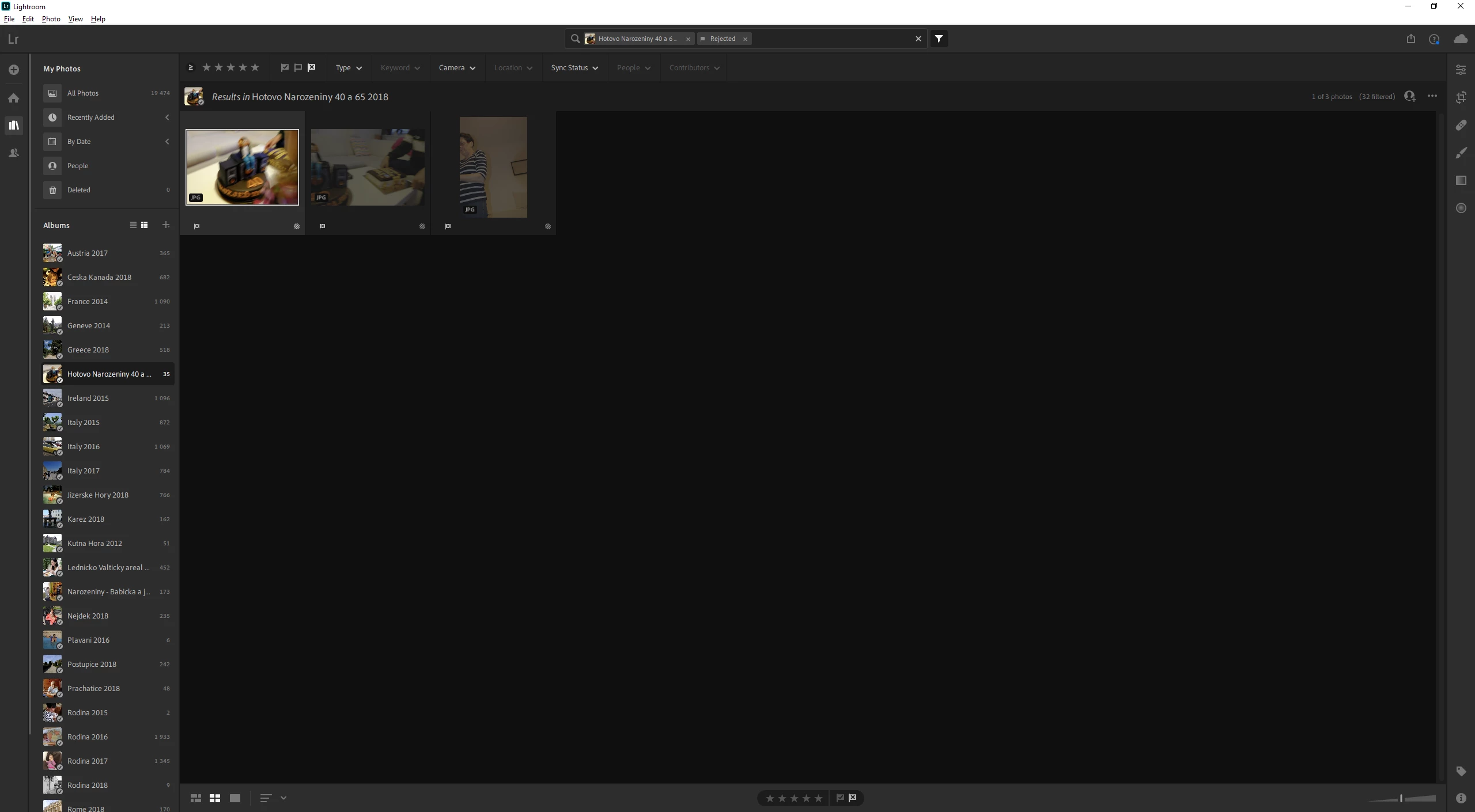
Please observe the screenshots. This is an identical collection, showing:
0 rejected photos in Ligrtroom Classic (please note that the folder name here is different too)
7 rejected photos in Lightroom Web
3 rejected photos in Lightroom Cloud
How did I get this?
1) Photos put to collection in Lightroom Classic
2) Flagged in Lightroom Mobile on Android.
3) Changed a few flags a day later in Lightroom Cloud.
Now what I see is that all the products are syncing, probably each of them to their own universe. They do not give a crap about what the others are putting to the cloud.
And yes, I have done it all, foced resync, rebuild sync data, logged out, logged in, cleared caches, reinstalled. You name it.
How much more deperate can the sync be? 🙂
 AdChoices