
Lightroom taking up too much memory on my MacBook
I have a MacBook Pro and I have been saving part of my imges in 2 separate hard drives. One personal and one for product photography.
I have set the lightroom preview files it stores to the lowest setting. I am not sure what Lightroom does every time I run an upgrade, it tells me it has to save "...something" (I can't remember what or why) to a new compatible format of folder (sorry, i cannot remember what the promp was).
I keep getting prompts that I am running out of memorey/storage in the laptop HD.
Here is the screenshot of what the top files taking up the memory (mosly Lightroom!). Can anyone help me identify what all of thsese are?
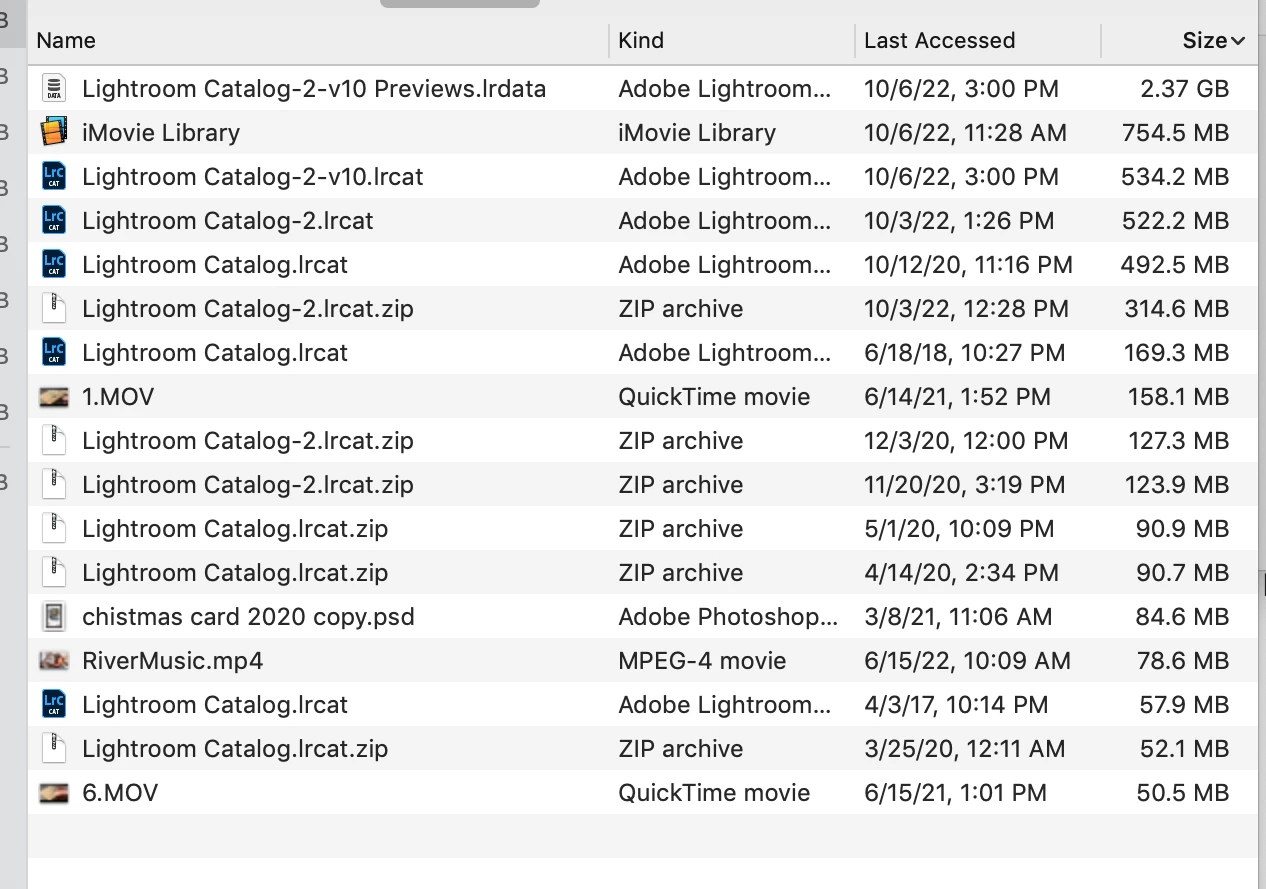
Can I delete any of them are they repeated information I no longer need?
I am afraid of deleting anything I don't know what it does. Can I move any of these to either one of the external HD that I use for personal or biz photos?
Thank you for your help!!


 AdChoices