
valentinozegna
Known Participant
April 11, 2020
Question

Lightroom will not update local adjustments when a preset with no local adjustments is chosen

  • April 11, 2020
  • 20 replies
  • 967 views

This bug started happening to me probably after the latest 9.2 update.


1) Prepare a flat preset, with all edits set to their neutral position, and no local adjustments.

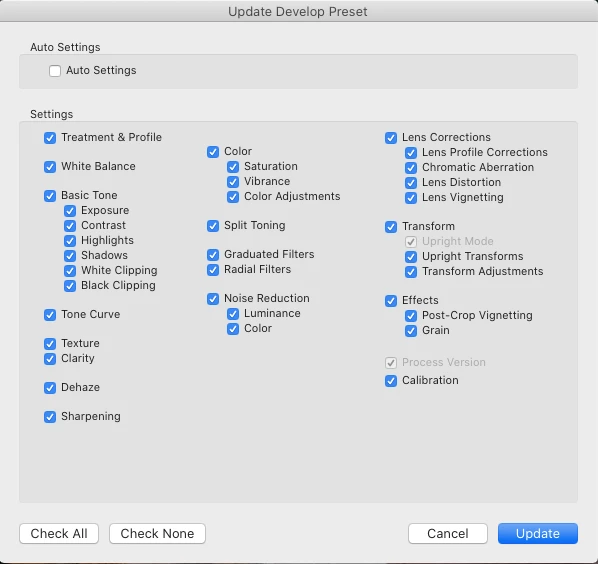
Let's call this preset "Rawest". Make sure everything is selected when you save it, especially the "Graduated Filters" and "Radial Filters" options. Now, this preset is supposed to restore everything to flat and remove any local adjustment, when selected.
 

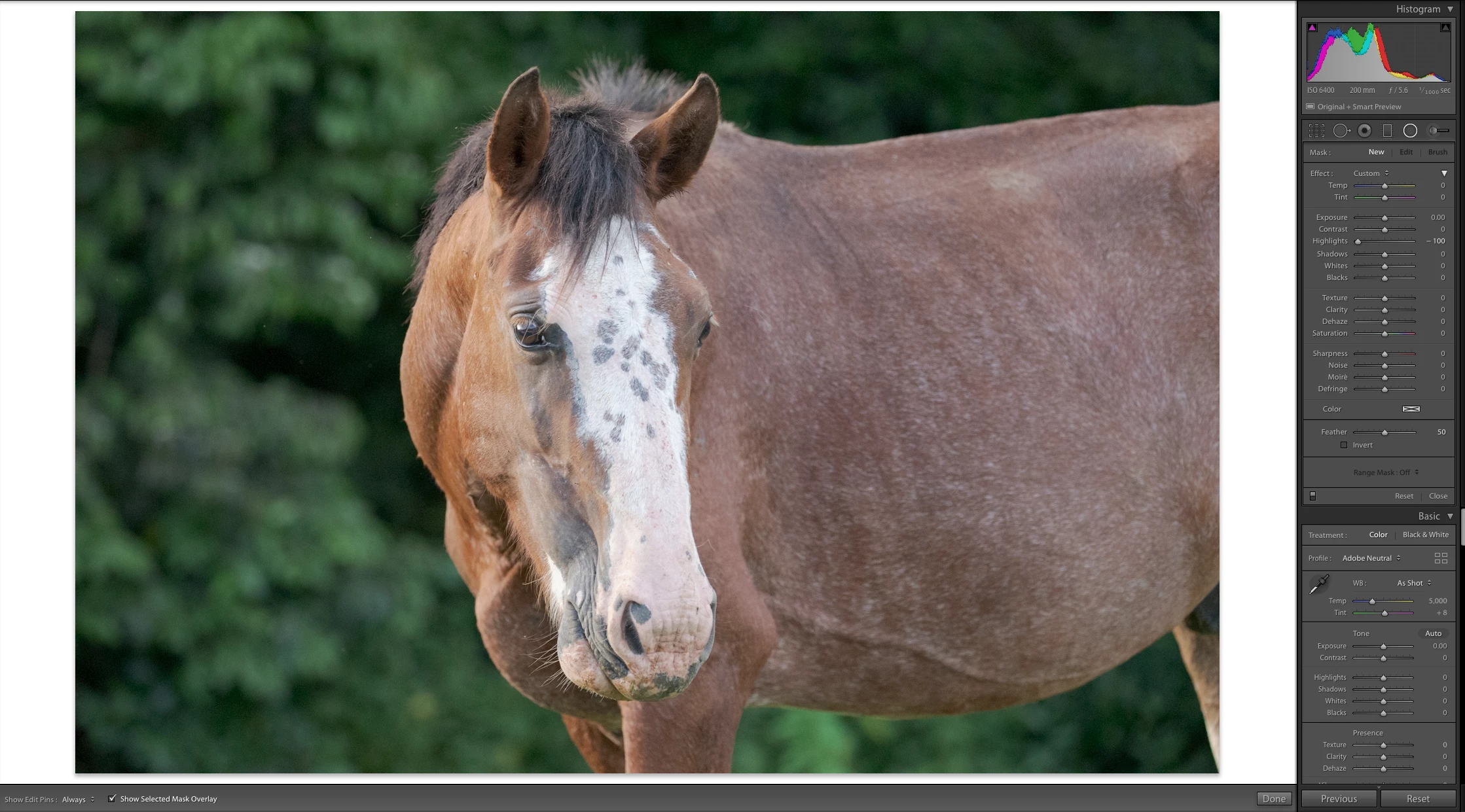
2) Pick a photo, and select the Rawest preset. As you can see, no local adjustments are present and everything is flat.
 

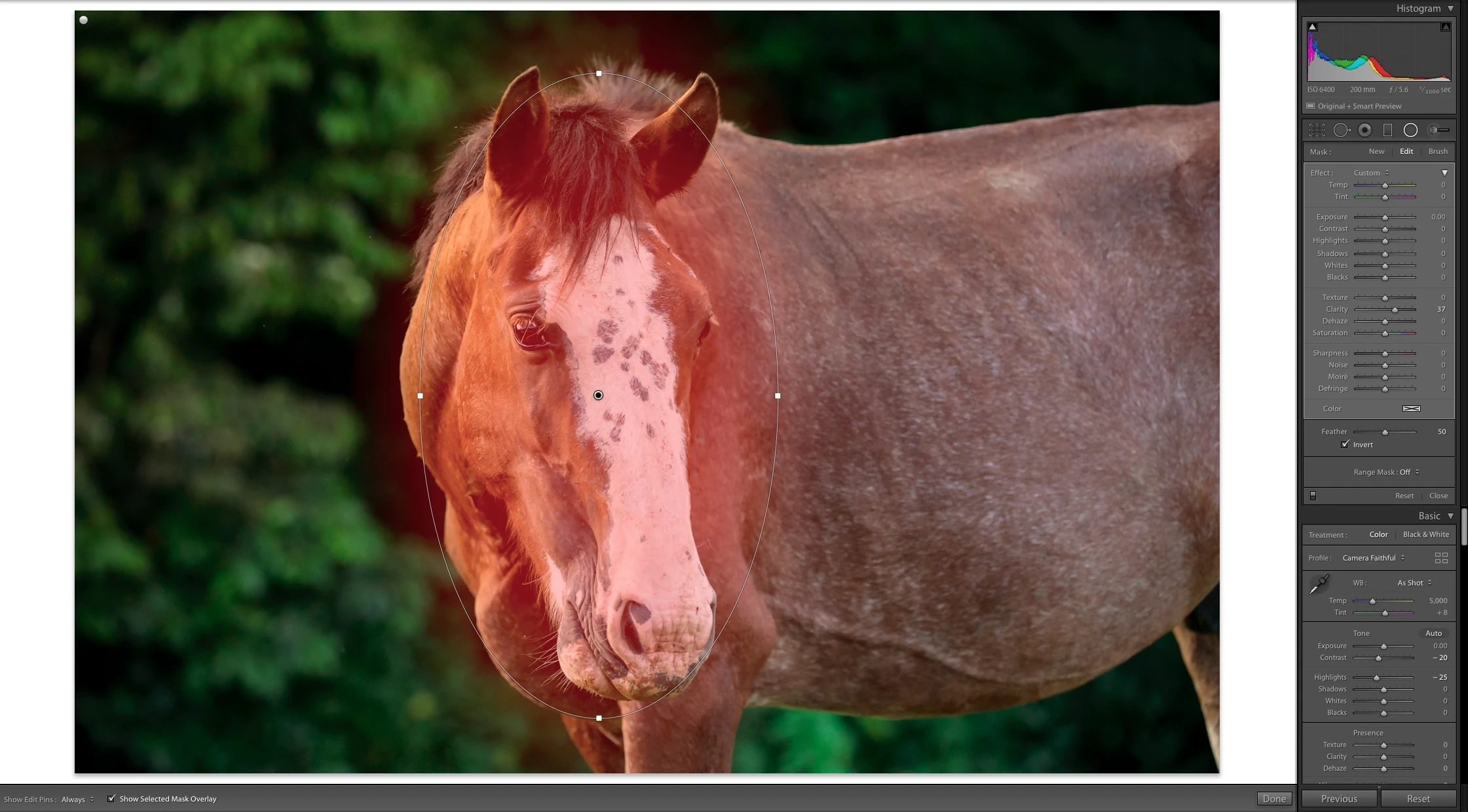
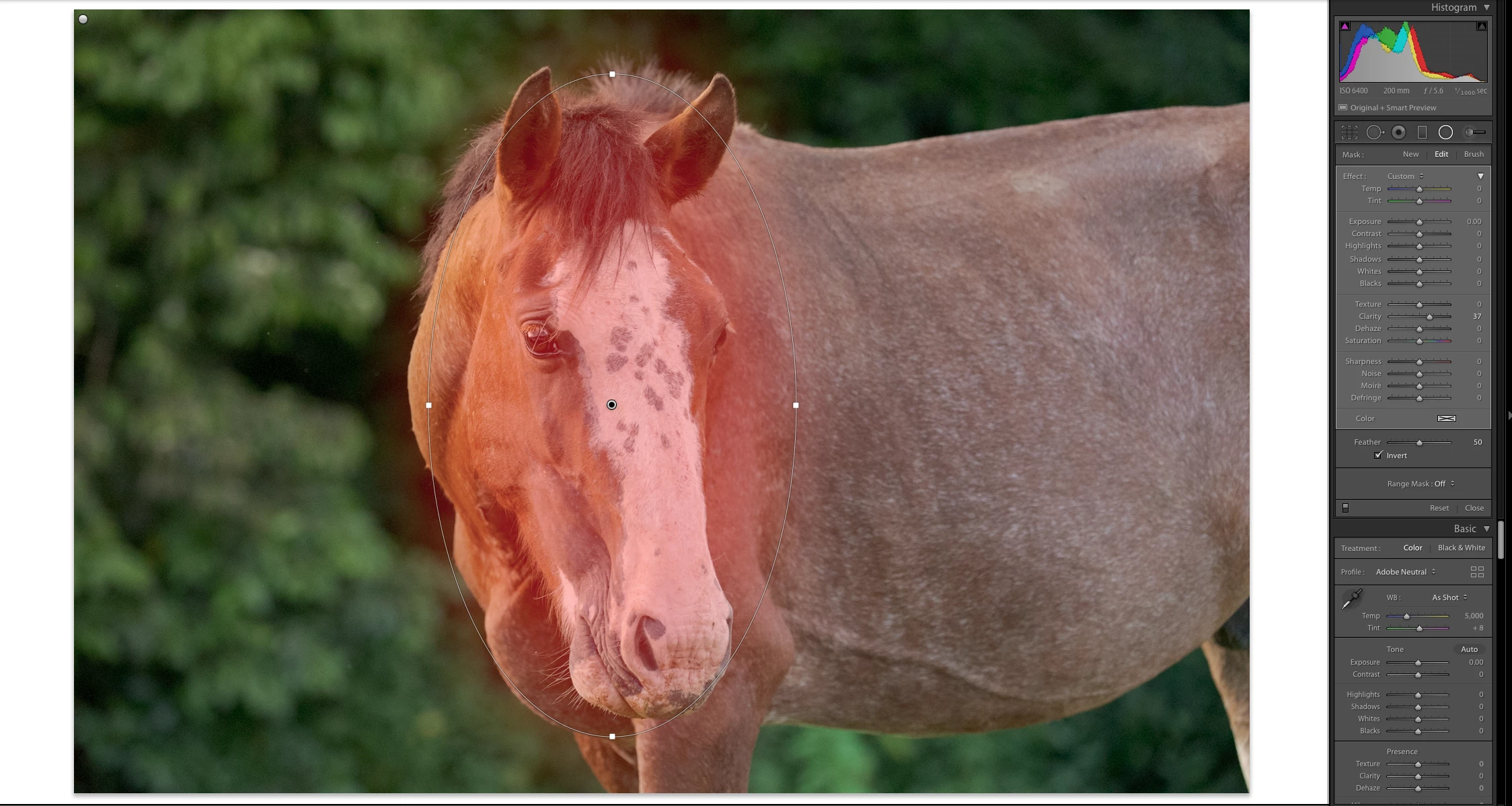
3) Edit the photo and add some local adjustments. Here I added 2 radial filters, one on the top-left corner, and one on the face of the horse.
 

4) Now select the "Rawest" preset that you created in the beginning.
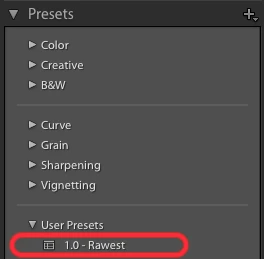
 

5) Look at the local adjustments: they have not been removed. Parameters in various panels have returned to their neutral position as expected, but every local adjustment is still there. This was not happening in previous versions of Lightroom.


This topic has been closed for replies.

20 replies

Bob Somrak
Legend
April 15, 2020

John

I guess I should have made my post a little clearer.  I was not talking about an actual preset, I was talking about the Reset(Adobe) function that was available by holding the Shift key down and hitting the RESET button.  In my opinion there seems to be no reasonable reason why this very useful functionality was removed.  

M4 Pro Mac Mini. 48GB
johnrellis
Legend
April 15, 2020

"Reset(Adobe)"


What did that do?

johnrellis
Legend
April 15, 2020

"We had an excellent "Zero Presset" at one time, Reset(Adobe),  and Adobe for no apparent practical reason at all decided to remove this very handy function."


It's still there, in the Classic - General group (which I think is hidden by default).  But it won't reset any Graduated or Radial Filters.

Bob Somrak
Legend
April 15, 2020

We had an excellent "Zero Presset" at one time, Reset(Adobe),  and Adobe for no apparent practical reason at all decided to remove this very handy function.

M4 Pro Mac Mini. 48GB
JohanElzenga
Community Expert
Community Expert
April 15, 2020

I wonder if this is actually a new (undocumented) feature. There have been lots of discussions about the fact that adding a filter via a preset deletes all existing filters, which is normally not what you would want. A 'zero preset' is the exception to that rule.

-- Johan W. Elzenga
johnrellis
Legend
April 15, 2020

The Classic - General > Zeroed preset doesn't reset radial or graduated filters either.

GoldingD
Legend
April 15, 2020

Going back into your post and the reeplys, but I have to say


Yep, doing that the hard way.


GoldingD
Legend
April 15, 2020

Or, you could use the Lightroom General preset called Zeroed, will set all sliders to 0, including sharpening, will no, if I remember right, reset the profile.


and, ahh, a link:

https://blogs.adobe.com/jkost/2016/07/resetting-files-in-lightroom.html


being a FujiX shooter, I zero at import, avoiding thee lousy Adobe default sharpening.


ahh, but zeroed might not flush out your adjustment brush(s). I really should answer these at a PC not on by rear end via iPad.


johnrellis
Legend
April 15, 2020

My bad, I assumed it was the brush by looking at the photo, missing the word "radial".


I agree that it's a bug. I suggest you post a bug report in the official Adobe feedback forum, where Adobe wants all bug reports and feature suggestions: 

https://feedback.photoshop.com/photoshop_family/categories/photoshop_family_photoshop_lightroom 


Be sure to include the first ten lines of the menu command Help > System Info.  Provide all the details, rather than linking back to this thread -- experience shows that Adobe developers tend not to follow the links.


[Use the blue reply button under the first post to ensure replies sort properly.]

valentinozegna
Known Participant
April 15, 2020

You are right, Brush adjustments cannot be saved, but Radial and Gradient filters can be saved, as you can see by the screenshot below. If you look at my example above, you can see that after selecting my "Rawest" preset, the horse still has 2 Radial Filters. Those are not Brushes. That is a bug.


valentinozegna
Known Participant
April 15, 2020

Posted here:


https://feedback.photoshop.com/photoshop_family/topics/lr-classic-will-not-remove-radial-gradient-filters-when-a-preset-with-no-radial-gradient-filters-is-chosen?rfm=1&topic_submit=true
johnrellis
Legend
April 14, 2020

In general, a preset only changes those settings that were stored in the preset. Presets aren't capable of storing adjustments made with the Adjustment Brush, so there's no way for a preset to clear such adjustments from a photo.


[Use the blue reply button under the first post to ensure replies sort properly.]