
Local adjustment brush + colour range no longer masking as it used to.
This was so easy before the latest update. When I wanted to adjust a specific part of the photo using the rolour range mask, I would begin by making a rough marking with the brush, and then refine it with the colour range. The colour mask's refinement would then be confined within the original brush area. See images.
1. Rough marking with the brush.
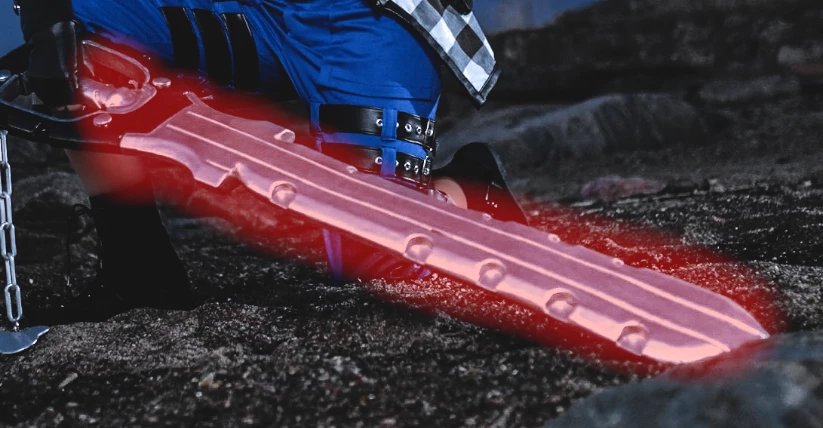
2. Using the colour range mask to only adjust the grey/silver part. Notice how the white on the jacket, and the matallic chain, are NOT selected, because they're outside the confinement of the original brush marking. This is how it should be!
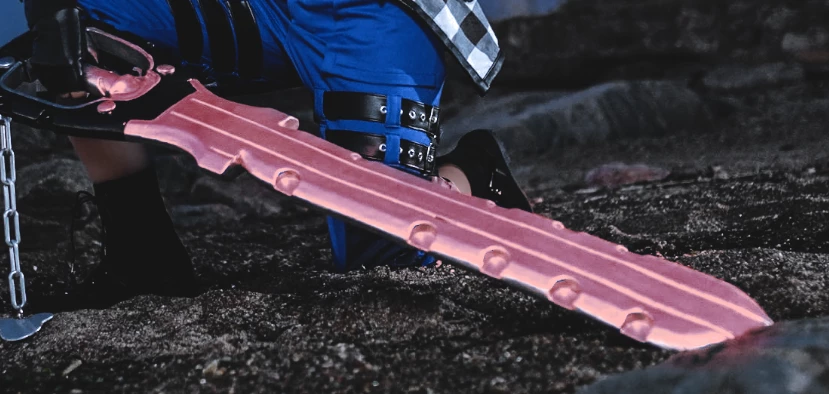
But after the update with the new masking tools, this no longer works! If I try the same again...
First, again a rough marking with the brush:
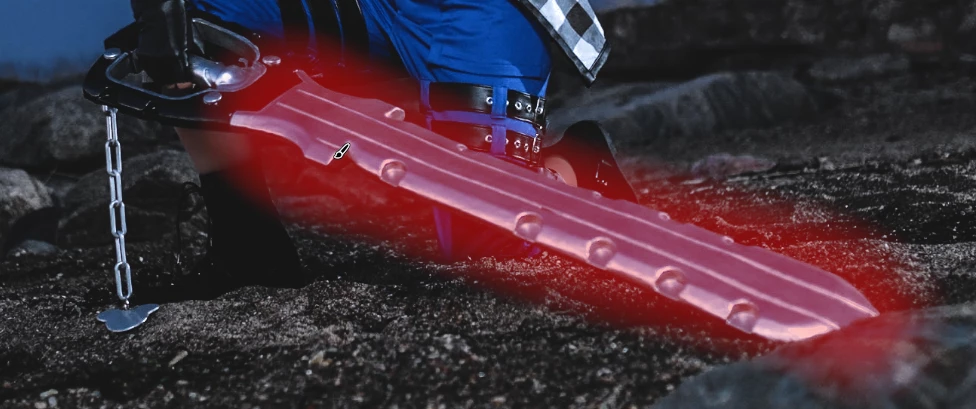
But now when I use the colour range masking to refine the brush masking, it no longer stays within the original brush masking, but extends outside and affects the filtered colour in the whole photo:
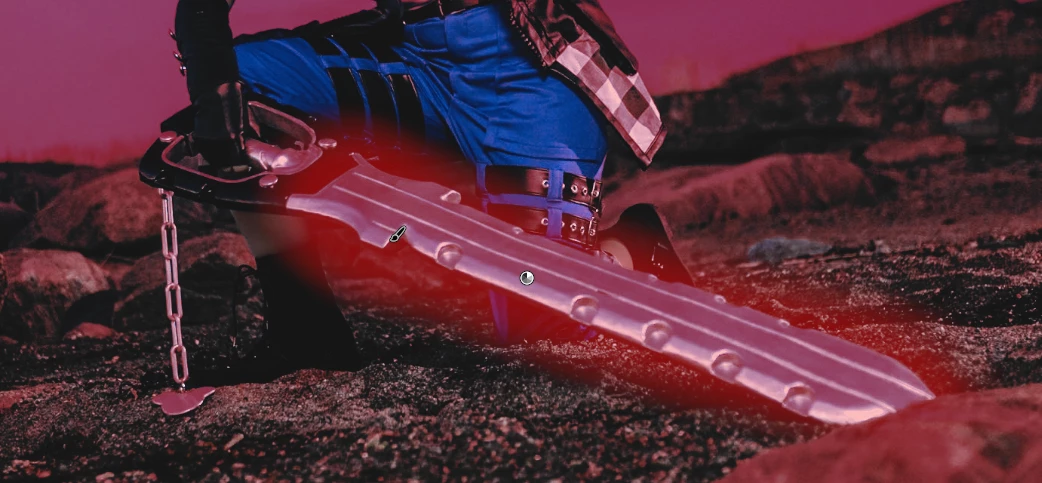
This what the layer order looks like: (sorry for Swedish. Färgområde= Colour range. Pensel= brush)
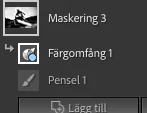
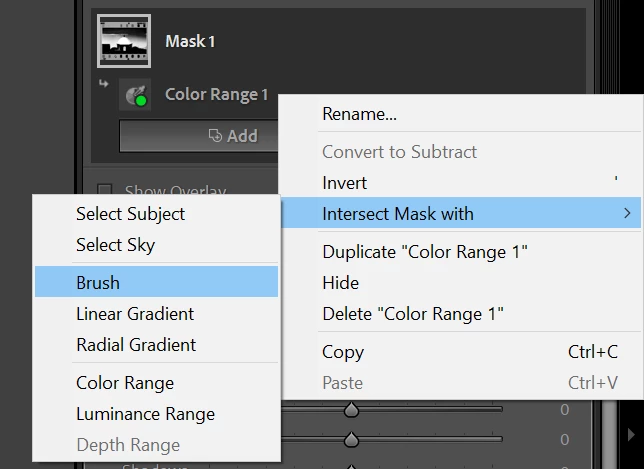
I can not figure out how to create a colour range mask that is confined within a brush masking, as it used to be. This has completely broken my workflow and I can not keep working on my projects until I know how to solve this. Help is needed urgently, and greatly appreciated.
 AdChoices