
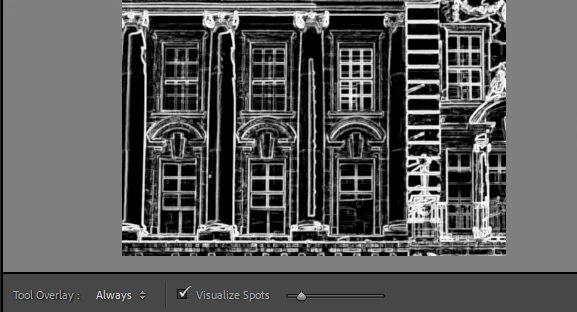
Location for "Visualize Spots" checkbox
Hi all,
I have recently switched my workflow back from from CaptureOne to LRC/CC. I cannot seem to find how to access the old "visualize spots" filter which used to be paired with the "spot removal" tool. This was one of my favorite functions within LRC because it saves me lots of time being able to remove large spots before moving into photoshop. I am currently working in LRClassic ver. 12.4, and none of the forums or tutorial sections mention anything about this feature. I understand that the old "spot removal" tool was merged into the healing brush tool, but has the quasi-bitmapped (super high contrast inverted BW) visualize spots feature simply been removed? Has anyone else been missing this feature, or is it just me?
TIA and I hope you all have a wonderful day!
Using Lightroom Classic ver. 12.4 on 16GB Macbook Pro running Ventura 13.4.1
 AdChoices