
Participant
October 2, 2025
Answered

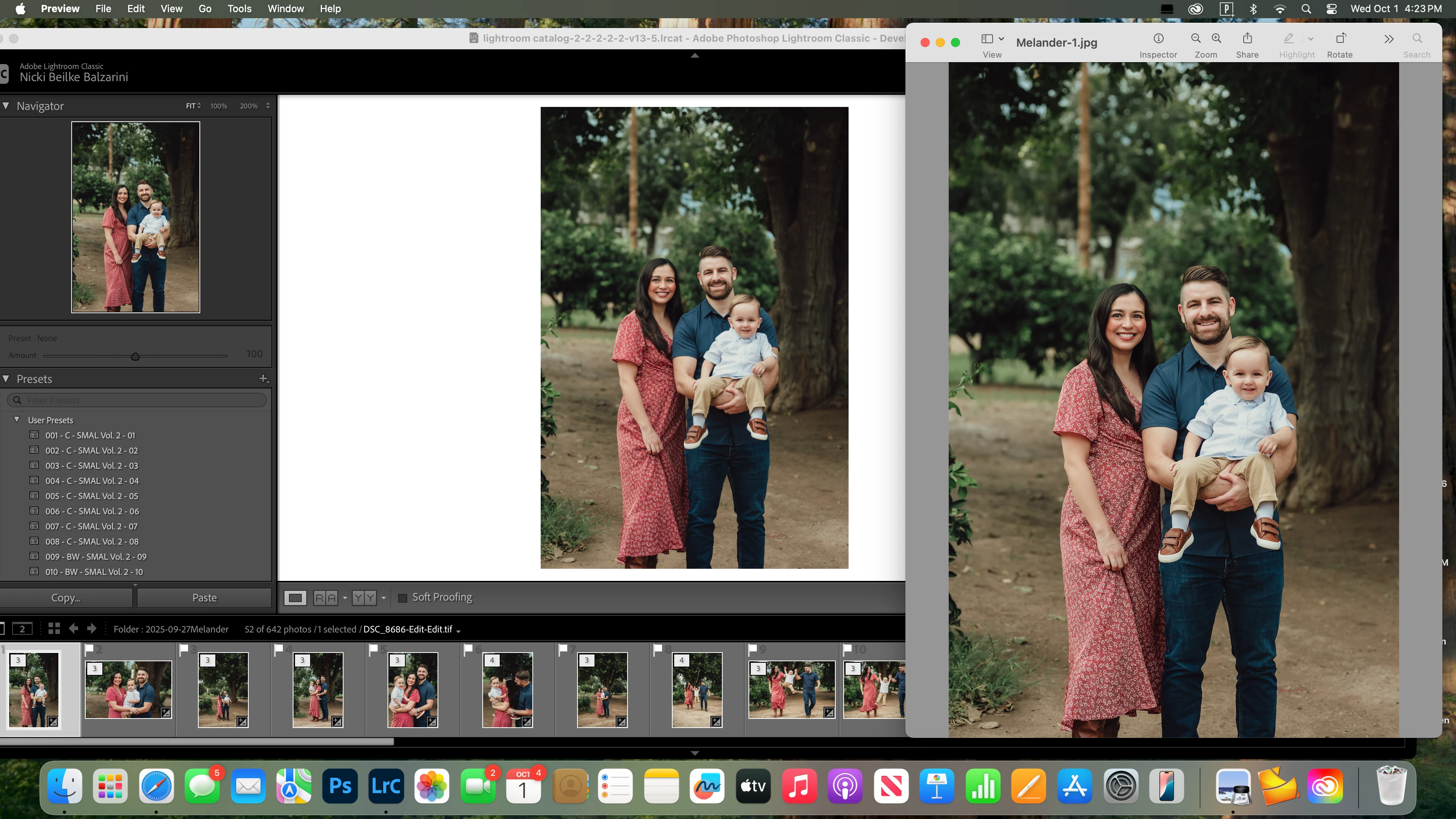
Looking for advice on how to fix the color when exporting when proof shows different.
  • October 2, 2025
  • 1 reply
  • 138 views

 I wanted to export my images for my client but when previewing them, I noticed the color of the woman's dress is off from the proof in Develop. I haven't had issues in the past on any session before this one. Color space SRGB. Please give guidance. I have updated Lightroom after this screenshot and it is same issue. 

Correct answer Nicki5D87

@Aleke 

I shared a screenshot so I don't think it is a monitor calibration issue. I exported using SRGB as usual. The only color that seems off in comparing the proof and the export in Preview is the reds. I didn't change my normal method of exporting either. 

1 reply

Community Manager
October 2, 2025

Hi @Nicki5D87, welcome to the community!
Color differences in exported images can happen for a few reasons, especially depending on the color space you choose during export and how the image is viewed afterward. Lightroom Classic gives you options like sRGB, Adobe RGB, and ProPhoto RGB, and if the app or browser you're using doesn’t fully support the selected color space, the colors might look off. sRGB is usually the safest choice for consistent results across platforms.
Also, things like monitor calibration and the app used to view the exported file can play a role. Some viewers aren’t color-managed, so they might not display the image exactly as it appears in Lightroom.
Alek

*(If you mention me with an @, like @Aleke, I’ll get a notification and can respond faster.)*
Nicki5D87AuthorCorrect answer
Participant
October 3, 2025

@Aleke 

I shared a screenshot so I don't think it is a monitor calibration issue. I exported using SRGB as usual. The only color that seems off in comparing the proof and the export in Preview is the reds. I didn't change my normal method of exporting either. 

Nicki5D87Author
Participant
October 3, 2025

I think I have figured it out that it is going back to using Portraiture on the photos. Sad I can't use the skin smoothing program compatibily in Lightroom.