
Known Participant
June 18, 2025
Question

Looking for ideas how to clear photos stuck in sync activity - again

  • June 18, 2025
  • 1 reply
  • 232 views

Using LrC ver 14.3.1 on macOS 15.5..


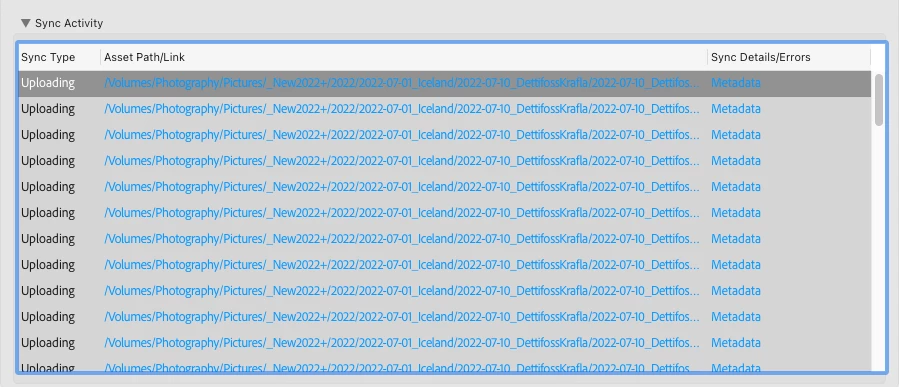
I've had 73 photos stuck in sync activity for the last 90 days, I made a little progress (I'm down to 65 now), but wondering if there's any new remedies or workarounds now available since beginning of 2025?

Here's how I got from 73 -> 65 images stuck in the sync activity list
The vast majority of the issues are metadata. I clicked on the asset path to go to the file in my collection and saw msgs like below when I clicked on the sync arrow in top right of image
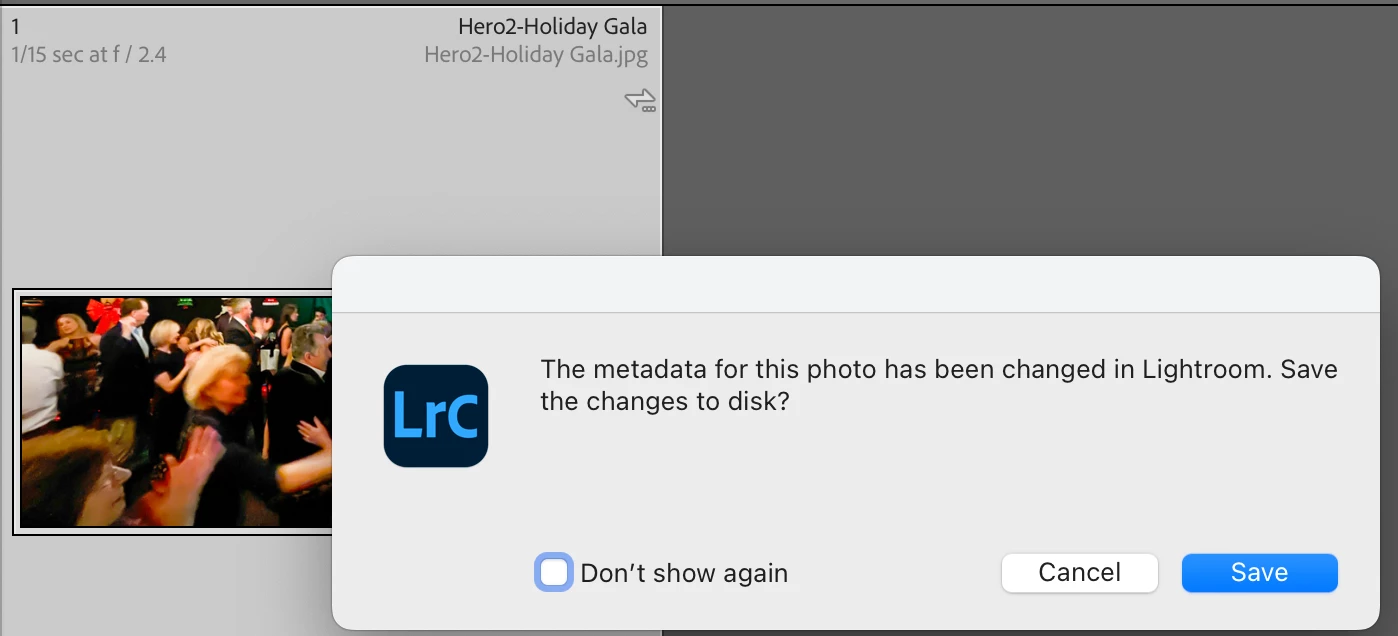

By clicking "save", and waiting a couple minutes, some the list of files decreased a little.

This didn't work for the next 10 items in the sync stuck list so I'm looking for other ideas.

I also tried unchecking the box to stop syncing the collection(s) the photo was in. But even after the collection was no longer marked to sync with the cloud, it's *still* in the sync stuck list. Frustrating.

mike

1 reply

Sameer K
Community Manager
Community Manager
July 2, 2025

Hey, @mikeli77. Welcome to the Lightroom Community. I'm sorry for the delay in responding to this thread. 

Do you still need help? If yes, please read along. 


Great job summarizing what works and what doesn't; it helps. If you can locate the collection in which these specific images are, start by adding flags/ratings or minor edits to the photos and adding them to a new collection. Then, wait for this collection to finish Synchronizing. 


If nothing changes after some time, log in to Lightroom Web (https://adobe.ly/3uv2zCA) on a desktop with your Lightroom Account and check the Sync Issues category near the Deleted section. If you have a backup of these images, you can clear them out and delete them from the deleted section.


You can clear the Deleted Tab in Lightroom Web to iron out underlying sync issues. Once you have cleared them out, let Lightroom Classic run for a while to resolve most of the issues.


Thanks!

Sameer K

(Type '@' and type my name to mention me when you reply)

mikeli77Author
Known Participant
August 23, 2025

Thanks for the reply Sameer. I just got back from vacation where I added about 2000 new photos to my Lr cloud, which was used to populate my collections on my iPhone and iPad. 7+ days later, LrC now shows there are 82 photos that never complete syncing:


I looked over your recommendations and found Lr Web (https://lightroom.adobe.com/) has  17 sync issues listed from the new photos added during my vacation. If I hover my mouse over these, I find a msg to "open them on my laptop".


Unfortunately, opening the photo from Lr or LrC on my laptop doesn't fix the problem. 


I did notice that from the sync issues list on LrC, newly added files have a little mark under the sync indicator in library view. I can click on this and the little mark under the arrow goes away, but returns after about 2 seconds. And now my "stuck image" count is up to 92.


I don't want to play around with deleting images from my catalog then trying to restore from a backup. This seems problematic and alot of extra work I don't want to do everytime there's sync issues.

Since I started using Lightroom again last year, the issues with syncing has been a recurring theme of problems that seems to occur after I've done some interaction (usually just flags and ratings) on my iPhone or iPad. Is syncing to the Adobe cloud intended for this? Given syncing of images it not a brand new feature I am sad reliability continues to be problematic. 

mike

mikeli77Author
Known Participant
August 23, 2025

My next plan is to try and "rebuild sync data" as per this related support thread to see if that helps. It makes me a little nervous as I have 65000 images and I don't want to risk messing up sync data for the 64,900 files without a problem, but the never ending sync is bugging me and slowly getting worse. 

https://community.adobe.com/t5/lightroom-ecosystem-cloud-based-discussions/syncing-stuck-forever/td-p/13681484