
Participant
July 17, 2023
Question

Loosing image quality when exporting from Lightroom

  • July 17, 2023
  • 1 reply
  • 96 views

Hi there, 


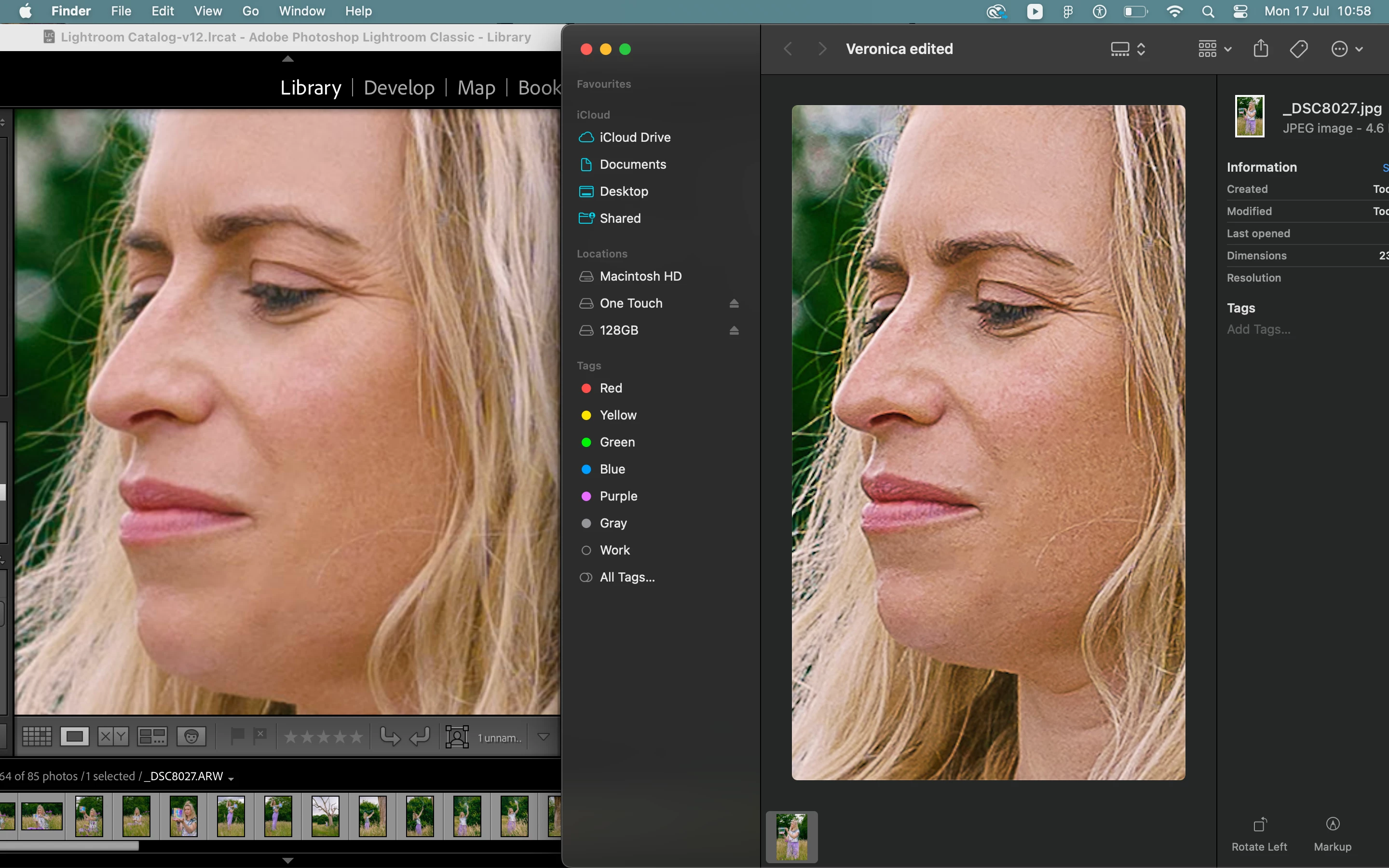
I am doing some edits and find that when I export the images they look owfull. I have try all the tips that I read here in the comunity and in youtube/ google. I do not know what i am doing wrong but it is affecting my work flow. The picture looks very pixelated and not smoth at all after it goes out of lighroom. 

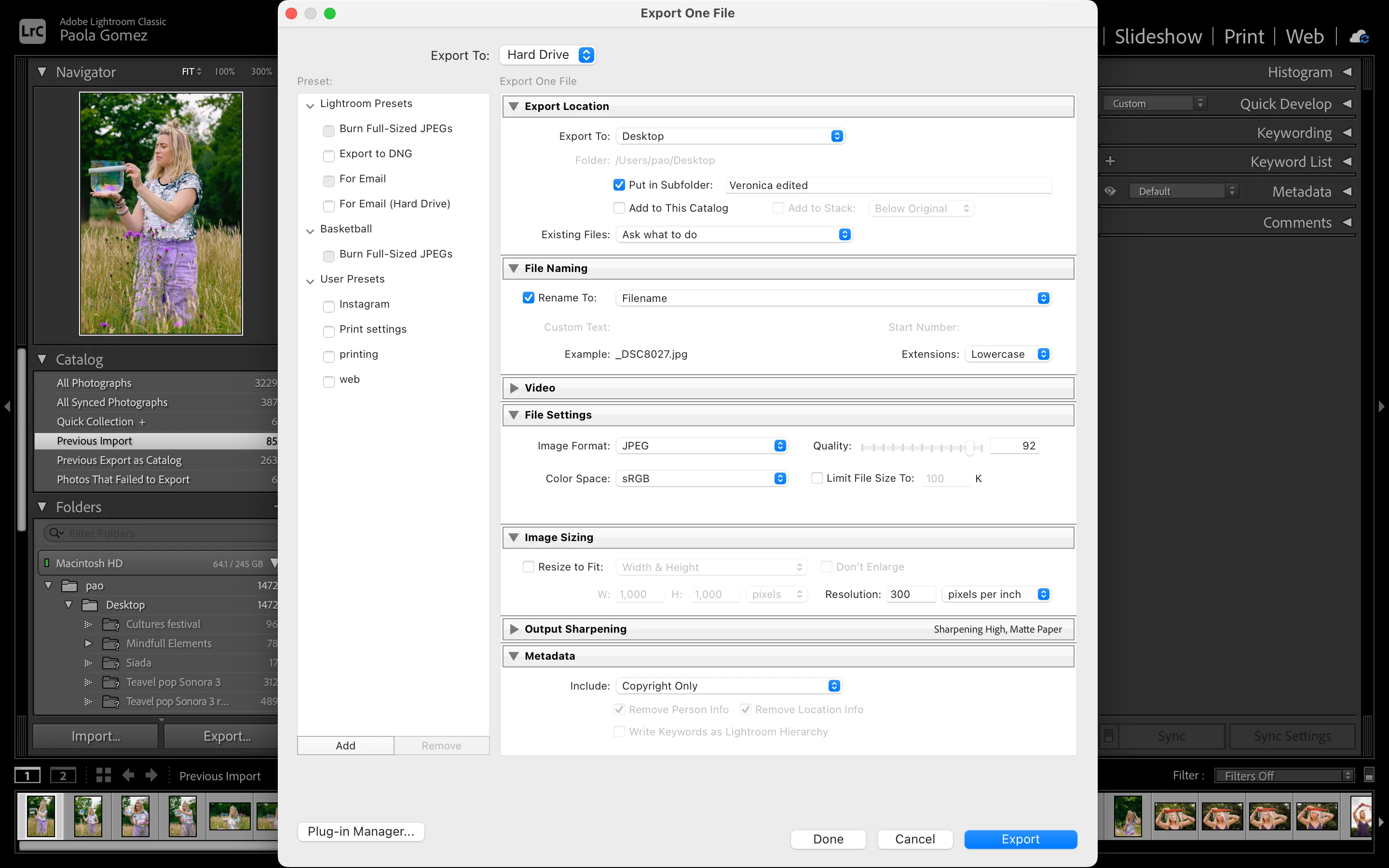
This is how the picture lookes ans the setting I am using to expost them.
This topic has been closed for replies.

1 reply

AxelMatt
Community Expert
Community Expert
July 17, 2023

As far as I see you have the Output Sharpening set to "Sharpening High Matte Paper". Change this setting to sharpenung for screen or to none. Then check again.


My System: Intel i7-8700K - 64GB RAM - NVidia Geforce RTX 3060 - Windows 11 Pro 25H2 -- LR-Classic 15 - Photoshop 27 - Nik Collection 8 - PureRAW 5 - Topaz Photo