
Low memory and other issues on powerful laptop with HDR and PANORAMA
Hi everyone,
after trying out some forum suggestions and cracking the nut myself I am still unable to fix my HDR/memory issue with Lightroom.
First I would like to give you some hardware info.
My laptop: AERO 15X (i7-8750H) | Laptop - GIGABYTE Global
Lightroom system info laptop: Dropbox - system info laptop.txt
Lightroom performance preferences laptop:
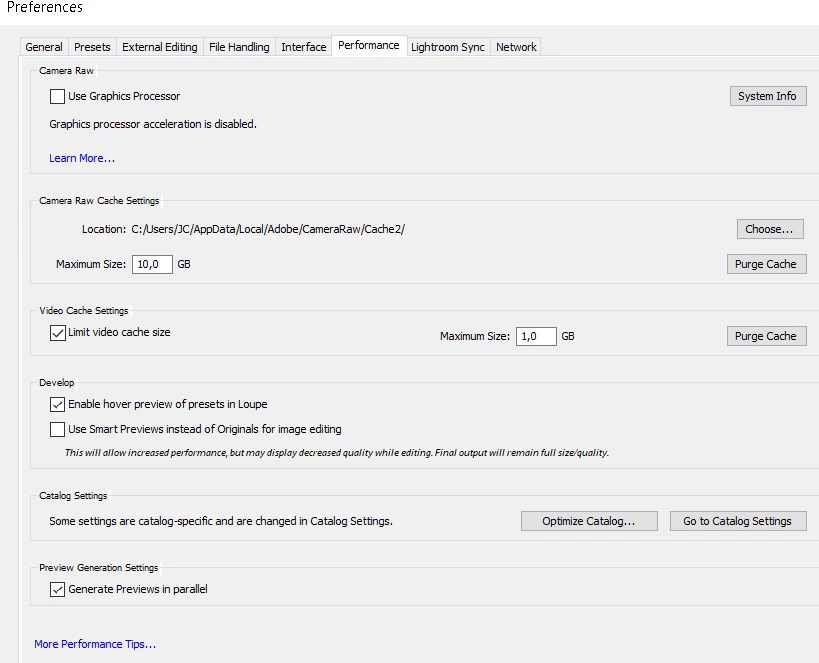
So the initial issue is that HDR and PANO merging doesn't work properly. One time it goes through the stitching/merging process of the PANO/HDR but fails to create the final file and another time it already fails at stitching/merging the PANO/HDR. But it's consistent in a way that the files that I share at the end of this post are ALWAYS failing on the laptop...
(same results with or without graphics processor enabled)
(pano preview completed)
(fails at creating final image)
When I first noticed the problem I immediately tried on my other (desktop) system which has the following system info: Dropbox - system info desktop.txt
And the following performance settings:
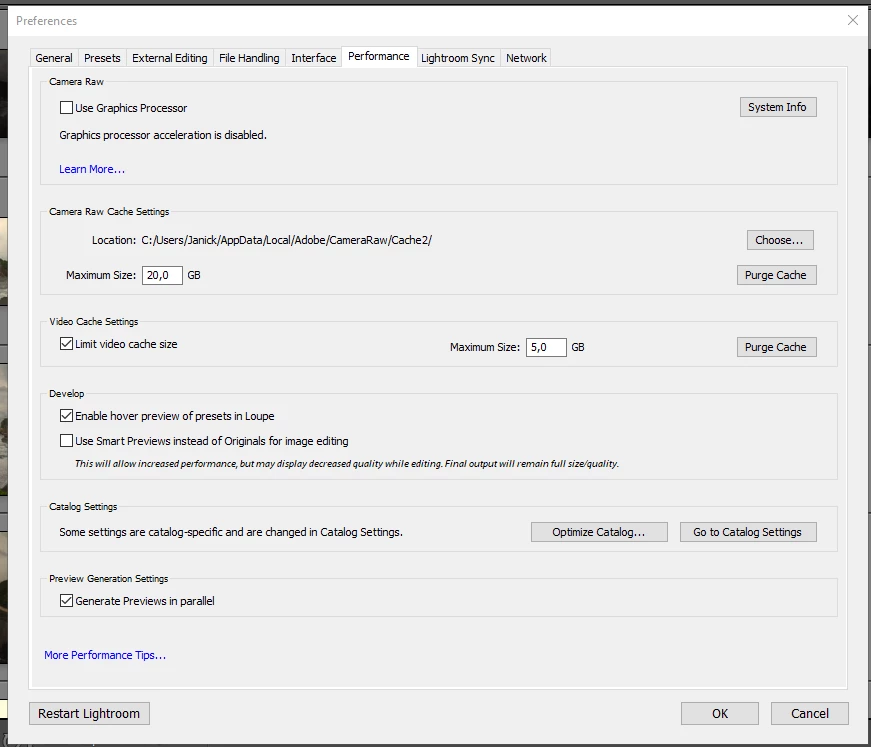
All the PANO/HDR merges work fine on my desktop even though that computer is 6 years older than my laptop (i7gen2 vs i7gen8) and the amount of RAM is equal (16GB), why??
(successful pano merge on desktop)
When running Photoshop and/or Lightroom on my laptop my memory sinks down the drain even though the task manager says it's 'only' using half (even when Lightroom is in idle and not doing anything):

The Chrome browser tabs also start crashing immediately:

And gets suspended in the task manager:

Furthermore, I often get these errors when trying the HDR or PANO in Photoshop:
In order to solve this issue, I will provide you some of the original files that constantly fail on my laptop for you to try yourself. I'm already positive there will be no problem on your system which makes it even harder to crack this nut...
Dropbox - Files - Simplify your life
I also couldn't find any way to save/see a real-time log for Lightroom or Photoshop to see where it is failing exactly when merging. Maybe that will be a good start in debugging.
PS: some additional questions/remarks:
- In the beginning, I was working from an external USB3 hard disk where my whole collection is saved. From there I was creating the HDR and PANO merges directly on the external hard disk. Could that create general memory issues?
After facing this problem I started working from an internal local drive but got the same errors as mentioned above so at first having the photos on the external hard disk is not the cause of my problem.
- I had some errors with the scratch disks as well when using the external hard drive but my scratch disk had only 7GB free so after creating some more free space the scratch disk errors disappeared.
Thanks in advance,
J C
 AdChoices