
Participant
November 27, 2024
Answered

LR 14.0.1 Doesn't generate new previews or thumbnails

  • November 27, 2024
  • 1 reply
  • 1449 views

Ever since upgarding to the new M4 Macbook Pro, I am having this issue. This is a bug that I've seen mentioned on other threads, but I want to bring it up in my sepcific version of software/hardware combo.


The issue: No new previews or thumbnails are being generated when importing new photos on the library. Previously generated previews and thumnails display just fine.


Hardware: MBP M4 Max

Software: Sequoia OS 15.1.1, Adobe Lightroom Classic 14.0.1
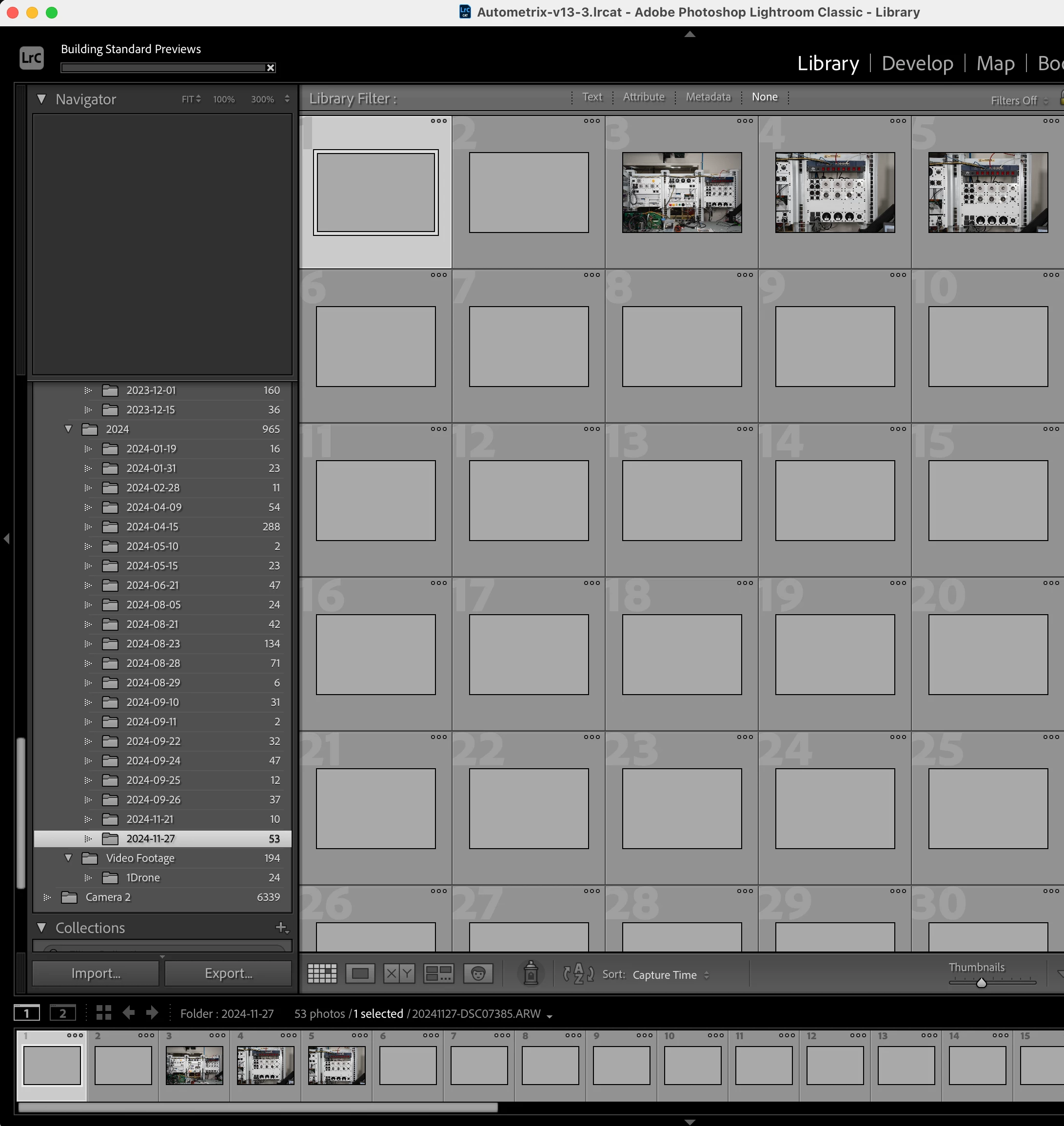


[Moved from ‘Bugs’ to ‘Discussions’ by moderator, according to forum rules.]

This topic has been closed for replies.
Correct answer JohanElzenga

Not every problem with software is a bug. This most likely isn't a bug, otherwise everybody would have this same problem if this was a bug in Lightroom. It's possible that your previews cache has become corrupted. Try this: open you catalog folder and move 'Catalogname Previews.lrdata' out of that folder. Then start Lightroom. Lightroom will rebuild the cache, so initially you will not see any previews at all, but then they should appear one by one and your problem with new images should be over too.


1 reply

JohanElzenga
Community Expert
JohanElzengaCommunity ExpertCorrect answer
Community Expert
November 27, 2024

Not every problem with software is a bug. This most likely isn't a bug, otherwise everybody would have this same problem if this was a bug in Lightroom. It's possible that your previews cache has become corrupted. Try this: open you catalog folder and move 'Catalogname Previews.lrdata' out of that folder. Then start Lightroom. Lightroom will rebuild the cache, so initially you will not see any previews at all, but then they should appear one by one and your problem with new images should be over too.


-- Johan W. Elzenga
vitaliypAuthor
Participant
November 27, 2024

That did the trick @JohanElzenga, thank you!

For anyone experienceing similar issues, deleted the "YourOwnCatalog Previews.lrdata" in the same folder as your catalog. You will have to reuild the preview manually, and it might take a while, depending on the size of your catalog. 

Known Participant
November 28, 2024

This hasn't helped me with previews getting stuck, not on import but anytime!  Have re-built them many times but a lot of folders still get stuck on the first one.  Oh well, getting a bit fed up!