
Participating Frequently
February 22, 2017
Answered

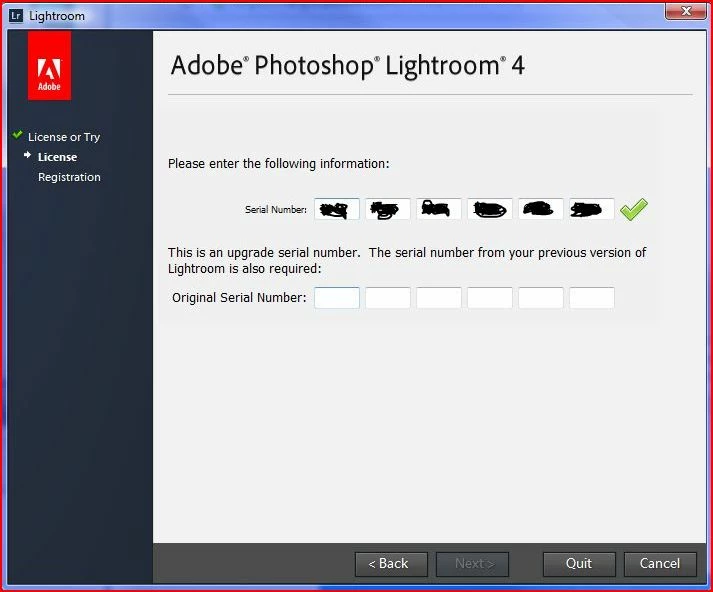
LR 4 requesting previous versions serial number which I do not have anymore

  • February 22, 2017
  • 1 reply
  • 1733 views

I recently installed Lightroom 4 onto my laptop as my PC that had it on crashed. When I entered my Serial number to register the product the screen said the serial I have entered is an upgrade serial number and I need to enter my previous versions(LR3) serial which I do not have anymore as when I upgraded that version disappeared off my profile. Is there anyway I can sort this out without that serial number. I chatted to the help chat but was pointed in this direction.

Many thanks in advance.
    This topic has been closed for replies.
    Correct answer 99jon

    See if you can find it here:

    C:\ProgramData\Adobe\Lightroom\Lightroom 3.0 Registration.lrreg

    If the text file is available you would need to open it in Notepad.

    1 reply

    99jon
    99jonCorrect answer
    Legend
    February 22, 2017

    See if you can find it here:

    C:\ProgramData\Adobe\Lightroom\Lightroom 3.0 Registration.lrreg

    If the text file is available you would need to open it in Notepad.

    Participating Frequently
    February 22, 2017

    Thanks ACP but the previous version was installed on my PC which has now crashed so the Lightroom folder you indicated on my laptop is empty

    99jon
    Legend
    February 22, 2017

    If you originally registered your product the serial number will be stored in your Adobe Account.

    Sign in with your Adobe ID (email address & password) and choose the tab “Plans & Products”

    Then view your products. Every registered application should be shown with serial numbers.

    To see a list of your registered products and their serial numbers, go to My Account