
LR catalog showing duplicated folders in Folder's panel
Hi everyone!
Out of nowhere, after I imported some new images into my catalog, LR started showing the folders twice in the Folders panel. I have one big catalog, ordered by YEAR, with each year's folder ordered by the date images were taken.
Now, the IMAGES folder has been split into two panels, with some folders appearing twice in the original folder and others in a new one that appeared from nowhere! I tried to move those folders from the new panel to the first one, but LR says the folder already exists at that location, and in fact, the folder structure has never changed on my hard drive.
I asked LR to synchronize the 2025 folder, and it has moved all the sub-folders to the new images panel. Has anyone seen this before? I was thinking of creating a new catalog, but recreating all the previews will take a long time.
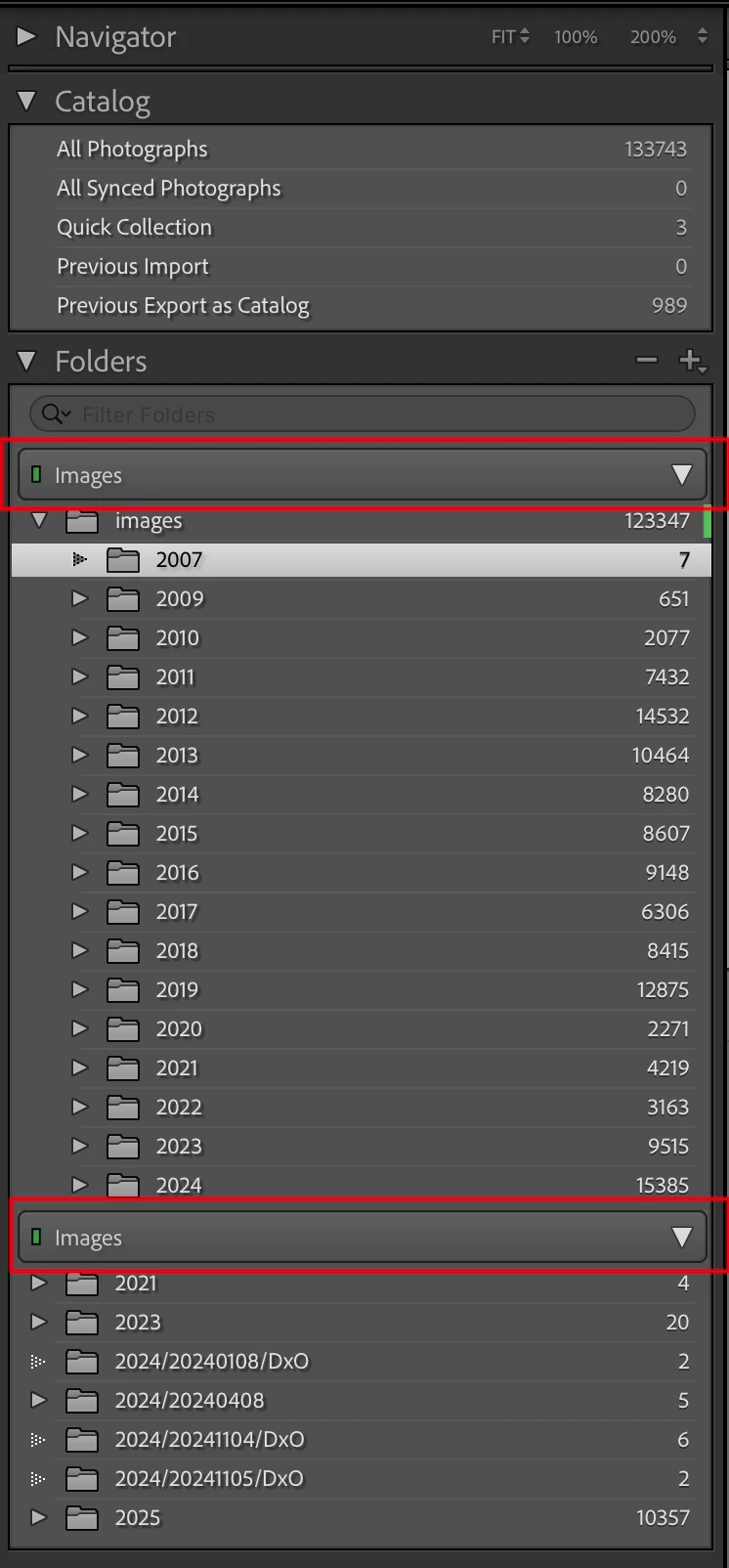
The two IMAGES drives in the LR panel point to the exact same location in my Synology drive (smb://172.16.65.2/Images), and the folder structure is shown below.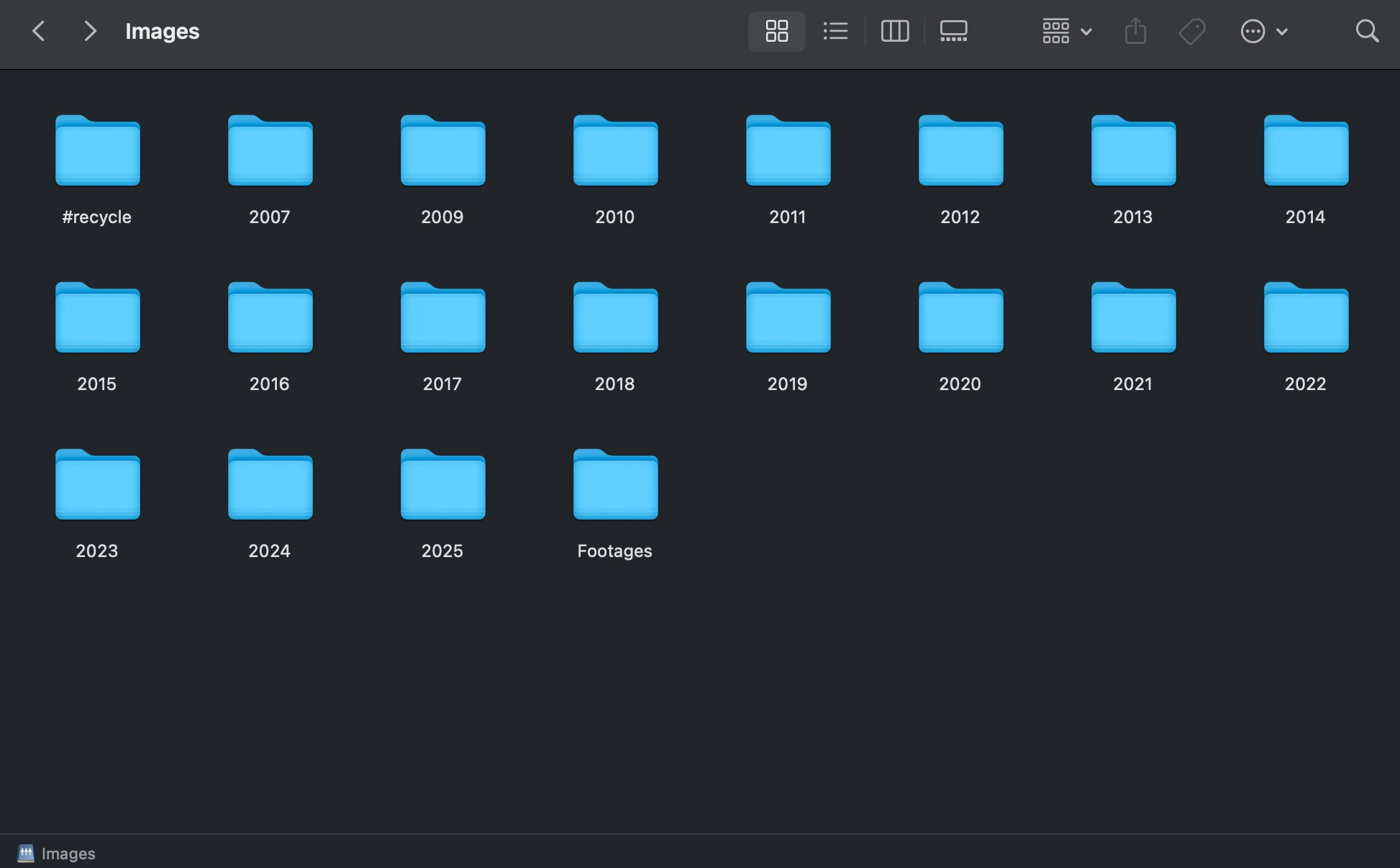
Any help would be tremendously appreciated.
Cheers,
Marcio Souza


 AdChoices