Participant
June 11, 2018
Question

LR CC 7.3.1 Import Issue of Sony AVCHD Video Files

  • June 11, 2018
  • 2 replies
  • 591 views

Few days ago I updated LR CC from previous release to 7.3.1.  Yesterday I tried to import some new AVCHD Video Files from my Sony A6000.  They were discovered correctly using the built in card reader on my MBP Mid 2015.  Imported, but the meta data for file creation time was not correctly set on the files post import.  Rather than the actual file creation date/time they all had the import date/time.  The EXIF date time field is where the faulty data was written.

I had imported the same type of video files from the same camera using the previous version of LR CC a few days before the upgrade and the EXIF date time was imported correctly.  Something seems broken in the video meta data import in 7.3.1.

7.3.1 Import Results:
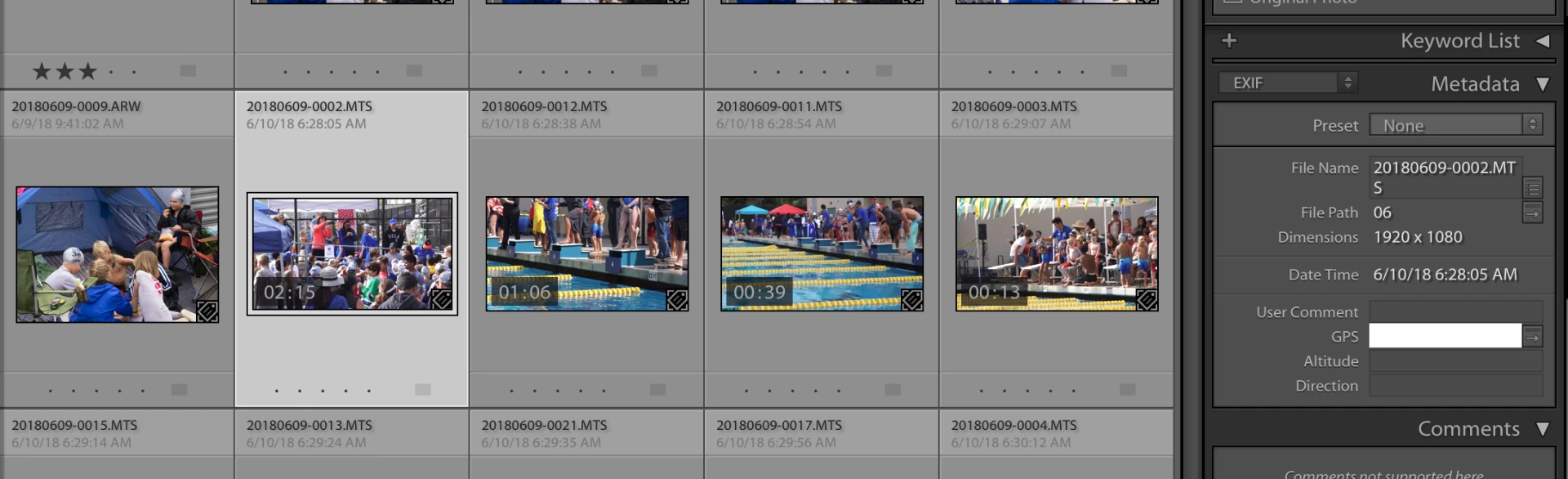
(note the raw photo had  the exif date time imported correctly, but the highlighted video file doesn't.)

7.3 Import Results:
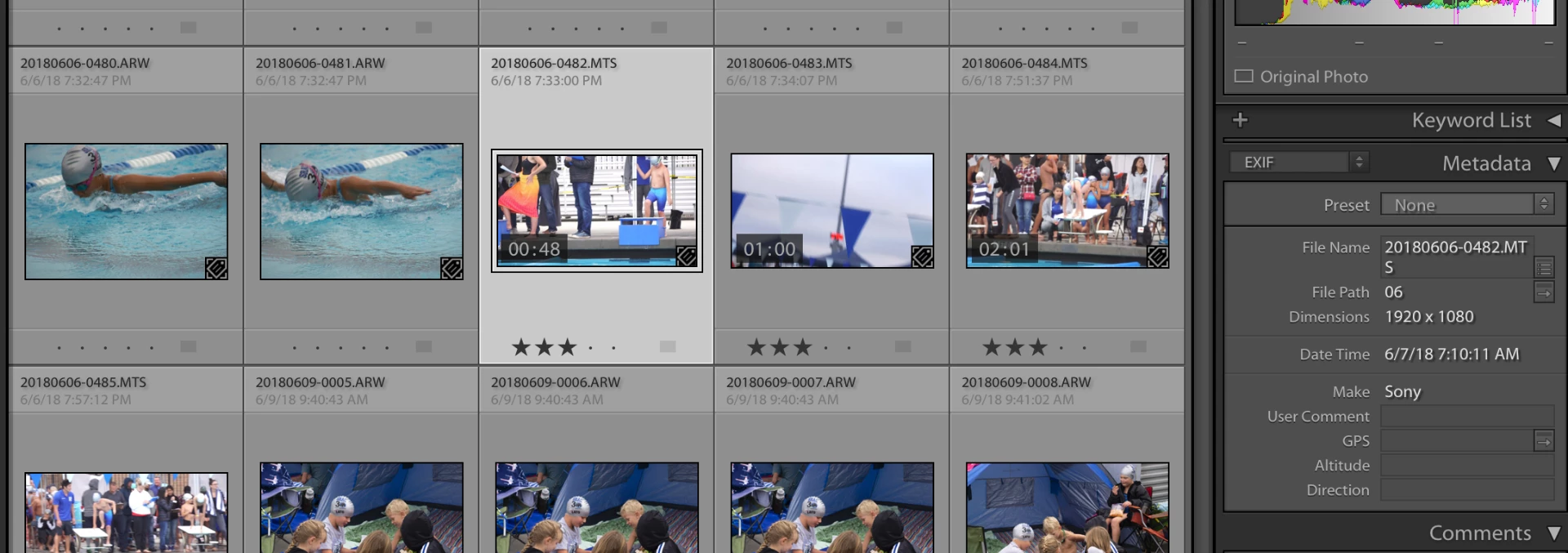
(highlighted video file has correct exif date time, the file before it is a raw photo for comparison)

Has anyone else run into this issue or an issue with video file imports in this latest version?

Greg

---

Greg Lato

latoga photography | www.latogaphoto.com

This topic has been closed for replies.

2 replies

johnrellis
Legend
June 11, 2018

I observe the same symptoms in 7.3.1: An AVCHD from my Sony RX100 V imported via the card reader gets the Capture Date/Time set in LR to the date/time of import.

However, I also observe those symptoms in 7.3 (I just rolled back).  But LR CC 2015.14 correctly imports the capture date/time.

I suggest you file a bug report in the official Adobe feedback forum, where Adobe wants all product feedback: Lightroom Classic CC | Photoshop Family Customer Community . Be sure to include a sample video by uploading it to Dropbox or similar and posting the sharing link. Adobe is unlikely to pay much attention without samples that show the bug.

latogaAuthor
Participant
June 11, 2018

While trying to process these videos, I really needed the file creation date/time set correctly.  By looking at the raw files via the finder, I saw that the original files on the hard drive did have the file create date set right.  So the error was purely in Lightroom's catalog of meta data for these videos. 

After a little playing around I stumbled across a way to quickly sync the meta data create date/time with the original date/time from the files:

  1. In Library Mode, from the Metadata side panel, select "Default" meta data set
  2. scroll down to "Capture Time" field, mine was empty, but the "Capture Date" field below it was set with the incorrect date of the import date.
  3. Clicking on the "Capture Time" field brings up a "Edit Capture Time" dialog box.  The 3rd "Type of Adjustment" is "Change to files creation date".  Selecting this option and clicking "Change" synced the LR meta data for the videos in question to the right capture date/time.

While this didn't update the Exif data, it did at least update the default meta data for the videos so now at least I can sort on the accurate creation date and the date is displayed correctly in the Library Grid and Loupe view.  This tip also works with multiple files selected and will update all their dates.

Greg