
Answered
Lr change name at file
lr change name to file after import file in library instead of number file, example 123.nef, Paola. nef.

lr change name to file after import file in library instead of number file, example 123.nef, Paola. nef.
I'm not sure if you're making a statement or asking a question.
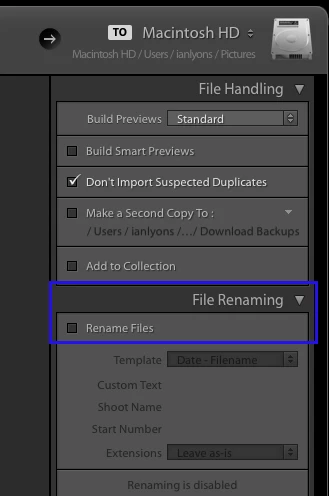
If Lr renamed your file during import, and this isn't what you what, then make sure that the File Renaming panel in import window is configured so that files are not renamed (see below screenshot)
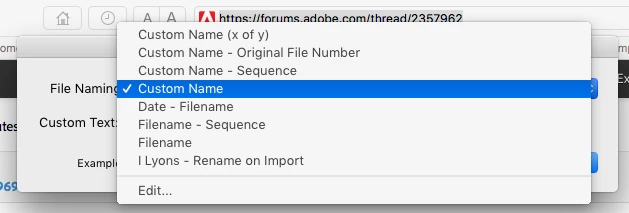
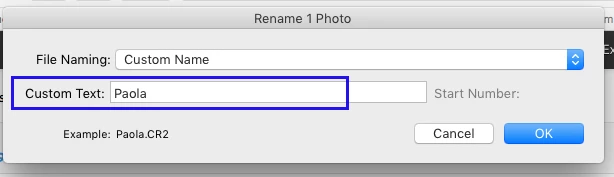
However, if you're asking a question about how to rename a file after import then this is done by choosing 'Rename Photo' from the Library menu. Note that you need to preselect the photos or photos to be renamed in advance. When 'Rename Photo' dialog opens choose 'Custom Name' from dropdown menu, then populate the custom field. The following two screenshots might explain these steps better.
Already have an account? Login
Enter your E-mail address. We'll send you an e-mail with instructions to reset your password.
 AdChoices