Heirloom Bob
Inspiring
January 21, 2026
Answered

LR Classic error

  • January 21, 2026
  • 2 replies
  • 66 views

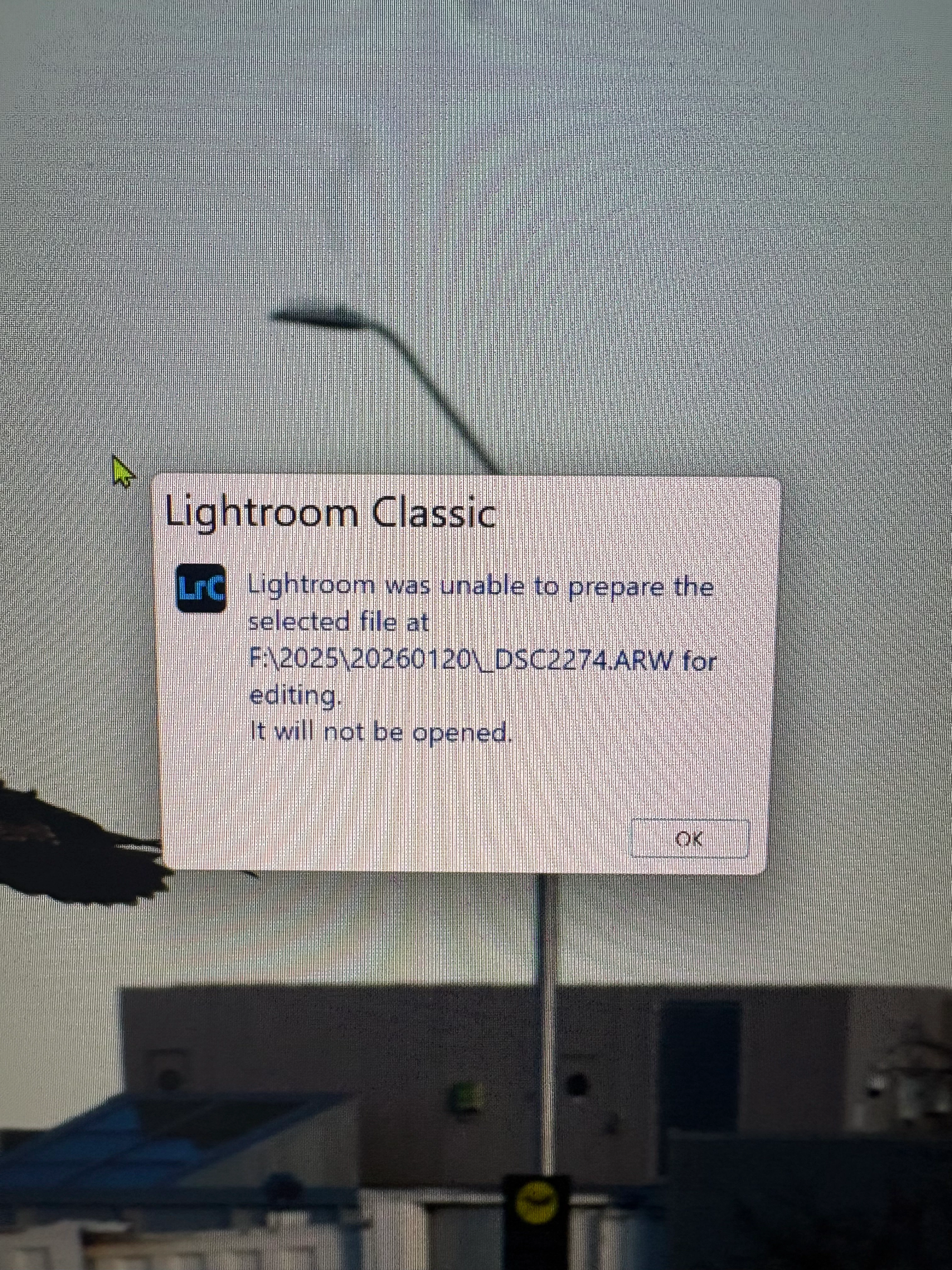
Windows 11, LR updated and I receive this error when attempting to edit in Topaz.

IMG_2122.jpeg

Correct answer AxelMatt

@Heirloom Bob 

Does this error message appears only with this file?

Can you send other files to Topaz? 

Which method do you use to send the image to Topaz? Plugin or ... "Edit in"?

Do you have full access to the appropriate folder?

Which Topaz application do you use?


Please provide a copy of your 'System Info'. This can be get from the Lightroom menu item Help > System Info. There's a copy button in the System Info dialog. Press this button and paste the info into your next forum post.


2 replies

AxelMattCommunity ExpertCorrect answer
Community Expert
January 21, 2026

@Heirloom Bob 

Does this error message appears only with this file?

Can you send other files to Topaz? 

Which method do you use to send the image to Topaz? Plugin or ... "Edit in"?

Do you have full access to the appropriate folder?

Which Topaz application do you use?


Please provide a copy of your 'System Info'. This can be get from the Lightroom menu item Help > System Info. There's a copy button in the System Info dialog. Press this button and paste the info into your next forum post.


My System: Intel i7-8700K - 64GB RAM - NVidia Geforce RTX 3060 - Windows 11 Pro 25H2 -- LR-Classic 15 - Photoshop 27 - Nik Collection 9 - PureRAW 6 - Topaz Photo AI

Heirloom Bob
Inspiring
January 21, 2026

I think it’s resolved. The drive that contained the problematic images was FULL. As I understand the process, when one asks for an image to be edited in Topaz, a tif file is created and if there was no space on the drive, it would be impossible to create it? I am in the process of pulling files to another drive with space and the issue should be resolved.

Community Expert
January 22, 2026
quote

 As I understand the process, when one asks for an image to be edited in Topaz, a tif file is created and if there was no space on the drive, it would be impossible to create it? 


By @Heirloom Bob


Yes, you're right. Nice to hear that the issue has been solved.


My System: Intel i7-8700K - 64GB RAM - NVidia Geforce RTX 3060 - Windows 11 Pro 25H2 -- LR-Classic 15 - Photoshop 27 - Nik Collection 9 - PureRAW 6 - Topaz Photo AI

Srishti_Bali
Legend
January 21, 2026

Hi @Heirloom Bob


Thank you for your message. It appears that the file you are referring to is located on an external drive. Please transfer it to your system's hard drive, and it should function correctly. For additional information, you may find this discussion helpful: https://adobe.ly/4pUsaLU


Regards,

Srishti