


December 19, 2025
Answered

LR Classic Gray Thumbnails when Importing

  • December 19, 2025
  • 3 replies
  • 142 views

I've used LR Classic for awhile. and a few updates ago, something weird started happening when importing images. Once LR finishes the import and brings me back to a library section of the catalog, the thumbnails for the images are gray. Even when creating full previews of the thumbnails it's still gray. I'm not sure what I need to do to fix it. I chatted with support and they've not really been helpful. Any sugguestions?


This happens on my macbook pro as well. 
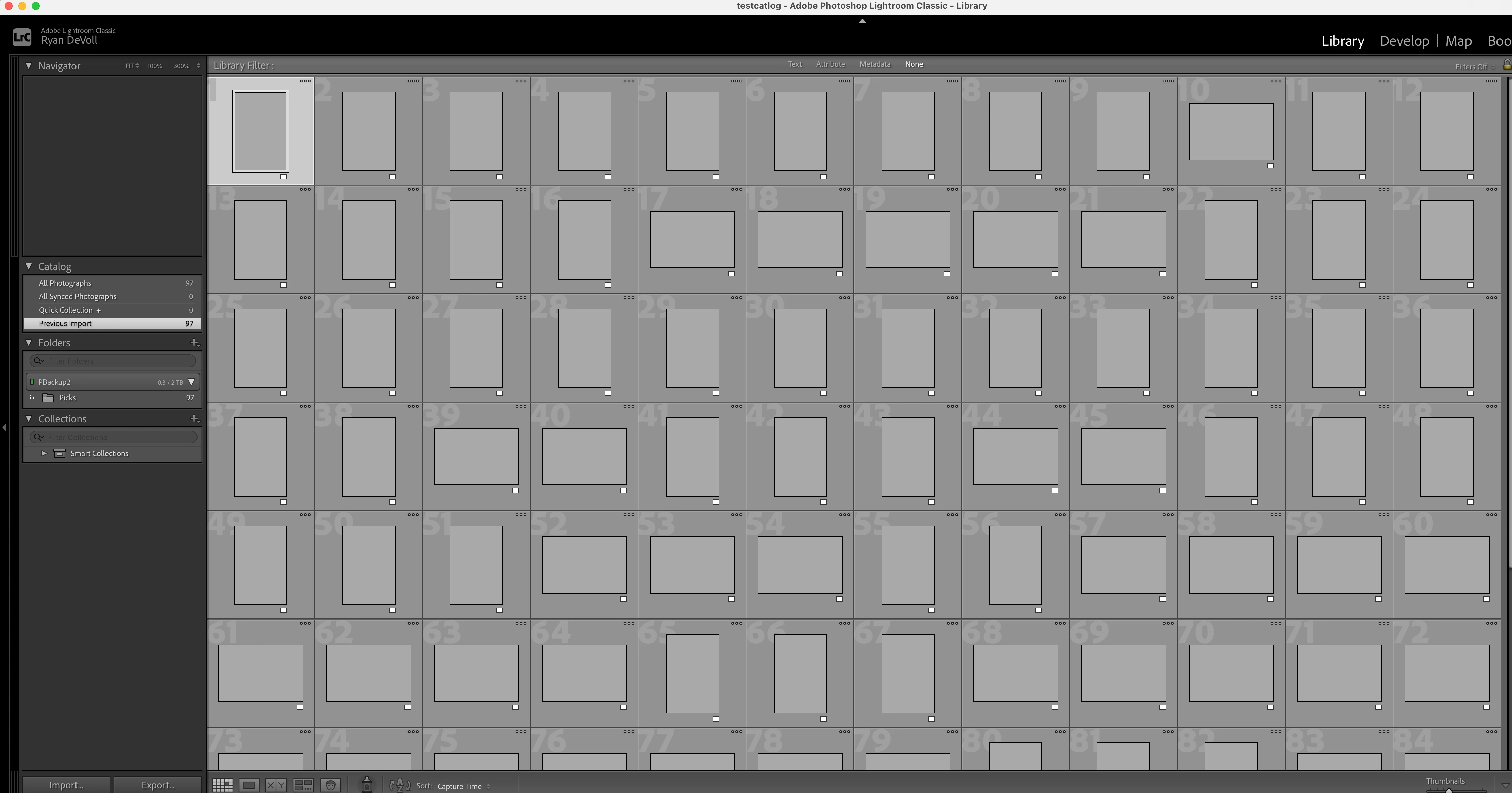
 

Screenshot 2025-12-19 at 12.58.48 PM.png


Correct answer ryandevoll

I figured it out! 

I had to delete any local file from Lightroom. I simply searched "Lightroom" in the finder deleted all the preview files along with all the other files associated with the catalogs stored locally on my HD and restarted the computer. Once I did that, for whatever reasons this started to work properly. 

3 replies

ryandevollAuthorCorrect answer
December 19, 2025

I figured it out! 

I had to delete any local file from Lightroom. I simply searched "Lightroom" in the finder deleted all the preview files along with all the other files associated with the catalogs stored locally on my HD and restarted the computer. Once I did that, for whatever reasons this started to work properly. 

Community Manager
December 19, 2025

Hi @ryandevoll, welcome to the community!
What version of Lightroom Classic are you using? It’s possible your previews folder might be corrupted. Try following the steps outlined here:
https://adobe.ly/3Y7lU83
Thanks so much!
Alek

*(If you mention me with an @, like @Aleke, I’ll get a notification and can respond faster.)*
Community Expert
December 19, 2025
My System: Intel i7-8700K - 64GB RAM - NVidia Geforce RTX 3060 - Windows 11 Pro 25H2 -- LR-Classic 15 - Photoshop 27 - Nik Collection 9 - PureRAW 6 - Topaz Photo AI