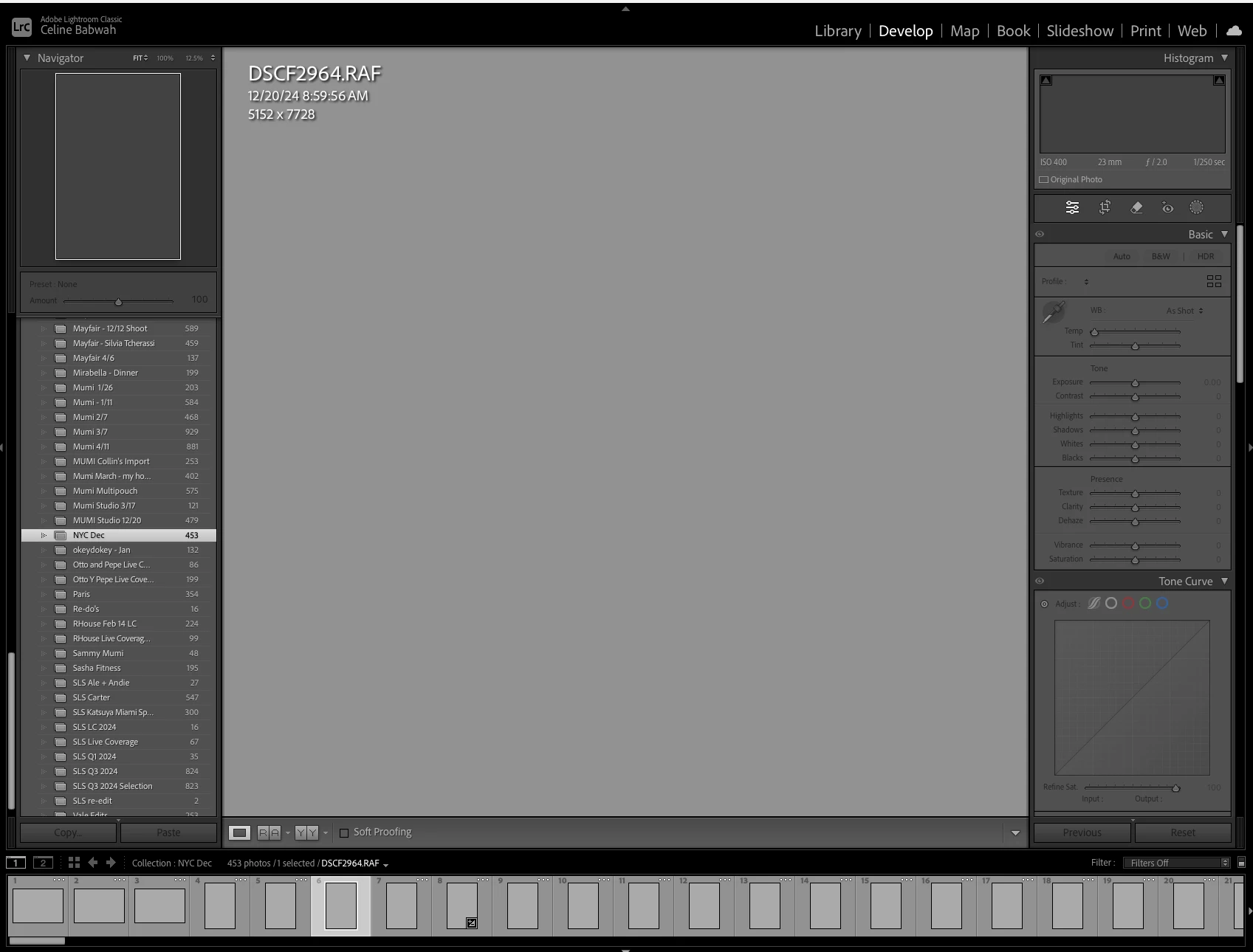
So, looks like changing from library module to develop module has failed. I notice what appears to be the folders panel as in a library module component, but you are mostly in the develop module with that selected at top and the right side develop module panels show.
BUT, despite an image selected in the filmstrip, no preview in the navigation panel, no preview in the loupe panel, no previews in the filmstrip, and no data in the histogram, or curves. Both library previews and develop previews not showing up, and do data being sent to histogram, tone curves, and navigation.
Could you share more details about the issue, such as what version of Lightroom Classic and operating system you're using? Did this start happening after an update to the app or your machine?
If you've recently upgraded your operating system, graphics card, or installed a monitor, this could be caused by a corrupted monitor profile.
1. Close Lightroom. 2. Go to System Preferences > Displays. 3. In the Color Profile pop-up, select sRGB IEC61966-2.1 for a third-party monitor or the default for your screen if it’s an Apple display (e.g., Apple XDR Display).
Finally, restart Lightroom and check whether everything looks correct. If it does, you’ve confirmed that the previous monitor profile was the cause of the problem. You can temporarily leave sRGB as the monitor profile, as it’s better than a corrupted one.
Hope this helps! Thanks! Alek
*(If you mention me with an @, like @Aleke, I’ll get a notification and can respond faster.)*
I'm using 14.2. I already uninstalled and installed it, as well as rebooting my m1 macbook pro 14 inch. The OS is Sequioa 15.1.1. No this just happened today. I opened it up earlier in the week and it worked fine. I haven't upgraded anything.
I followed your instructions and still the same issue.



 AdChoices