
Participant
May 16, 2023
Question

LR Classic Meldung: Datei mit anderen Foto im Katalog verbunden

  • May 16, 2023
  • 2 replies
  • 1046 views

Hi@ all. ich habe folgendes Problem und kann es nicht lösen bzw. verstehen.  Bilder werden dopplet angezeigt, Einmal als jpg  und  einmal als nef. die nef Datei ist mit dem kleinen grauen Kästchen rechts oben markiert als Originaldatei wurde nciht gefunden. Gehe ic hauf Suche und finde die Datei, wird mir die Meldung angezeigt, das die Datei bereits mit einem anderen Katalog verknüpft ist und nicht verbunden werden kann. LR zeigt mir dann auc hden Katalog also das Verzeichnis wo ich die Datei damsl auc habgespeichert haeb. Wie kann ic hdas Problem lösen, das mir die nef Dateien wieder angezeigt werden bzw ich diese wieder benutzen verknüpfen kann? Nutze keie nandere Bibliothek außer die angezeigte
 

{Moved from Lightroom Cloud to Lightroom Classic Forum by Moderator} 

2 replies

JohanElzenga
Community Expert
Community Expert
May 17, 2023

This error usually means that you have imported the missing photo twice, perhaps after it was moved to another folder or another disk. When you try to reconnect it, Lightroom sees that it already has this photo in the catalog at another place.


-- Johan W. Elzenga
Participant
June 27, 2023

I have the same problem - but how do I solve it? I'm working with only one catalogue atm and moved to a new laptop, but used the same catalogue. Do you have any suggestions how to tell lightroom to connect it to the current catalogue?

Would be very appreciated 🙂

Participant
January 21, 2024

Could you find a solution to this issue? It is driving me nuts at the moment. I am not sure if I have about 4000 corrupted files or if thats just something that I can solve in Lightroom. 

johnrellis
Legend
May 17, 2023

Google translation: "LR Classic Message: File linked to another photo in the catalogue. Hi@ all. I have the following problem and cannot solve or understand it. Images are displayed twice, once as jpg and once as nef. the nef file is marked with the small gray box on the top right as the original file was not found. When I go to search and find the file, I get a message that the file is already linked to another catalog and cannot be linked. LR then also shows me the catalogue, i.e. the directory where I also saved the file. How can I solve the problem that the nef files are displayed again or I can link them to use again? Don't use any other library than the one shown"


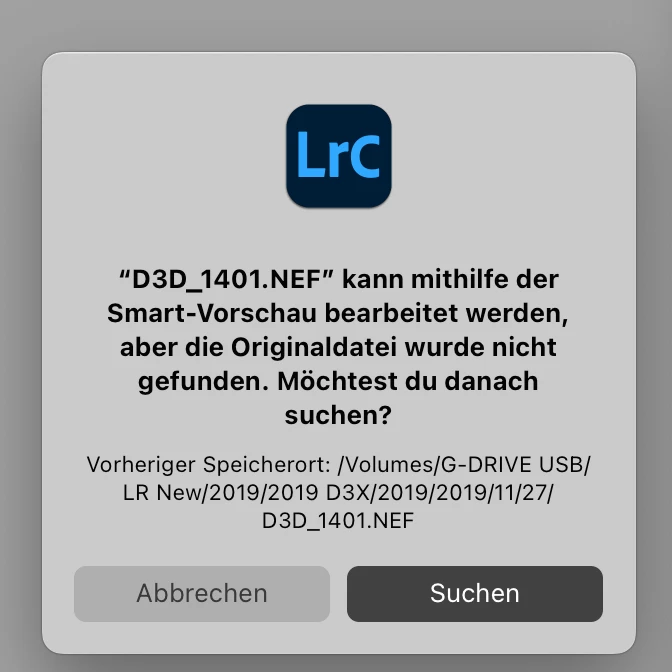
First screenshot: ""D3D_1401.NEF" can be edited using Smart Preview, but the original file was not found. Do you want to search for it? Previous Location: /Volumes/G-DRIVE USB/ LR New 2019/2019 D3X 2019 2019/11/27/D3D_1401.NEF"


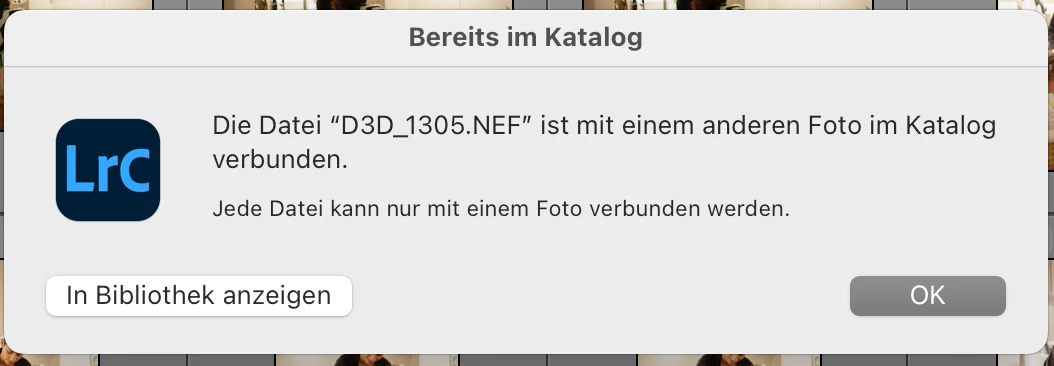
Second screenshot: "The file "D3D_1305.NEF" is linked to another photo in the catalog. Each file can only be associated with one photo. Show in library"