
Participant
August 24, 2023
Question

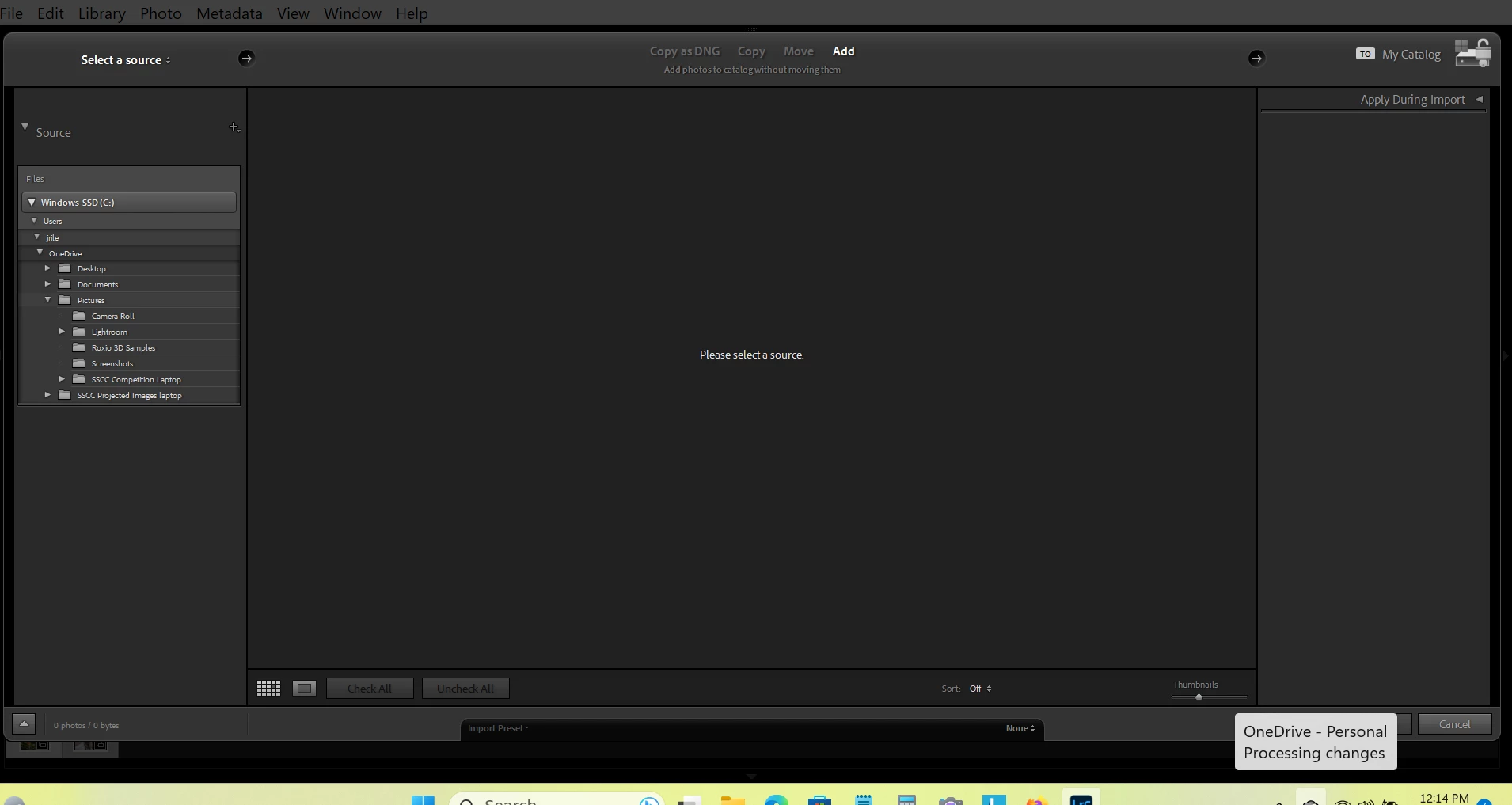
LR Classic (Rel 12,4 + 12.5) is missing the File Handling tab when I want to Import

  • August 24, 2023
  • 4 replies
  • 248 views

I use Windows 11 Home on a HP desktop and a Lenovo laptop.

In LR Classic (rel 12.4 or 12.5), using the laptop, when I Import pictures, the File Handling tab is not there.

I tried reversing the panel positions in Preferences but the tab was still missing.

This may be on record as request 39190.   Jim Riley


 -
This topic is closed to new replies. Start a new post to keep the conversation going.

4 replies

Per Berntsen
Community Expert
Community Expert
August 24, 2023

Right click Apply during import, and choose File handling from the context menu.

JamesR514Author
Participant
September 1, 2023

SOLVED: ALthough I cvould not find any Preferences Checkbox/Setting to make the File Handling tab visible, the suggestions provided in this forum did work.  I used the right-click and then selected File Handling.  

Thanks All.  Jim Riley

Rikk Flohr-Retired
Adobe Employee
August 24, 2023

Right Click on Apply During Import panel header and put a check mark next to File Handling.

Rikk Flohr: Adobe Photography Org
kglad
Community Expert
Community Expert
August 24, 2023

in the future, to find the best place to post your message, use the list here, https://community.adobe.com/

p.s. i don't think the adobe website, and forums in particular, are easy to navigate, so don't spend a lot of time searching that forum list. do your best and we'll move the post if it helps you get responses.


<"moved from using the community bugs">