
Inspiring
June 14, 2023
Answered

LR Classic update on new Ventura 13.4 OS

  • June 14, 2023
  • 1 reply
  • 1594 views

Hi Guys,

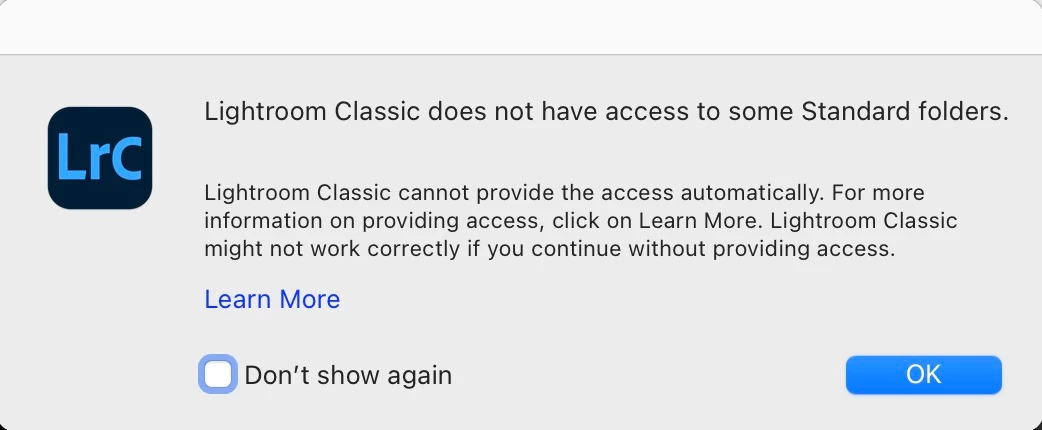
I just tried to open my LR Classic on my new Macbook/Ventura 13.4 and I am pretty sure it got updated (?), then I got the message below. So  .... I "Learned More", only to learn nothing more.

What is the right next step here? Thanks a lot.
This topic has been closed for replies.
Correct answer DdeGannes

You need to Grant Full Disk access to Lightroom Classic and Photoshop, see the link below for more info.

https://helpx.adobe.com/lightroom-classic/help/allow-permissions.html


1 reply

DdeGannes
Community Expert
DdeGannesCommunity ExpertCorrect answer
Community Expert
June 14, 2023

You need to Grant Full Disk access to Lightroom Classic and Photoshop, see the link below for more info.

https://helpx.adobe.com/lightroom-classic/help/allow-permissions.html


Regards, Denis: Laptop Win 11, ver 24H2, LrC 15.4 PS 27.8;
Inspiring
June 15, 2023

Thank you.