Participant
April 26, 2019
Answered

LR Classic v8.2.1 stacking missing from context menu

  • April 26, 2019
  • 1 reply
  • 2143 views

On a clean install of Adobe LR Classic v8.2.1, Photoshop 20.0.4 and Camera Raw 11.2.1

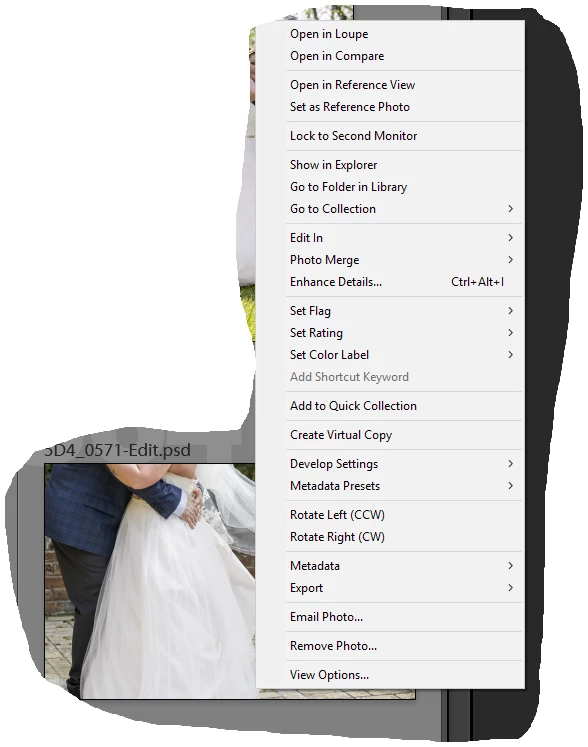
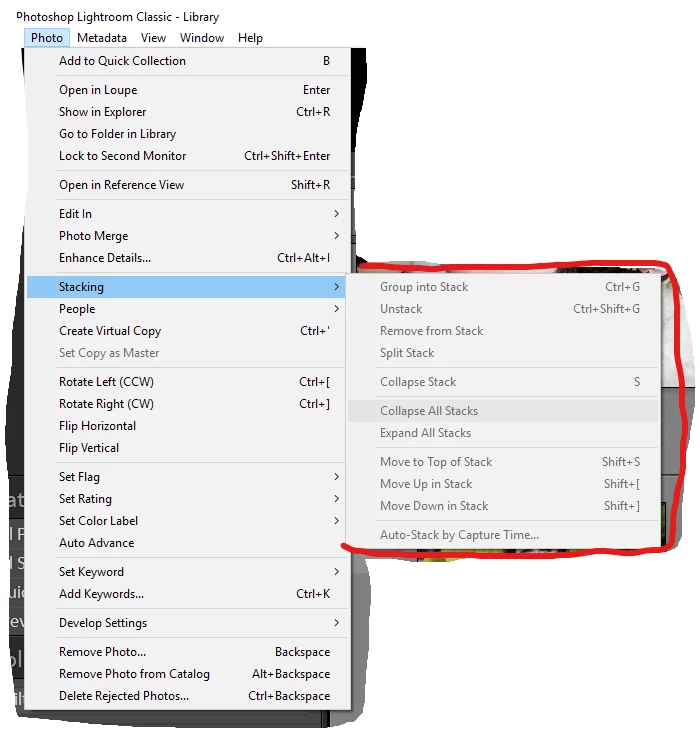
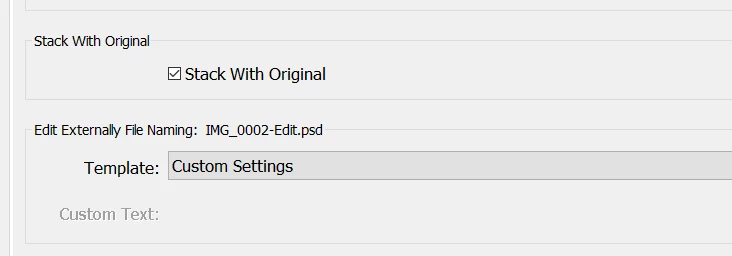
When externally editing in photoshop, upon saving in PS the new .psd image is created and added to the LR Library view alongside the original CR2 file.  There is no 'stacking' option on the context menu (by right clicking on the image in LR) and the stacking options in the Photo menu are grayed out.  In preferences >> external editing   Stack With Original is checked.  Am I missing something or is this a LR issue?
This topic has been closed for replies.
Correct answer Bob Somrak

You are probably in a "Smart Collection" where stacking is not available.  Also, its beneficial to post a screen clip of the "full" Lightroom window to help diagnose these problems.

1 reply

Bob Somrak
Bob SomrakCorrect answer
Legend
April 26, 2019

You are probably in a "Smart Collection" where stacking is not available.  Also, its beneficial to post a screen clip of the "full" Lightroom window to help diagnose these problems.

M4 Pro Mac Mini. 48GB
johnrellis
Legend
April 27, 2019

You are probably in a "Smart Collection" where stacking is not available. 

or in the Quick Collection or All Synced Photographs.  (LR's stacking is weird.)

Participant
April 27, 2019

Weird and frustrating