nathanfrenchphotography
Inspiring
January 8, 2018
Answered

LR Classic Window stays in front of all other apps

  • January 8, 2018
  • 4 replies
  • 565 views

I recently migrated to a newer iMac (27" iMac late 2015 running macOS High Sierra 10.13.2) and now LR will not move to the back completely when I open other apps. I have tried toggling Screen Modes and restarting (which worked temporarily) but as you can see in the screenshot (Safari shown), LR isn't playing nice with any other apps and basically eats them. No other apps are having any issues when opened together so I'm assuming it is a LR issue. I can minimize the LR window but that's not helpful when I am trying to use both apps simultaneously.  Has anybody had this problem or know a solution? Thanks!
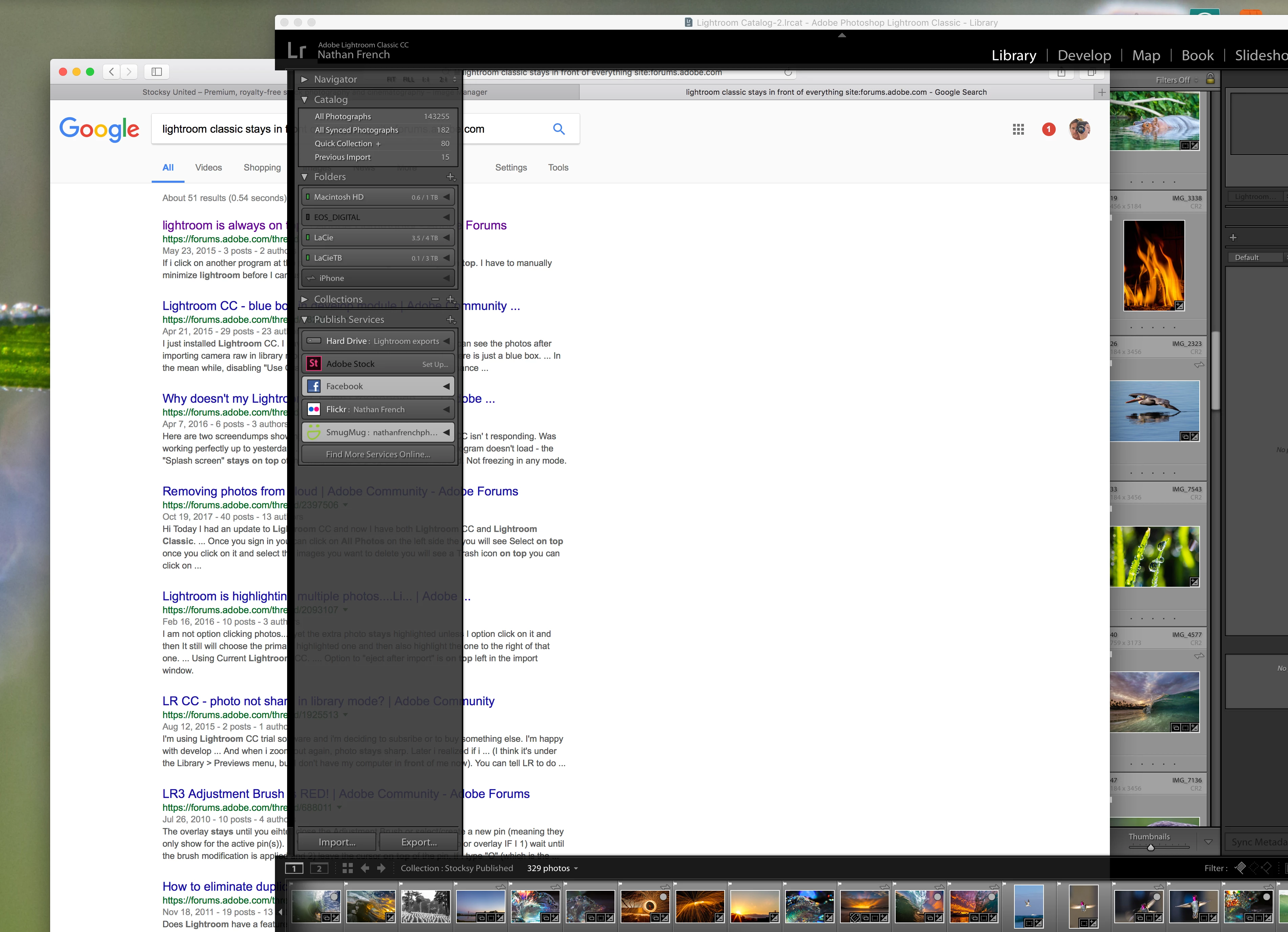
This topic has been closed for replies.
Correct answer nathanfrenchphotography

So after long chats with Apple and Adobe, I let the Adobe tech share my screen and poke around in my files. He changed some preference files around, and now all appears to be back to normal. Thanks to Kush at LR support and all of you who tried to help!

4 replies

nathanfrenchphotography
nathanfrenchphotographyAuthorCorrect answer
Inspiring
January 9, 2018

So after long chats with Apple and Adobe, I let the Adobe tech share my screen and poke around in my files. He changed some preference files around, and now all appears to be back to normal. Thanks to Kush at LR support and all of you who tried to help!

Neox99
Legend
January 8, 2018

Do any other apps - Adobe or other - exhibit such behavior?

nathanfrenchphotography
Inspiring
January 8, 2018

No, everything else works fine including PS which I just checked.

Just Shoot Me
Legend
January 8, 2018

You are the first to report this. So I doubt it is a LR issue. It more than likely has something to do with the graphic card driver.

The OS controls what program are active, in front, of other programs.

nathanfrenchphotography
Inspiring
January 8, 2018

Thanks, I'll see if Apple has any answers...

dj_paige
Legend
January 8, 2018

I would re-install your graphics driver (make sure you have the latest version).

nathanfrenchphotography
Inspiring
January 8, 2018

From what I found online: "Mac OS X the graphics driver is part of the operating system. You can only upgrade by upgrading to a newer version of the operating system."  I have no updates available currently.