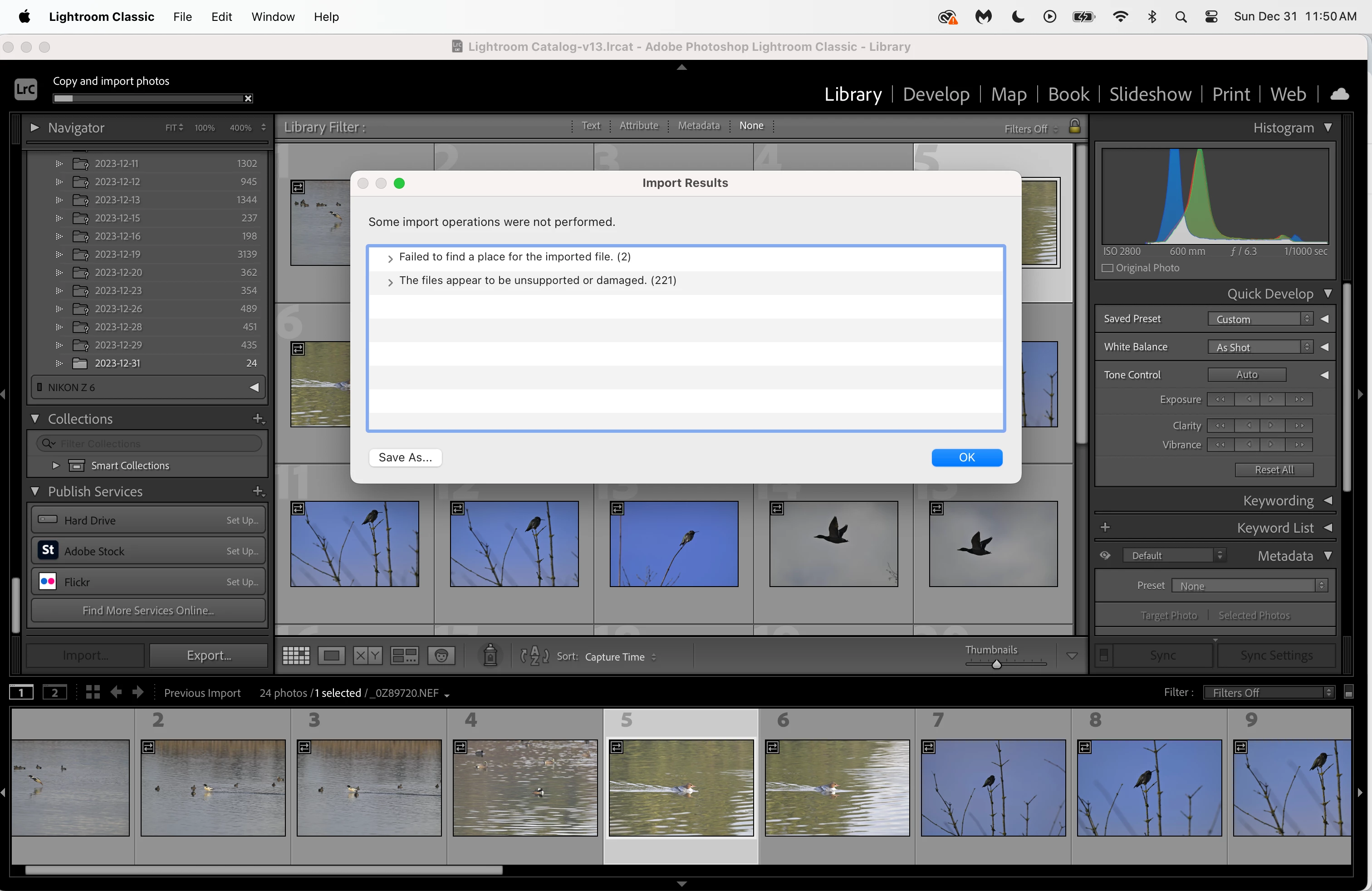
First issue I think you should resolve is that messed up Folders Panel, all those missing folders. How deep does that go? A fouled up folder structure can lead to issues, oh such as LrC confused as to where a file should go.
By the way, As we can only see part of the folder structure. Specifically we cannot see the parent folder, the parent drive. Where are these images stored? A hard drive connected to your computer? Or the Cloud (bad)?
2.
Second up, in your Import screen, in the Destination, What was the Destination? And does the Destination actually exist on your computer? Did the old chosen destination go Poof?
3.
Third up, these are from your camera, correct? Did you impose some special file naming to them? Or are they per the default settings in the camera? In theory, you could select a file name structure that LrC hates (but you would really really have to try hard)
How do you import? If you do this by connecting your camera, then try using a card reader. If you already use a card reader, then try a different cable or a different reader. If your Mac has a built-in card reader that you use, then try cleaning it with compressed air.