


Inspiring
June 9, 2025
Answered

LR Import Preset - Not Applied if Raw file converted to DNG

  • June 9, 2025
  • 1 reply
  • 1147 views

LR 14.3.1 Camer Raw: 17.3 .1.   Mac OS 15.5

Problem:  Import preset (Preferences > Presets tab) looses appled edits if .ARW raw file is converted to .DNG    Works fine if the file is imported as .ARW   This has occurred for about 1 year now but was not the case prior to that.  This occurs at import time if "copy as DNG" is select or if the file is converted to a DNG after import.  


If I manually apply the preset in the Develop module to a .DNG it applies fine however I import different raw files from different cameras thus have different presets so this is labour intensive.  Be nice if it was fixed as it did work.


I have attached the raw preset and    Raw file attached which will take the preset fine.  Converting it to DNG will loose the preset settings.


Seems like a bug to me.


Correct answer JeffG2

[This post contains formatting and embedded images that don't appear in email. View the post in your Web browser.]


When I follow the same steps I see in your screen recording, but using the sample photo, preset, and profile you attached above, the imported copied-as-DNG gets the preset and profile applied, just like the .ARW.   See the attached screen recording.


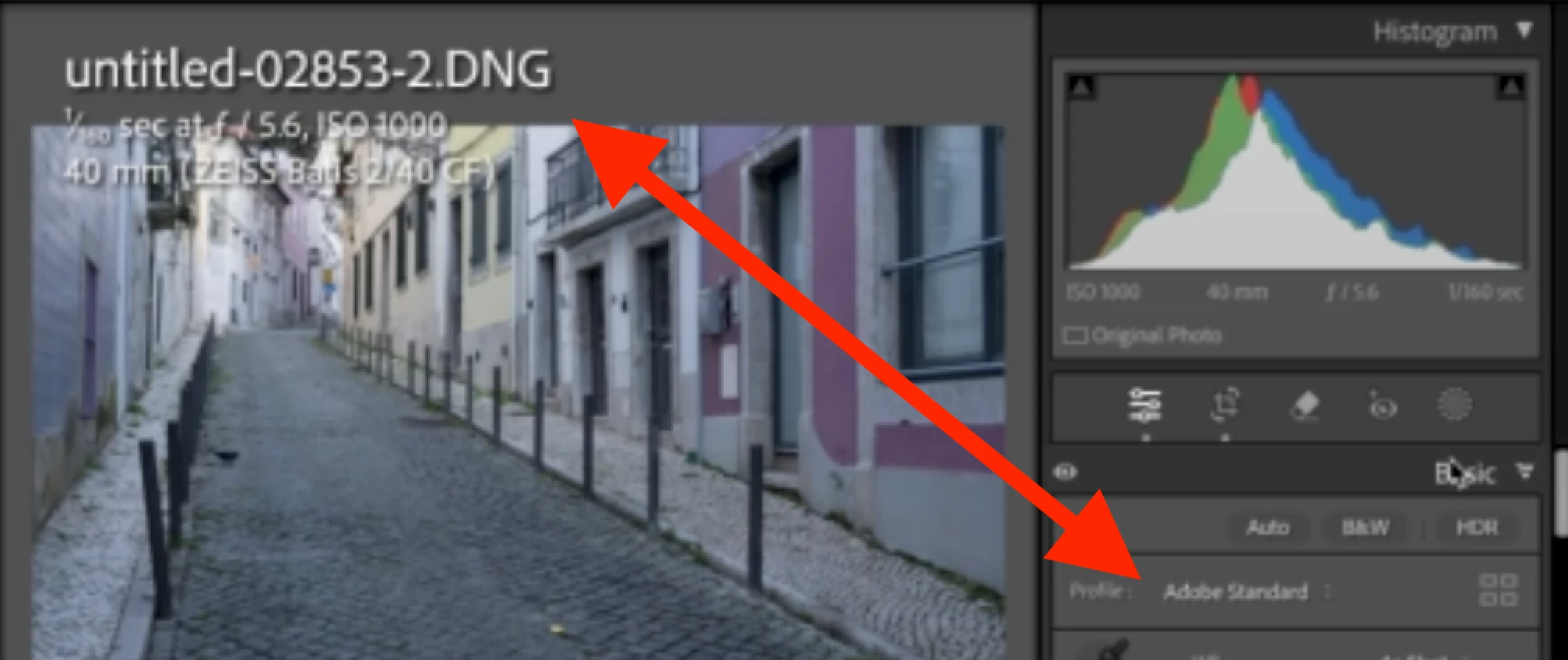
But in your screen recording, the imported copied-as-DNG doesn't get the preset applied, leaving its profile as Adobe Standard:


But your screenshot shows you've got a different raw default set for that camera:


You've set the default to the preset "A7CR Adaptive Preset 100-12800 2025-06...", whereas the preset attached above that I've been testing with is named "Sony A7CR 100-12800 adaptive Preset 2204 11 27 V1".


Perhaps if you attach the same photo, preset, and profile (.dcp file, if it's different) shown in your screen recording, I can reproduce the problem.


in addition to what I have documented on my post from Jun 19 - I also had to delete all of the indexes from: '/Users/xxx/Library/Application Support/Adobe/CameraRaw/Settings'.  Upon restarting LR it built one good index and that fixed the problem.

See attached list that was part of the problem list of indexes.

1 reply

johnrellis
Legend
June 10, 2025

I'm trying to reproduce the issue you're observing. But the preset you attached, "Sony A7CR 100-12800 adaptive Preset 2204 11 27 V1", applies a camera profile "Linear-Sony ILCE-7CR". You'll need to share that file as well.


It's a .dcp file, so you probably can't attach it here. Instead, upload the file to Wetransfer, Dropbox, Google Drive or similar free service and post the sharing link here. To find the file, in Finder do Go > Go To Folder and copy/paste this line into Go To Folder:


~/Library/Application Support/Adobe/CameraRaw/CameraProfiles/Imported


JeffG2Author
Inspiring
June 10, 2025

I only use Icloud so I renamed the file Linear-Sony ILCE-7CR.abr all you have to do is rename it back to Linear-Sony ILCE-7CR.dcp


Thanks for taking the time to look into this.

johnrellis
Legend
June 11, 2025

With your sample .arw, preset, and profile, I'm not able to reproduce the problem in my LR 14.3.1 / Mac OS 15.5. Here are the steps I took:


1. Do File > Import.


2. Select the .arw.


3. Set Apply During Import > Develop Settings to the preset Sony A7CR 100-12800 adaptive Preset 2204 11 27 V1.


4. Select the option Copy As DNG.


5. When the import completes, I observe that the imported DNG has that preset selected, with Profile: Linear-Sony ILCE-7CR, and all the slider settings set by the preset.


See the attached screen recording.


Are you doing different steps? Perhaps a full-resolution screen recording (not a phone video) of the entire LR window showing what's happening would clarify. If Adobe can't reproduce the problem easily, they won't pay attention.
