
Participating Frequently
December 23, 2024
Question

LR won't export photo and images not stacking

  • December 23, 2024
  • 3 replies
  • 237 views

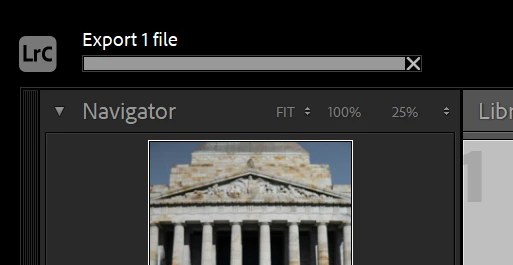
Hello, I'm having an issue where LR won't export my photos. After the hitting the export button the bar is just stuck. I tried exporting with and without a user preset and re-installed LR. 


Also it's not stacking images anymore. After right click edit in PS, it normally stacks the original with the tiff. The original file and the tiff are in the same folder. All the options for stacking are greyed out, in preferences stack with original is ticked. I just fixed an issue yesterday where I had to move all the photos (using LR) and copied the catalog onto the internal harddrive.


Any suggestions?

Thank you

This topic has been closed for replies.

3 replies

johnrellis
Legend
December 23, 2024

"All the options for stacking are greyed out,"


1. Do you have more than one photo selected?


2. Are you in a smart collection or a special collection like Quick Collection or Previous Import?

kou-rinaAuthor
Participating Frequently
December 24, 2024

I am in a smart collection, I can see it stacked in the original folder. So I assume that's why

johnrellis
Legend
December 24, 2024

"I am in a smart collection, I can see it stacked in the original folder. So I assume that's why"


That's right. Smart collections ignore stacking in folders and collections.

johnrellis
Legend
December 23, 2024

"After the hitting the export button the bar is just stuck."


Adobe recently fixed a bug where Export would hang if the file being exported was corrupted in some way -- perhaps the fix wasn't complete. Adobe won't pay much attention unless they are provided with a sample file that demonstrates the problem. To share the file, select it in Library and do Metadata > Save Metadata To File. Then upload the file (and it's .xmp sidecar if it's raw) to Wetransfer, Dropbox, Google Drive, or similar and post the sharing link here. We can see if the issue occurs on other LR installations or is specific to yours, and file a new bug report if necessary.

kou-rinaAuthor
Participating Frequently
December 24, 2024

It's coming up with an error when I save the metadata to file. I tested a few things and this seems to be an issue with recent files. So when I click save metada to file, it asks to overwrite the file due to being changed in an external application. The workaround I did was open the tiff directly in PS to export it as a jpeg. I tried a few things and it's only an issue with recent tiff files. I tested a older tiff file and it exported as a jpeg from LR.

I was having an issue where it would not open the tiff files to re-edit in PS, but that seems to be resolved now. Opening the tiff in PS and then exporting it from LR is working now.

johnrellis
Legend
December 24, 2024

"It's coming up with an error when I save the metadata to file: Could not write metadata. Unknown file I/O error."


That's the underlying problem: LR isn't able to access the file, most likely due to a hardware problem. Export shouldn't hang when it encounters such errors -- Adobe fixed at least some occurrences of this problem in LR 14.  


Please do the menu command Help > System Info and report the exact version number of LR Classic displayed in the first line.


But more importantly, you should run Windows' hardware diagnostics (starting with memory and disk tests).


kou-rinaAuthor
Participating Frequently
December 23, 2024

This is only happening for .tiff files but I'm able to export .arw as jpegs