
Question
LRC 14.0.1 Not generating previews Sequoia MacOS 15.1.1
SYSTEM SPEC AND CURRENT BUG
- LRC version 14.0.1 with latest updates, running on MacBook Pro M1 Max 16”,64GB RAM and SSD 2TB
- Upgraded to Sequoia 15.1.1 ten days ago end of November
- Main LRC catalogue 175,000 photos approx 145GB previews file and 4.5GB catalogue
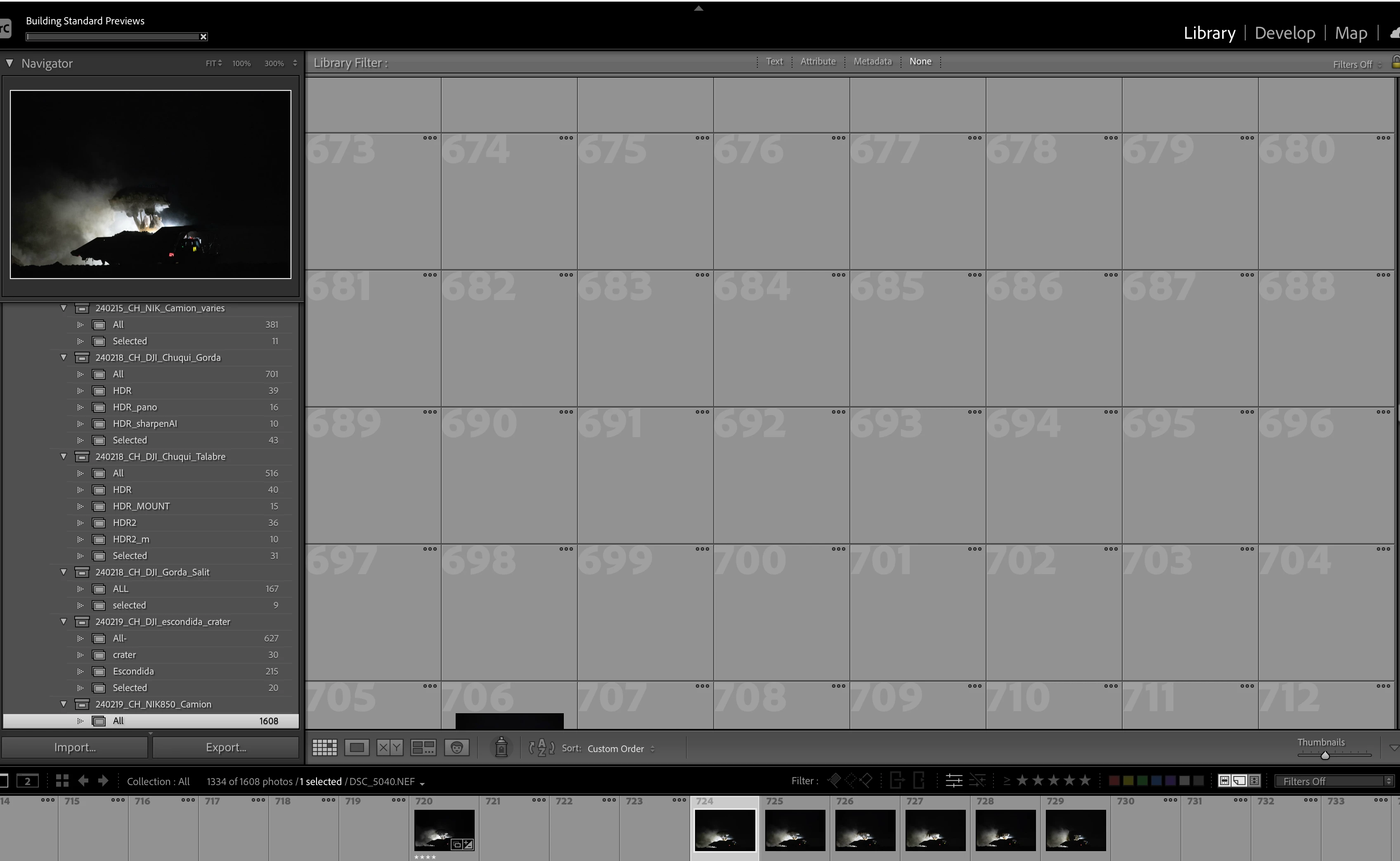
- After upgrade and a the first back up on Dec 03 including optimisation, the generation of previews got stuck and unresponsive, photo merge would not work always but randomly. LRC unstable and unresponsive, practically unmanageable since then. Large catalogue at risk.
- The Previews would only generated one by one manually when switching to LIB module and clicking on each image. The images are resetting alone to original unedited version and edits are to be applied manually via DEV module.
- below the previews generation status (stuck for ever)
ACTIONS MADE with Adobe (discontinuous) assistance to date
- Catalogue File Directory changed to be on HDD and on a directory out of iCloud. Previous directory was syncing effectively to iCloud and it was not loading the previews file as the preview file ( 145GB) was not syncing fast enough to/from iCloud
- Reinstalled LRC fully
- CC cleaner to purge registry, reset all LRC settings, optimised catalogue, then Reset all settings again.
- Created a new catalog to test, previews ok for the first 100 files then unknown as the issue seems to arise after 4/5GB (see after). Reimporting all 175000 photos not of consideration
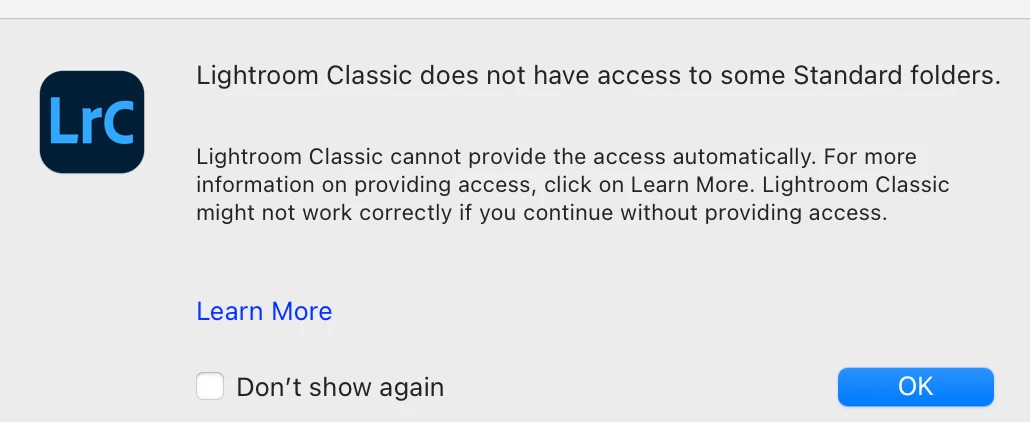
- Checked Privacy and security settings to be on FULL DISK ACCESS. Receiving an error randomly that “Lightroom Classic does not have access to some Standard folders.” though FULL ACCESS IS PROVIDED. see screenshot
- Split the old main catalog into two parts by copying, as Adobe representative suggested it was too large. Export part catalogue was not possible as it gives error even for a single folder. Deleted previews file for 60,000 photos and started regeneration of a new preview file.
- The newly created preview file for the split catalogue slows down and behaves erratically as the old catalogue after 4GB
Needing URGENT help as professional viability to keep using LRC currenlty being deeply questioned. Currently experienced 10 days of jeopardised workflow. Professionally unsustainable.
1. how to resolve the issue without a full new catalogue?
2. continue with the split catalogue? are catalogue of 2/300,000 photos manageable
3. help much appreciated
[Moved from ‘Bugs’ to ‘Discussions’ by moderator, according to forum rules. A ‘bug’ is not simply another word for any software problem!]


 AdChoices