Select multiple images on the filmstrip (or in grid view before you enter the print module)
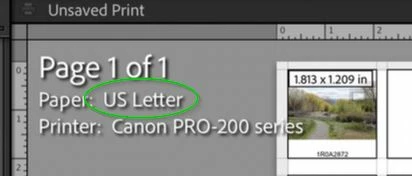
You only have one image selected, so you only see one image on the print page.

For a 4x5 contact sheet- if you have more than 20 photos selected you will get two pages to print. (40 images will exactly fill two 'contact print' pages.)
Another hint- Set your own printer page size in the Printer setup dialog (eg. A4 is common, or 8x10inch, etc). You may have chosen a default template of Adobe's that are all for 'US Letter' sized papers. (OK if you have US Letter paper.)
Regards. My System: Windows-11, Lightroom-Classic 15.6, Photoshop 27.8, ACR 18.7, Lightroom 9.4, Lr-iOS 10.4.0, Bridge 16.0.3 .




 AdChoices