
LrC 14: Suggested face region names/texts have double edges/lines and color shifts
Previously I used LrC 12 (and other versions). Recently I installed LR 14.1.1 on a new system. Now the suggested names on recognized face regions look bad. I attached screenshots to show the issue, unfortunatly the screenshots do not show the whole extent of the problem; They look a little bit softer than the original LR interface on the monitor.
System Details:
- Windows 10 22H2
- nVidia GeForce RTX 4070 S
- GPU driver version: 566.36 (studio driver)
- DirectX 12
- 24" LCD with 1920 x 1200 px resolution / 22" LCD with 1680 x 1050 px resolution (both 8bit, 60Hz)
- Issue happens when Windows UI scaling is set to 100% (default) as well as when it is set to 110%.
Manually added person tag – a bit blurry but ok:
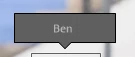
Suggested person tags – double letter edges or something, seemingly on some backgrounds more than on others (but sometimes more on dark and sometimes more on bright backgrounds), mostly on letters with straight lines:


 after accepting a suggestion it looks a bit blurry but ok:
Suggested person tag – strange looking color/brightness shifts, seemingly on unsteady background:

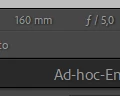
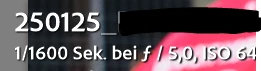
Other texts within Lightroom with similar size look fine:


[Moved from ‘Bugs’ to ‘Discussions’ by moderator, according to forum rules.]


 AdChoices