



curt.gallery
Known Participant
August 22, 2026

LrC 15.5 Significant delay when switching between images in Develop
  • August 22, 2026
  • 3 replies
  • 20 views

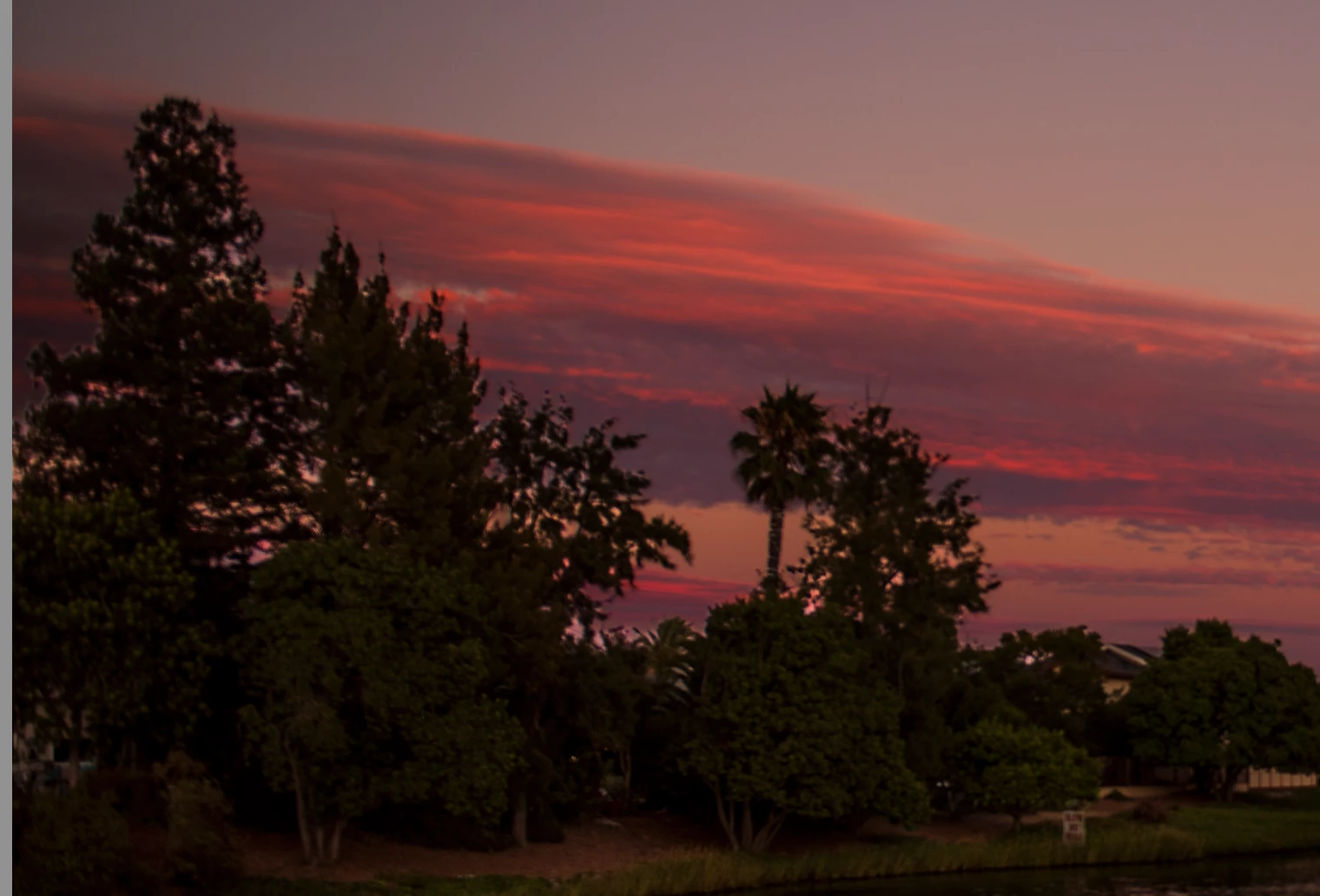
I have been playing around with edge and feather and they help some. I surprised at how poorly LR does at masking period. You can see the clearly lighter areas between the trees that it missed. Compared to other tools this is a poor result. Also, what is the deal with the long delay in switching between images now. You click the thumbnail and 20 seconds later it is displayed. 

    3 replies

    Anshul_Saini
    Community Manager
    Community Manager
    September 17, 2026

    Hi ​@curt.gallery,

    Thanks for the feedback and for sharing the example. The new Feather and Edge controls refine the boundary of an AI-generated mask. Feather softens the mask edge, while Edge expands or contracts it. They don’t change the underlying AI detection itself, so areas that weren’t selected in the first place, such as some of the sky visible between the trees in your example, may still need to be refined using Add/Subtract with Brush or another masking tool.

    The ~20-second delay when switching between images is more concerning. Could you please:

    • Go to Help > System Info > Copy and paste the information here.
    • Let me know whether the delay also occurs when moving between images with no AI masks, or primarily with images containing masks/AI edits.
    • Temporarily set Preferences > Performance > Use Graphics Processor > Off and tell me whether that materially changes the switching time.
    • If possible, share a short screen recording showing the delay while moving through several images in Develop.

    Those comparisons should help us narrow down where the slowdown is occurring.

    Thanks,
    Anshul Saini

    curt.gallery
    Known Participant
    September 17, 2026

    Yes I am aware of all of the above. Been using LR for at least 16 years. I work with AI so I get the feathering after the fact is not expanding the mask it is feathering. It can be used to make up for some of the masking inefficiencies and as stated it helped some. Of course I can do all this by hand lol. It is surprisingly not as good as expect at getting those little spaces is my point. 

    Again having worked in LR for this long, this is a substantially longer delay switching between image and this is not while it is performing AI tasks. 

    Anshul_Saini
    Community Manager
    Community Manager
    September 18, 2026

    Thanks for clarifying, ​@curt.gallery. I’ve moved this discussion to its own thread so we can focus on the substantial delay you’re seeing when switching images and investigate it separately from the 15.5 release announcement.

    I understand your masking feedback is about the initial AI selection quality, particularly the small areas of sky missed between the trees, rather than the Feather/Edge controls themselves.

    For the image-switching delay, I also understand that you’re seeing the ~20-second delay during normal Develop navigation, without an AI operation running, and that this is a significant change from your previous experience with Lightroom Classic.

    To help us investigate that specific performance issue, could you please share:

    • Help > System Info > Copy and paste the results here.
    • A short screen recording showing the delay while switching between several images in Develop.

    If you can, please also note whether the delay is present with both heavily edited and minimally edited images.

    Thanks again for clarifying and for the detailed feedback.

    Best,
    Anshul Saini