
Answered
LRC Book Module
It seems my only choices for Text are Title & Caption is there a way to add Keywords?

It seems my only choices for Text are Title & Caption is there a way to add Keywords?
Yes it is possible. For your selected book go to the menu and choose:
Edit >> Select All Text Cells
Then go to the text panel on the right and click the custom settings pull-down menu and choose edit
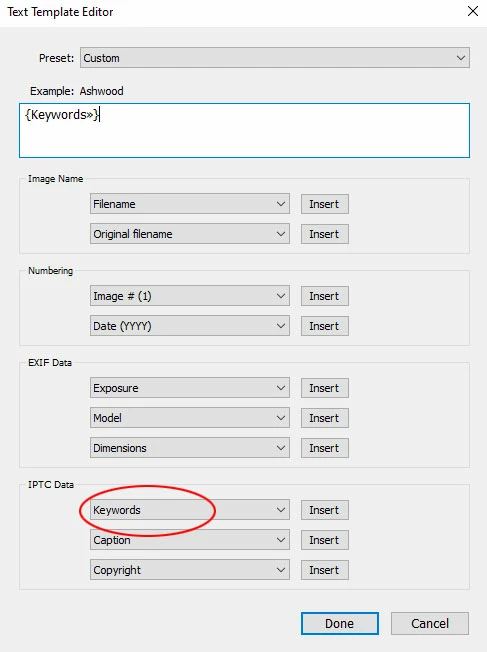
Under the IPTC fields select keywords >> insert. Remove any unwanted text from the box at the top and click done – see image below.
Already have an account? Login
Enter your E-mail address. We'll send you an e-mail with instructions to reset your password.
 AdChoices