



bellevue scott
Inspiring
November 2, 2024
Answered

LRC crashes with Fuji GFX100 tethered capture on mac sequoia

  • November 2, 2024
  • 3 replies
  • 1159 views

Using a Macbook Pro M1 just upgraded to Sequoia, with Adobe LR Classic 14.0.1, and a Fuji GFX100 with tethered capture (ver 1.29.0 latest version), LR tethered capture crashes. Hard crash for the plugin. Any ideas? 
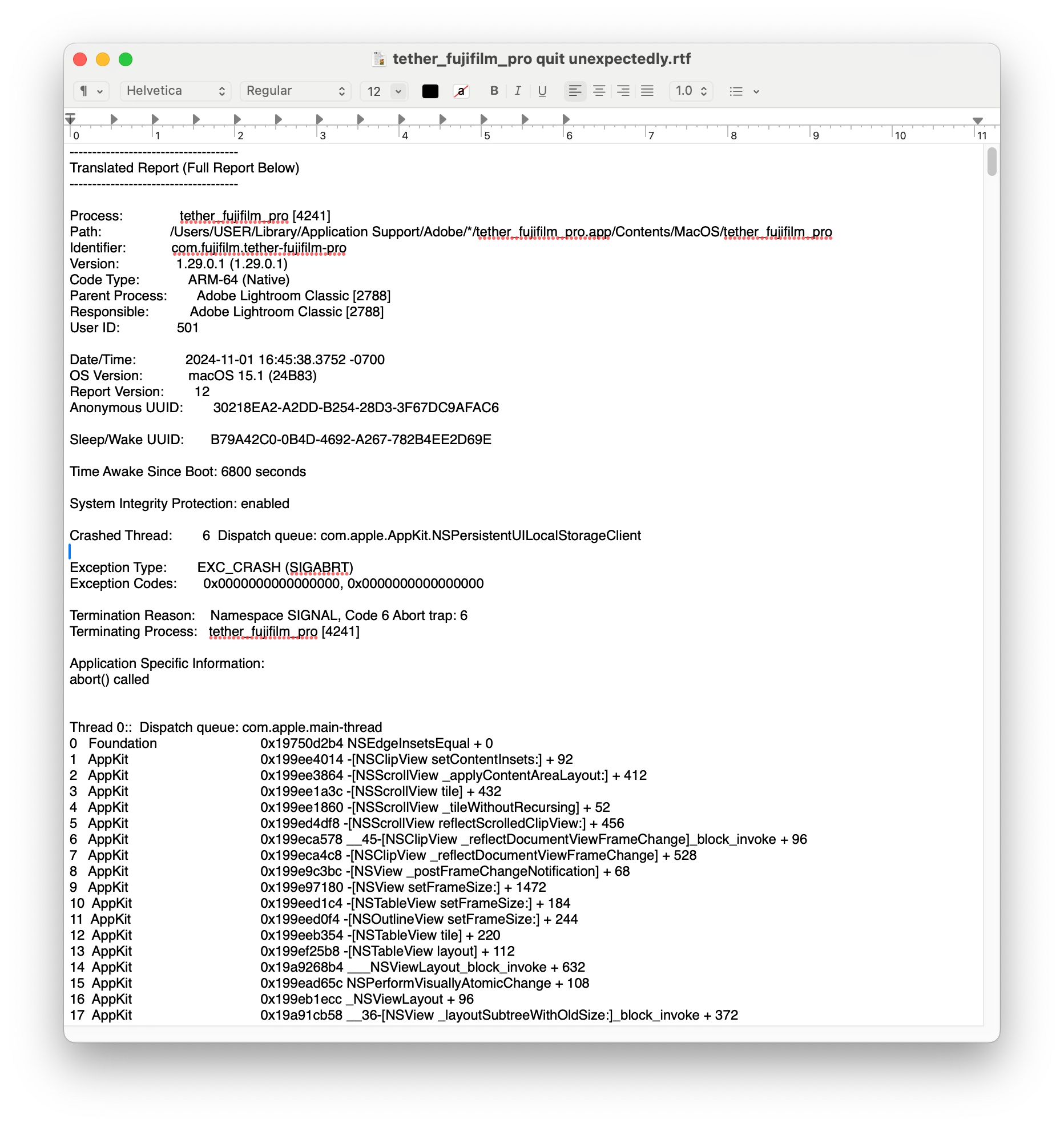
 

[moved from bugs to discussions according to the community rules - Mod.]

Correct answer bellevue scott

There is no Sequoia version of the tethered capture for the Fuji GFX100, but replacing the old plugin with the newer FujiFilm Tethered App seems to work. You need to do several things. First, open security settings and give the tethered app full disc permission, and full access to files and folders. Sequoia requires this in order to work and is much stricter than previous MAC OS versions with security and permissions. 

Then go into LRC, open file -> Plugin Manager, and make sure it is selected and turned on there. If not, add it. If you have the previous plugin enabled, disable it. 


This seems to work. 

3 replies

bellevue scott
bellevue scottAuthorCorrect answer
Inspiring
November 6, 2024

There is no Sequoia version of the tethered capture for the Fuji GFX100, but replacing the old plugin with the newer FujiFilm Tethered App seems to work. You need to do several things. First, open security settings and give the tethered app full disc permission, and full access to files and folders. Sequoia requires this in order to work and is much stricter than previous MAC OS versions with security and permissions. 

Then go into LRC, open file -> Plugin Manager, and make sure it is selected and turned on there. If not, add it. If you have the previous plugin enabled, disable it. 


This seems to work. 

zobeleye
Known Participant
December 30, 2024

I have done all that, but can't get it to work. Hard to say on which side the failure lies. Tethering works fine with a trial of C1 but do I want to pay monthly on top of my Adobe subscription ?

Older OS and older LRclassic works flawlessly with both LR Tethering and seperately with the fuji T-app.

Will contact Fuji Proservice and get back here...

thx for the suggestions

Z


bellevue scott
Inspiring
December 31, 2024

The new plugin does work for me. It works great. It was this: FUJIFILM_TetherApp_Mac1310.pkg

It works great. I would check all those annoying MAC permissions in the security section. Every Mac upgrade makes it harder to install apps, and Sequoia is by far the most annoying. 


Hope it works out for you. I use the Fuji GFX-100 tethered in my studio for work and can't live without it anymore. 

bellevue scott
Inspiring
November 2, 2024

Why was this moved from bugs to discussion, when this is clearly a bug? It's not a discussion. It's a hard crash and I'm no longer able to work with LR and tethered capture on my laptop. I can provide full crash logs, but Adobe doesn't allow me to provide them here and there's no way to get actual support outside of the forums. 

GoldingD
Legend
November 2, 2024
  • Well, as Adobe does not support tethering with that camera, how could it be an Adobe bug?
  • Also, you are probably correct that something changed in MACOS, so could be an MACOS bug, but then Adobe is not Apple.
  • And I suspect you are using a Fujifilm App for the tethering, and yep Adobe is not Fuji
  • And the Adobe Techs are very picky about Bugs.


KR Seals
Community Expert
Community Expert
November 2, 2024

Does Fuji provide that plugin? If so, check with them to see when a Sequoia version will be available.


Ken Seals - Nikon Z 9, Z 8, 14mm-800mm. Computer Win 11 Pro, I7-14700K, 64GB, RTX3070TI. Travel machine: 2021 MacBook Pro M1 MAX 64GB. All Adobe apps.
bellevue scott
Inspiring
November 2, 2024

I am asking Fuji, but I'm aslo asking Apple and Adobe. I have the crash reports. It's abviously a change that Apple made in their OS, and I can't roll it back apparently. I updated because I was getting messages that some features of Photoshop might not work correctly with Ventura, but nobody at Adobe can tell me what those features are - not support, not here on the forums.