Known Participant
September 27, 2022
Question

LrC hangs on edit in PS

  • September 27, 2022
  • 3 replies
  • 229 views

New install, on new MBP. Endless problems. Very frustrating.

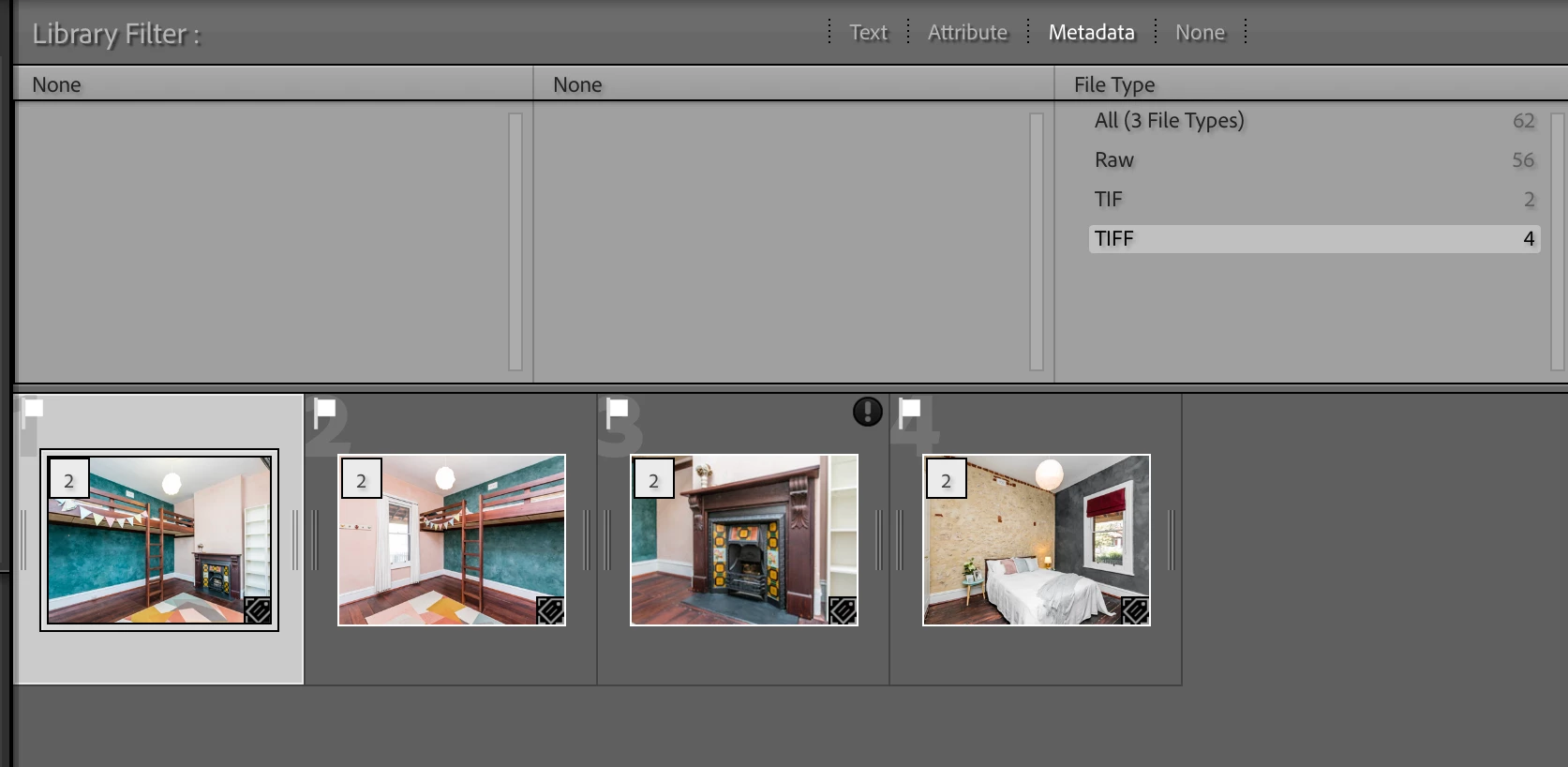
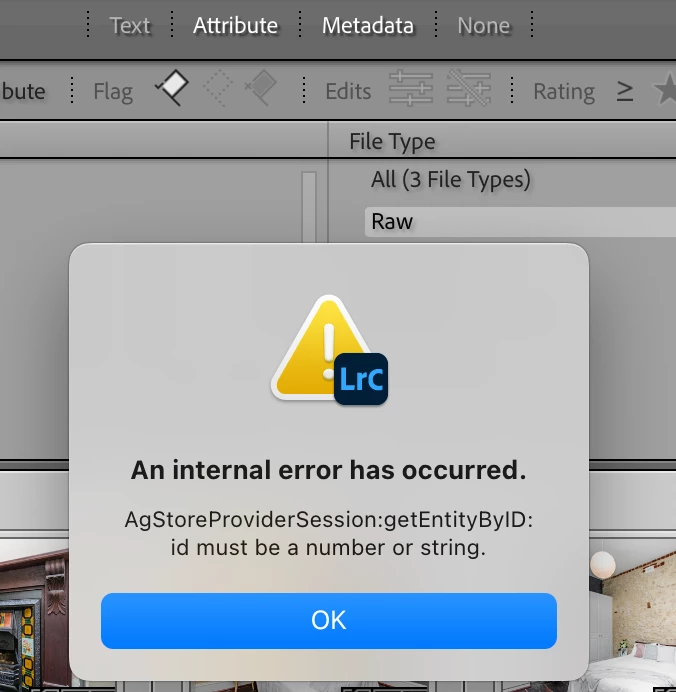
Today I have this issue: I select 30 raw images and try to edit in Ps. Lightroom hangs. This worked just yesterday (but had other issues). Relaunch and try again - I get some error window, and some strange tif and tiff photos formed. 


Any ideas?
 

I've been having a string of issues now, on two different computers and as a professional photographer I assure you I am not happy. Never had issues before I started this wretched subscription garbage.

This topic has been closed for replies.

3 replies

Rob_Cullen
Community Expert
Community Expert
September 28, 2022

Corrupt image files could be a problem! (failing drive, bad drive sectors, etc.)

  This is the 'Corrupt image' badge on a TIF file in your screen-clip.

Corrupt files will not 'open in Ps'.!


re "plug-ins?" question  from   @GoldingD   -maybe trying to elicit if you may have a plugin (automatically installed by Logitec mouse keyboard, etc) that often causes problems. Have you actually checked in the LrC Plugin Manager?


Strange that you are seeing TIF files!  Normally this would only occur if you are opening RGB files (TIF, JPG) as they create TIFs before opening in Ps. Do you ever see a dialog -

Regards. My System: Windows-11, Lightroom-Classic 15.3, Photoshop 27.5, ACR 18.3, Lightroom 9.3, Lr-iOS 10.4.0, Bridge 16.0.3 .
bidillinoAuthor
Known Participant
September 28, 2022

Corrupt or failing disk is very unlikely. It's a brand new MBP with SSDs. 

I work with TIFF in Ps, and LR creates them before it sends them to Ps for editing, and as you say that looks like LR corrupted at least that file. Strange that image was shown as TIF, while the others as TIFF. 

there used to be a time until a few years ago where Lr just worked and never ever gave me any issues and now I'm finding myself dealing with one issue or another periodically. It's think it had become too convoluted and the code might need a cleanup. 


Rob_Cullen
Community Expert
Community Expert
September 29, 2022

Sorry I do not have any answers. Only questions.

unlikely. It's a brand new MBP with SSDs

Possible!  My PC with its onboard SSD failed- SSD replaced under warranty.

shown as TIF, while the others as TIFF.

Maybe a Mac 'thing' . In my (Windows PC) LrC I see the Ps external editing options set to "TIFF". My Filter search for File-types only shows "TIFF", yet all my Ps editied images are "TIF"

I note also in your screen-clip that you have 'Stacked' files ([2] badge on the thumbnails). Is that because you have tried multiple jumps to Ps with the same images?

Are any or your original raw images (to edit in Ps) marked as missing or corrupt?

I have not been able to find any reference to the "Internal Error..." message- sadly.

Do you 'Test Integrity' and 'Optimize' your catalog when you Backup the catalog?

A screen-clip of System Info may be useful . MENU: Help > System Info...


Regards. My System: Windows-11, Lightroom-Classic 15.3, Photoshop 27.5, ACR 18.3, Lightroom 9.3, Lr-iOS 10.4.0, Bridge 16.0.3 .
GoldingD
Legend
September 27, 2022

Did you install any new plug-ins?


bidillinoAuthor
Known Participant
September 27, 2022

No Plug Ins. Hate them. I use a virgin copy of Lr to avoid dramas.

Sameer K
Community Manager
Community Manager
September 27, 2022

Hi there, thanks for reaching out with the details. I'd love to help you figure this out.


What version of Lightroom Classic, Photoshop & the operating system are you working on? Where are the original images for Lightroom Classic? Is it the internal drive or an external drive?


Try these steps to iron out any underlying permission issues.


Let me know if this helps,

Thanks!
Sameer K

bidillinoAuthor
Known Participant
September 27, 2022

Thanks Sameer.

I have everything up to date - MacOS12.6 and latest versions of Adobe software. All images are on computer's SSD not external. 


I added those permissions as suggested, but I assume that if that was the issue then this problem would have been persistent on every occasion from the first time I used it? It does not happen everytime.


After my post, I managed to open in Ps, but my next editing batch hung up again on first try, then opened after a restart.