Inspiring
January 25, 2024
Question

LRC mask object selection with lasso working poorly

  • January 25, 2024
  • 2 replies
  • 309 views

I don't see this anywhere, which may mean my search is deficient, and this may be expected behavior.  Or operator error.

I drew the lasso around the branch in this image to add the object to the subject selection.  This is what I got.
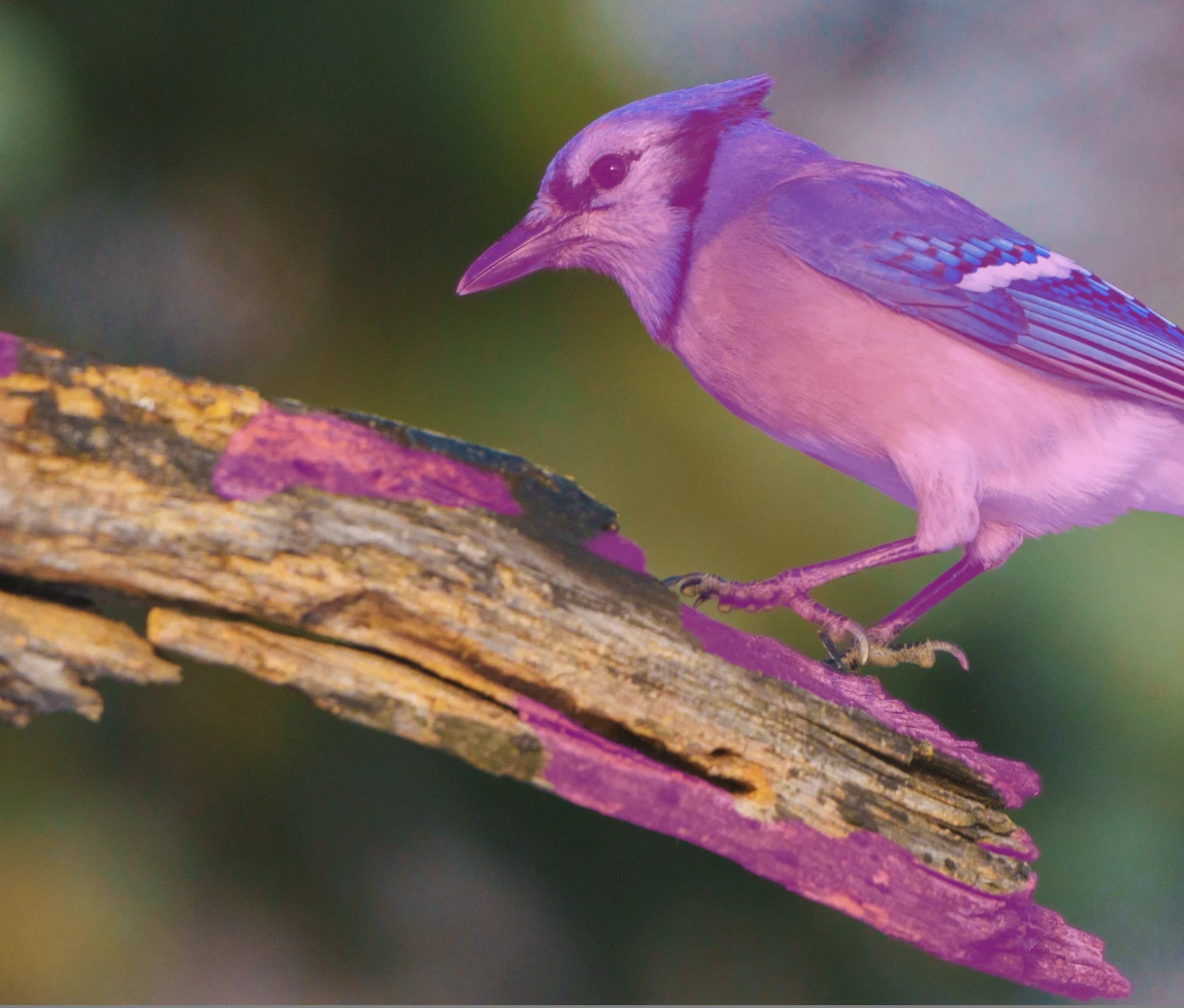
Subsequent lasso attempts on the whole, or parts of the limb were similarly unsuccessful.  Switching to the rectangle worked marginally better but still poorly. 

Is this just an object that the mask can't select, or am I doing the selection wrong.


This topic has been closed for replies.

2 replies

GoldingD
Legend
January 26, 2024

OK, rethinking. That use of the word Lasso. In PS you can draw a lasso around an object. That creates a mask.


In LrC that is not what you do, if using the AI Object mask, you paint (in effect) roughly over the object. It is debatable if you need to paint the whole object or just the outline. Typically the whole object. I suspect you painted around the bird, probably touching the bird and the branch, LrC decided parts of the bit=rd and parts of the branch were to be included in the mask.


At any rate, in the Mask, select Subtract, then select a brush and you can subtract out the branch. AI Object is not perfect.


Attached is a quick although clumsy video capture I just created. In it I create an AI Object mask, I just sort of outline a rose. And I show the overlay and you will notice a bit of the rose is missed. Then I create a new mask, another AI Object of the same rose, this time painting almost all of the rose (missed a wee bit), and the parts missing before are included when  I show the overlay (dang missed a bit outer) The I demonstrate (clumsily) using Add to add a bit I missed. Then I go back to the original mask and demonstrate Subtract (sorry no branch vs bird)


Is my first mask demo what you are refereeing to as Lasso?


GoldingD
Legend
January 26, 2024

Lasso, rectangle. Unless their is a new version today, then those are not words commonly used in Lightroom Classic. Is this Photoshop?


A full screen screenshot might be more helpful