
Participant
April 9, 2024
Question

LRC Sky Mask washing image out

  • April 9, 2024
  • 3 replies
  • 138 views

Hello all,


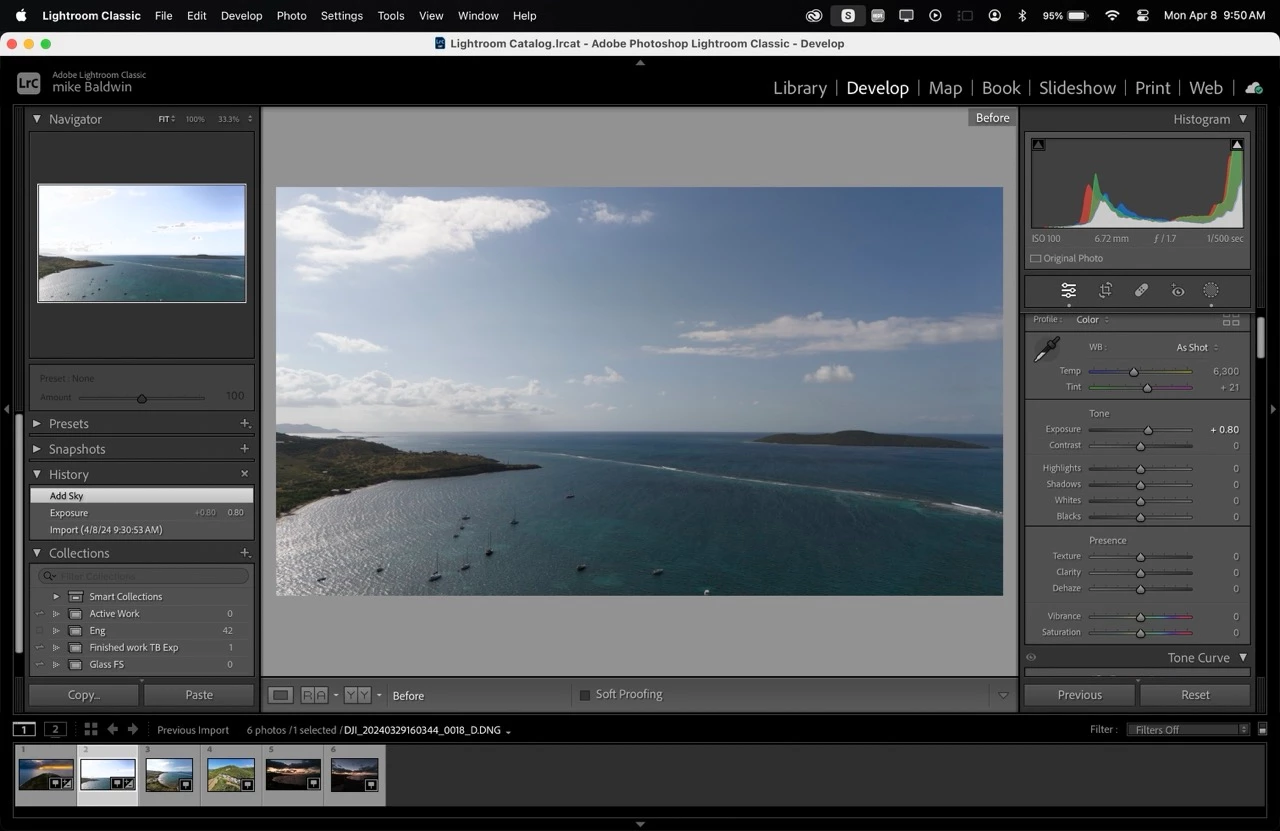
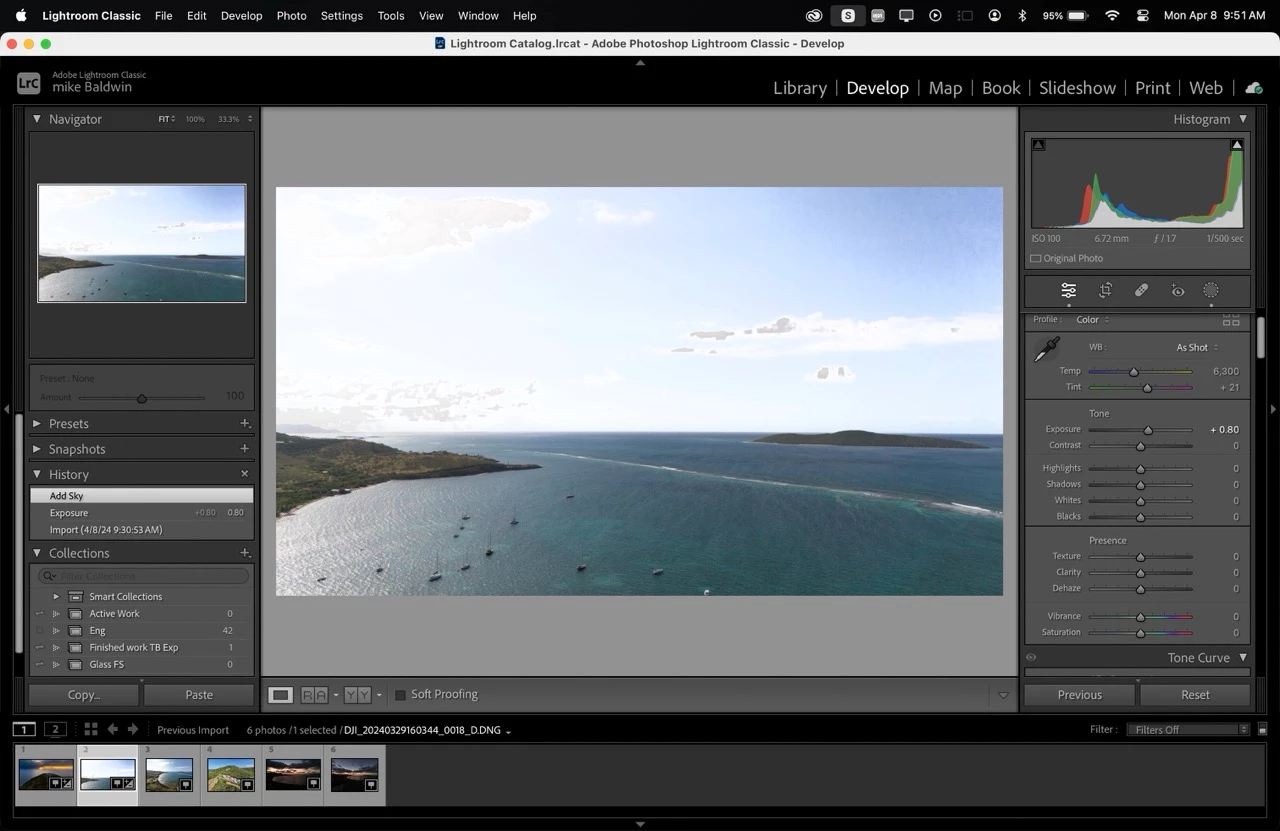
Recently when i have been using the sky mask in LRC it is changing some settings when i apply the mask, causung some clouds to look super washed out and grainy.  This has not been an issue until the last week or so. Ive attached 2 pictures below to hopefully help elaborate on what im talking about.  is there an auto setting that im missing? Thanks for your help!  Using a M3 macbook pro.
This topic has been closed for replies.

3 replies

GoldingD
Legend
April 9, 2024

From that second screenshot adjustments made in the general panel are shown, not the mask panel. And no mask is indicated as active, that is to say while the last history step was to create a mask, no mask is currently open, no mask panel shown.


It may be that you need to scroll up in the right side panels to show what is going on. Perhaps just a small error in displaying your problem. Can you take a new screenshot, this one with any missing panels above the fold as it were?


JohanElzenga
Community Expert
Community Expert
April 9, 2024

In the mask panel, there is a 'Reset Sliders' option, so a new mask does not automatically apply settings from a previous mask. Check that option and most likely your problem is over.


-- Johan W. Elzenga
Per Berntsen
Community Expert
Community Expert
April 9, 2024

What edits did you do to the sky?

Please post a screenshot with the masks panel open, and the sky mask selected.