

LrC v15.5.1 will not rename video files
I have many video files imported into LrC that I want to modify the filename. The video files were taken with the iPhone 17 Pro. My usual method to edit the filename is to edit the filename entry in the metadata panel. When I use the method I get an error message that the filename cannot be edited.
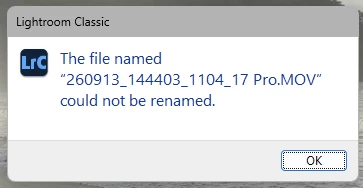
If I use the alternate method of using the F2 key, I get the same error message.
I have submitted another bug report about not being able to import video files into LrC 15.5. That bug report has been “Acknowledged”. In that case reverting to v15.4 allows imports. Unfortunately reverting to v15.4 does not fix this issue.


 AdChoices