Participating Frequently
October 28, 2021
Answered

LRC Warning Message

  • October 28, 2021
  • 4 replies
  • 787 views

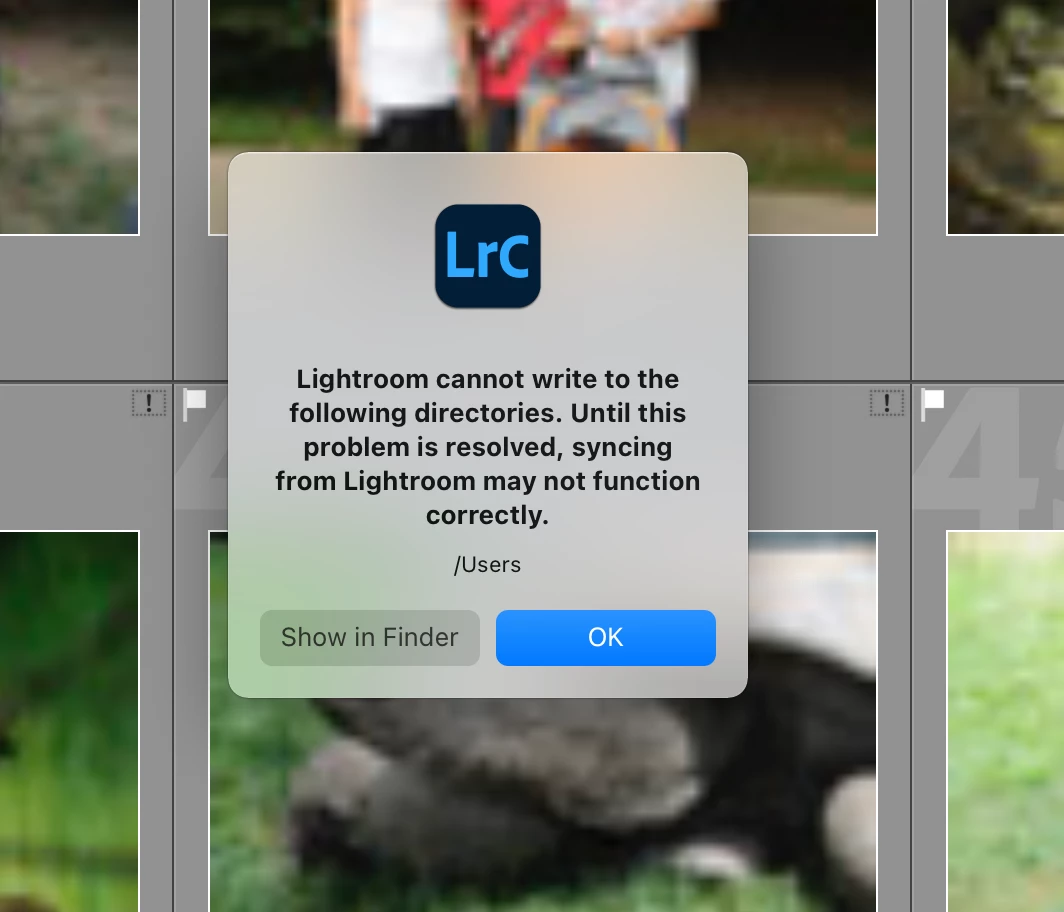
Whenever I start LR Classic (currently V11 but same behavior with V10), I get the following warning (see attached screenshot). I click OK and everything seems to work.


Any idea why this occurs and can I get rid of it?
This topic has been closed for replies.
Correct answer JohanElzenga

The suggestions are wrong. This is a different problem. What happened is that the destination folder of images synced down from the cloud was reset to your root user folder. Lightroom does not, and should not, have permissions to write to this folder. Go to Preferences - Lightroom Sync and choose another destination folder location.


4 replies

JohanElzenga
Community Expert
JohanElzengaCommunity ExpertCorrect answer
Community Expert
October 28, 2021

The suggestions are wrong. This is a different problem. What happened is that the destination folder of images synced down from the cloud was reset to your root user folder. Lightroom does not, and should not, have permissions to write to this folder. Go to Preferences - Lightroom Sync and choose another destination folder location.


-- Johan W. Elzenga
GoldingD
Legend
October 28, 2021

ahh

/users


DdeGannes
Community Expert
Community Expert
October 28, 2021

Ok, eagle eyes!


Regards, Denis: iMac 27” mid-2015, macOS 11.7.10 Big Sur; 2TB SSD, 24 GB Ram, GPU 2 GB; LrC 12.5,; Lr 6.5, PS 24.7,; ACR 15.5,; (also Laptop Win 11, ver 24H2, LrC 15.0.1, PS 27.0; ) Camera Oly OM-D E-M1.
DdeGannes
Community Expert
Community Expert
October 28, 2021

Removed, info supplied by GoldingD.

Regards, Denis: iMac 27” mid-2015, macOS 11.7.10 Big Sur; 2TB SSD, 24 GB Ram, GPU 2 GB; LrC 12.5,; Lr 6.5, PS 24.7,; ACR 15.5,; (also Laptop Win 11, ver 24H2, LrC 15.0.1, PS 27.0; ) Camera Oly OM-D E-M1.
Participating Frequently
October 28, 2021

Thanks...giving LRC Full Disk Access did not help, either.

GoldingD
Legend
October 28, 2021

And, assuming Catalina or beyond, Security & Privacy, Privacy, Files and Folders, LrC needs rights to various volumes 

Participating Frequently
October 28, 2021

Yep - that too. It is strange since once I click 'OK' everything seems to work.


GoldingD
Legend
October 28, 2021

Click Show in Finder, look at the access rights.


Participating Frequently
October 28, 2021

Thanks...I've done that - have read & write privileges, and I'm an administrator on this machine.
