Known Participant
August 12, 2023
Answered

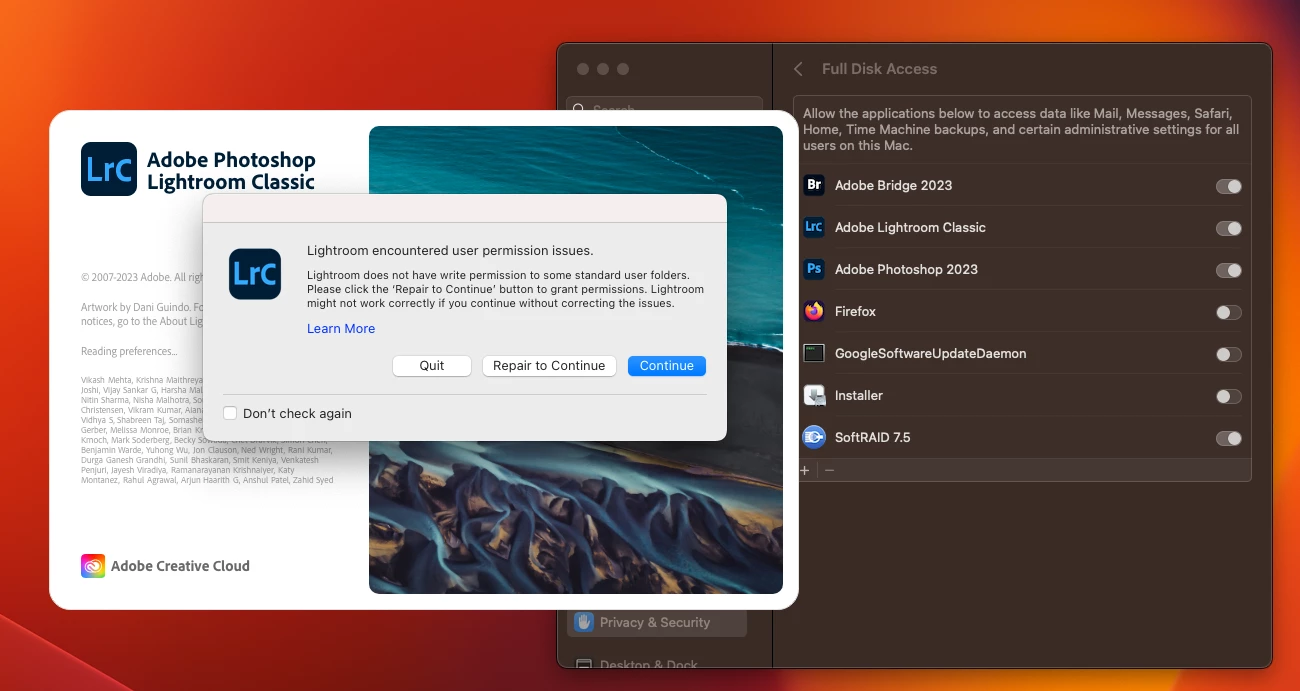
LrC with full disk access still shows user permission issue every time (macbook M1 Max)

  • August 12, 2023
  • 2 replies
  • 298 views

The computer has been restarted many times too.
 

This topic has been closed for replies.
Correct answer JohanElzenga

Full Disk Access does not mean that Lightroom Classic can override permissions. If it does not have permissions to write to a certain folder, then Full Disk Access does not give it those permissions. Where exactly is the catalog stored?


2 replies

JohanElzenga
Community Expert
JohanElzengaCommunity ExpertCorrect answer
Community Expert
August 12, 2023

Full Disk Access does not mean that Lightroom Classic can override permissions. If it does not have permissions to write to a certain folder, then Full Disk Access does not give it those permissions. Where exactly is the catalog stored?


-- Johan W. Elzenga
LOMOLCWAuthor
Known Participant
August 12, 2023

Hello. Thanks. I had no ideal conceptually those two are so different. I do have read write privilidege but the new Mac makes applying that setting to all files in that folder a little tricky find. My Lr now does not show the warning anymore.


Some function like zooming to 100% is much faster now. I will spend sometime and see if other functions are getting better.

LOMOLCWAuthor
Known Participant
August 12, 2023

Not sure if related, The response time for the simplist thing takes very long, like changing rating and color label. No other big apps launched, and the file in use is stored on local drive. This happens with or without External Hard drive, NAS connection, and internet.

Catalog is also stored locally. Hard drive has 1.3-1.5 tb empty space. Lots of room for scratch space. The Mac Finder also load raw preview on SD card 10 times faster than Lr preview.
