Participant
December 9, 2019
Question

MacOS 10.15.1 Adobe Photoshop Lightroom 6 Installation Problem

  • December 9, 2019
  • 1 reply
  • 276 views

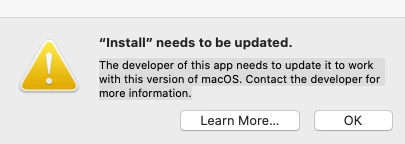
I need to switch to a new laptop (13-inch pro running macOS Catalina 10.15.1), I bought Adobe Photoshop Lightroom 6 in the past. After redownload the Lightroom, it doesn't install. Received error message 


“Install” needs to be updated.

The developer of this app needs to update it to work with this version of macOS. Contact the developer for more information. 


How can I get my lightroom installed on my new mac? 
 

{Moved from Lightroom Cloud to Lightroom Classic Forum by Moderator} 

This topic has been closed for replies.

1 reply

Rob_Cullen
Community Expert
Community Expert
December 10, 2019

Read the Forum thread at-

https://community.adobe.com/t5/lightroom-classic/lighroom-6-14-and-catalina-a-suggestion-and-plea/td-p/10760498

Basically the "Installer" for v6  is '32bit'  and Mac Catalina will only run '64.bit' , so you cannot install v6 with Catalina.

Regards. My System: Windows-11, Lightroom-Classic 15.3, Photoshop 27.5, ACR 18.3, Lightroom 9.3, Lr-iOS 10.4.0, Bridge 16.0.3 .
Participant
December 10, 2019

since the application (lightroom) itself is 64bit, is there any way to "unpack" the content from the installer to continue using the application?