
Participant
November 11, 2025
Answered

mask feature not functioning as expected in lightroom classic

  • November 11, 2025
  • 2 replies
  • 118 views

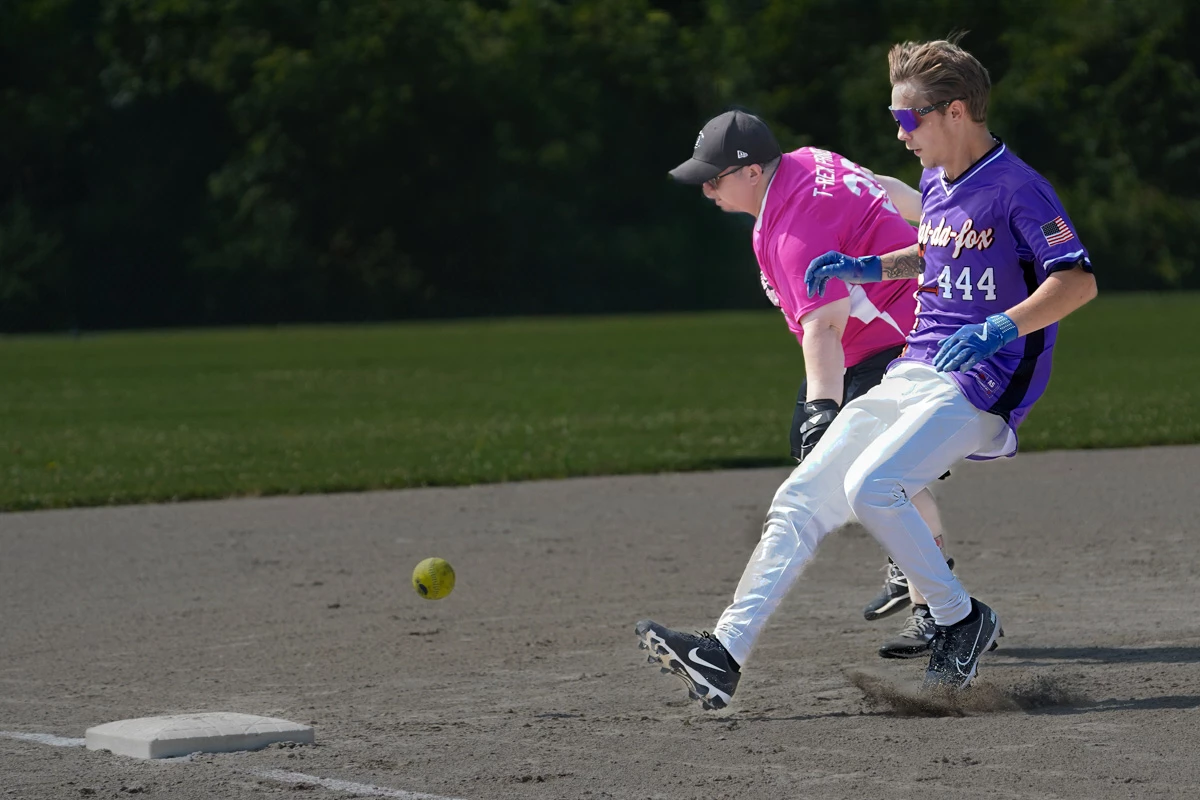
I have been using Lightroom Classic for a while now. Just recently I have noticed that when I attempt to create a mask of, say, a background in a photo to darken the exposure of the background, the entire photo gets adjusted, not just the background. In this photo, I don't want to adjust the exposure of the people, but when making a mask of the background and adjusting the exposure to darken it, these players get darkened too. I have checked that only the background is showing in the color overlay. I'm not sure if this is a me issue, or a bug in my program. Any suggestions is welcome.  Thank you!
Correct answer dj_paige

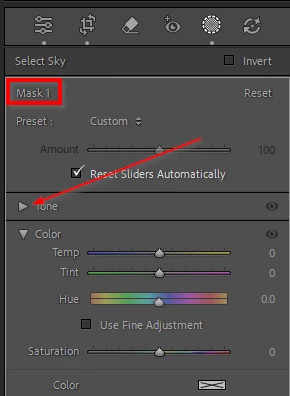
You may have "collapsed" the Tone part of the Masking section, and so to find Exposure you have scrolled down to the Basic panel (which does affect the entire photo). Un-collapse the Masking Tone section by clicking on the triangle next to Tone. Make sure when you use the sliders, that a name of a Mask is shown. In the screen capture below, you are in the masking section because it says the name of the mask that will be affected (in this case, the creatively named "Mask 1") and you need to click on the triangle next to "Tone".


2 replies

dj_paige
dj_paigeCorrect answer
Legend
November 11, 2025

You may have "collapsed" the Tone part of the Masking section, and so to find Exposure you have scrolled down to the Basic panel (which does affect the entire photo). Un-collapse the Masking Tone section by clicking on the triangle next to Tone. Make sure when you use the sliders, that a name of a Mask is shown. In the screen capture below, you are in the masking section because it says the name of the mask that will be affected (in this case, the creatively named "Mask 1") and you need to click on the triangle next to "Tone".


johnrellis
Legend
November 11, 2025

[This post contains formatting and embedded images that don't appear in email. View the post in your Web browser.]


You may be adjusting the global Exposure slider rather than the mask Exposure. Scroll the panels below the mask panel up to see the mask adjustments: