Participant
September 15, 2019
Answered

Menu & Windows Sized Incorrectly

  • September 15, 2019
  • 4 replies
  • 1649 views

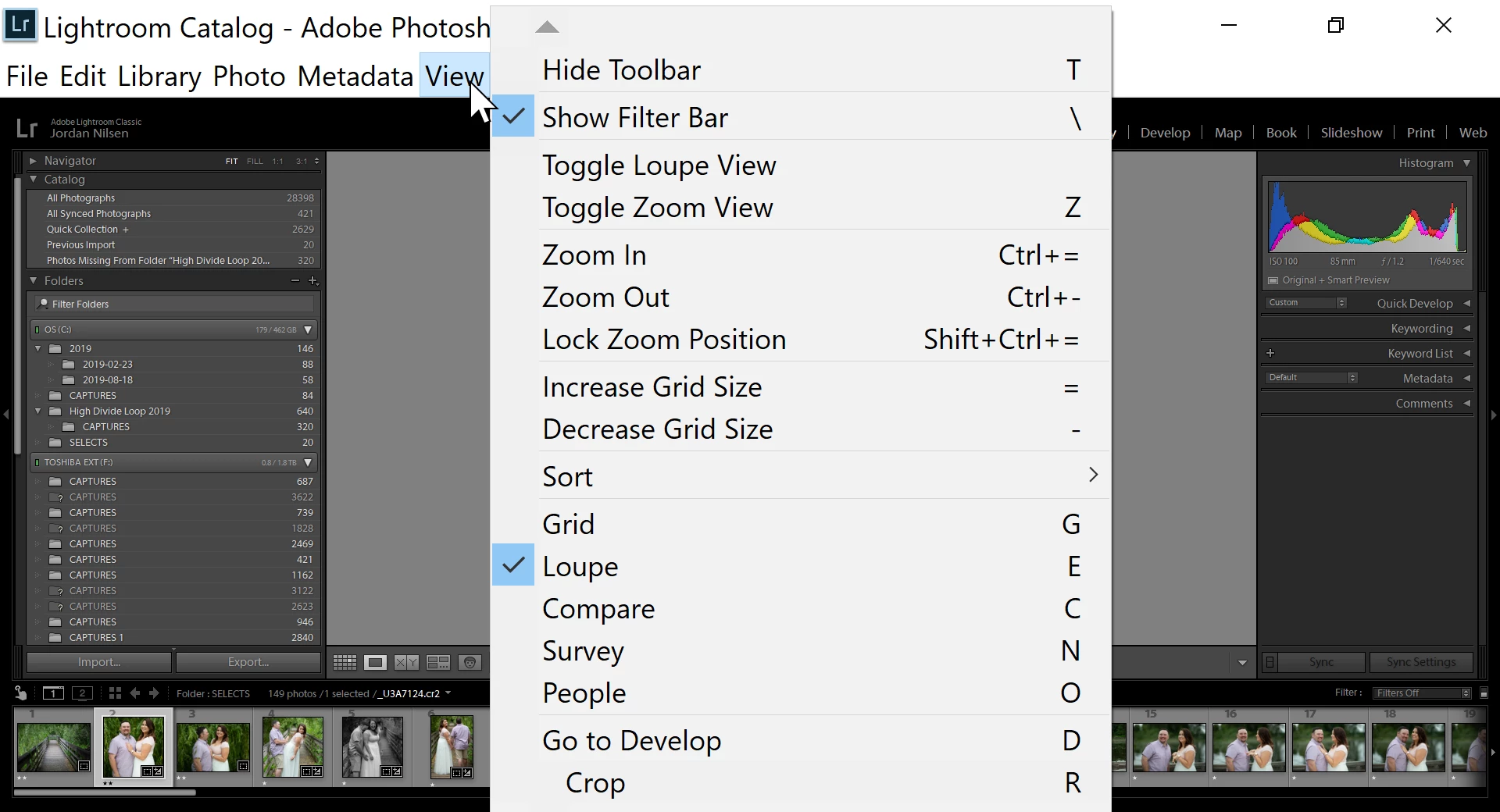
When using Lightroom Classic the sizing of different elements (menu, tabs, fonts) is inconsistent. When tabs are open it's actually impossible to even see check boxes and the accompanied text. This is only happening with Lightroom so I'm confident the issue it confined to this program. 
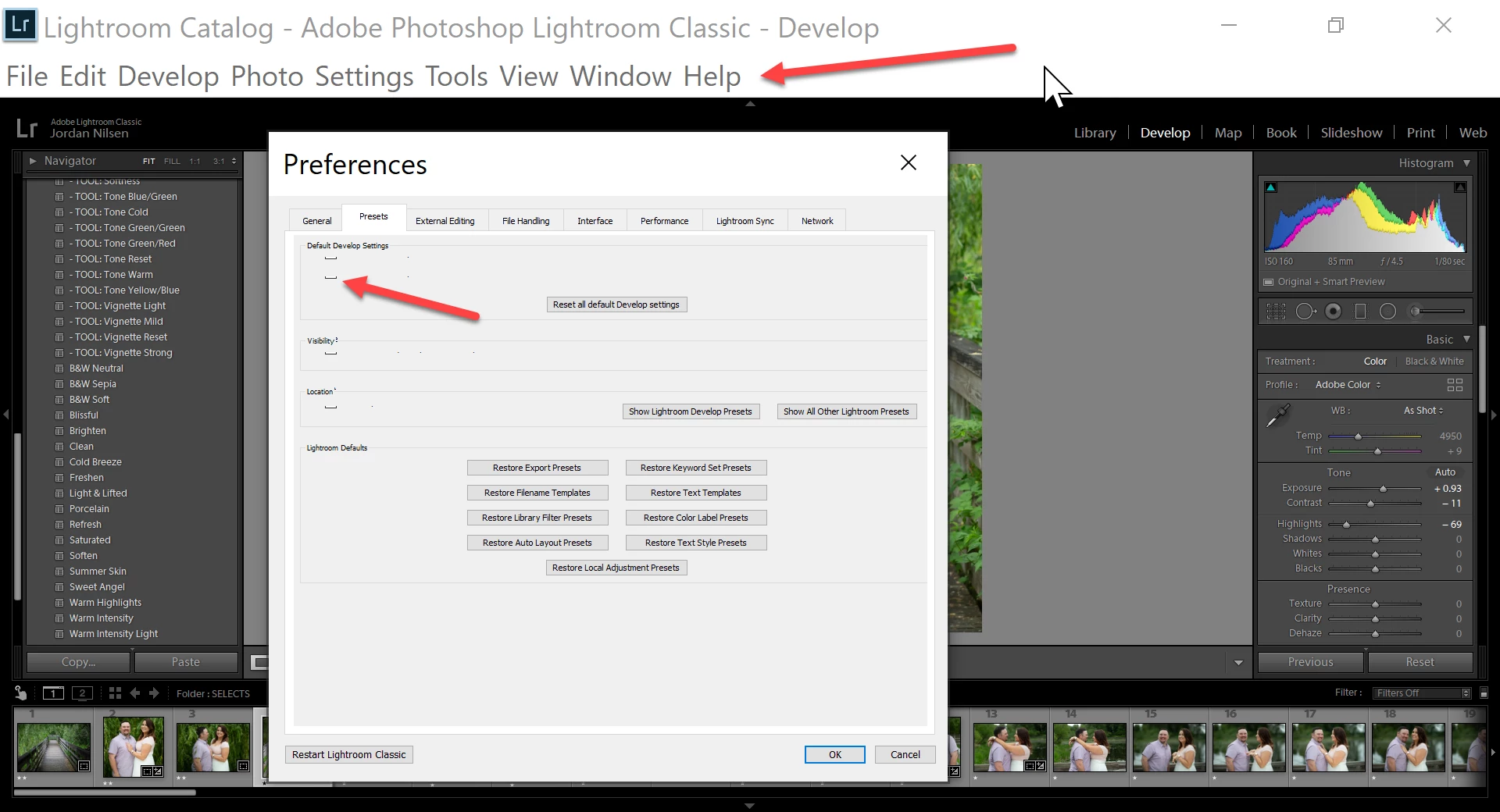
UPDATE: I have reset Lightroom preferences and this is what I'm seeing now (on a 23" monitor). Everything is huge.
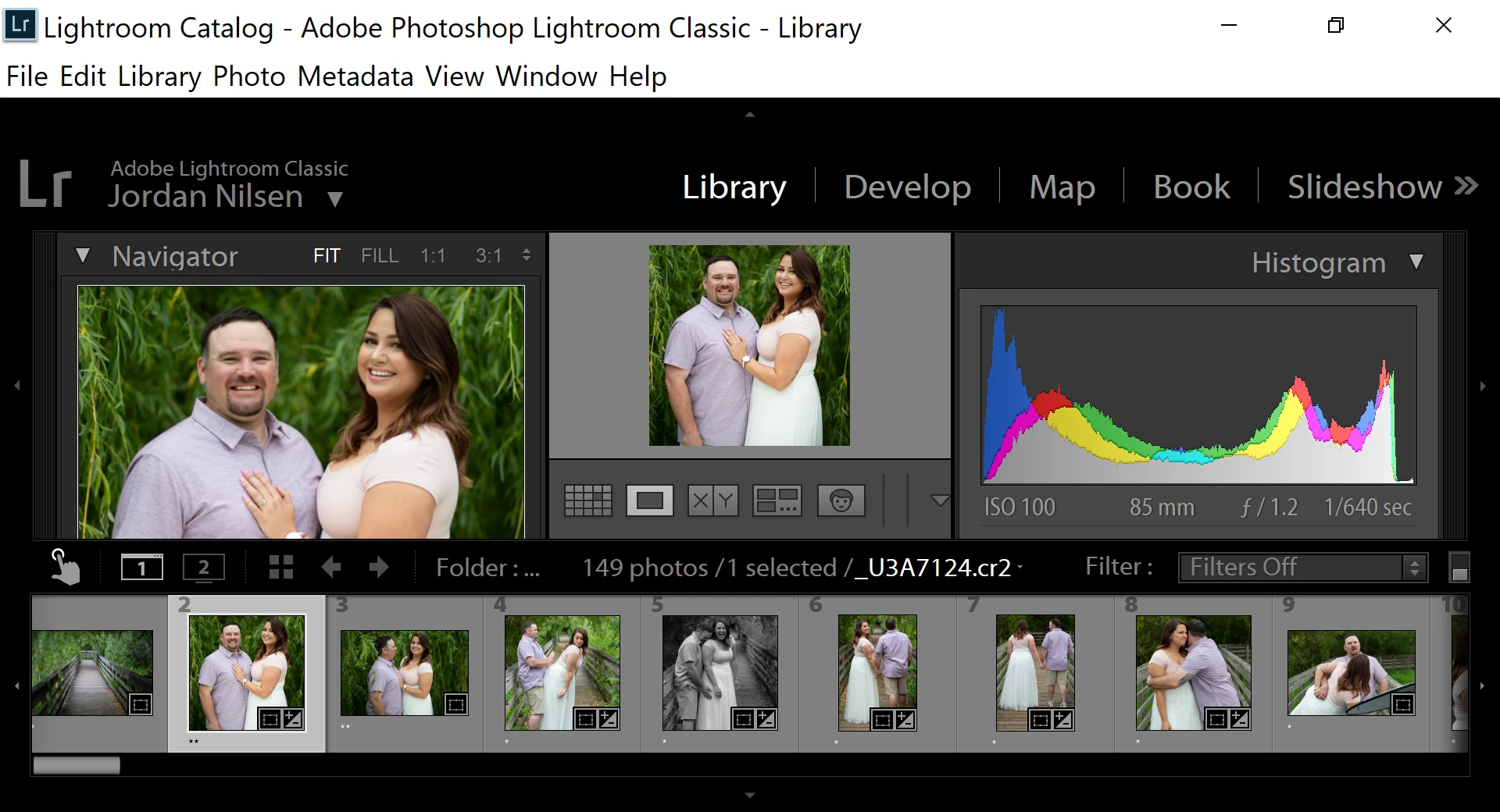

 

    This topic has been closed for replies.
    Correct answer johnrellis

    LR doesn't share any user-interface code with Photoshop or other Adobe products, so it doesn't matter how they behave.


    Most people with this sort of issue find that changing the Windows Settings > System > Display > Scale to 100% and LR Font Size to Automatic makes the problems go away, and some find other settings make it go away.

    4 replies

    johnrellis
    johnrellisCorrect answer
    Legend
    September 16, 2019

    LR doesn't share any user-interface code with Photoshop or other Adobe products, so it doesn't matter how they behave.


    Most people with this sort of issue find that changing the Windows Settings > System > Display > Scale to 100% and LR Font Size to Automatic makes the problems go away, and some find other settings make it go away.

    JD NilsenAuthor
    Participant
    September 16, 2019
    Looks like selecting my second screen as my main monitor and following your font size suggestion did the trick. Thank you John!
    johnrellis
    Legend
    September 16, 2019

    "Everything looks good on the laptop, but I'm still having issues when I move the window to my second screen."


    What is the current setting of Preferences > Interface > Font Size?


    In Windows, what is the current setting of Settings > System > Display > Scale?  (100% or something different?)


    JD NilsenAuthor
    Participant
    September 16, 2019
    I'm running Photoshop (and other Adobe products) without any of these issues so I'm disinclined to think it's a settings issue. I did play around with scale but it didn't seem to fix the issue. Thanks for the suggestion though.
    GoldingD
    Legend
    September 16, 2019

    Is this MAC OS or Windows?

    JD NilsenAuthor
    Participant
    September 16, 2019
    This is a PC running Windows 10
    johnrellis
    Legend
    September 15, 2019

    What is the current setting of Preferences > Interface > Font Size?  Try different sizes -- LR doesn't always handle the display scaling on Windows very well.

    JD NilsenAuthor
    Participant
    September 15, 2019
    Everything looks good on the laptop, but I'm still having issues when I move the window to my second screen.