


November 27, 2025
Answered

Mes mot-clés ne fonctionnent dans le Filtre de la Bibliothèque

  • November 27, 2025
  • 1 reply
  • 174 views

Version de l'application LRC : 15.0.1

MacMini, MacOS 15.3.1

La "recherche de photos par mots-clés" ne fonctionnent plus dans le "Filtre de Bibliothèque / Texte"

Ce problème semble être apparu depuis l'installation de "Tri Assisté"

Comment puis-je réactiver cette fonction?


Correct answer ClaudeThellen

Thank you dj_paige

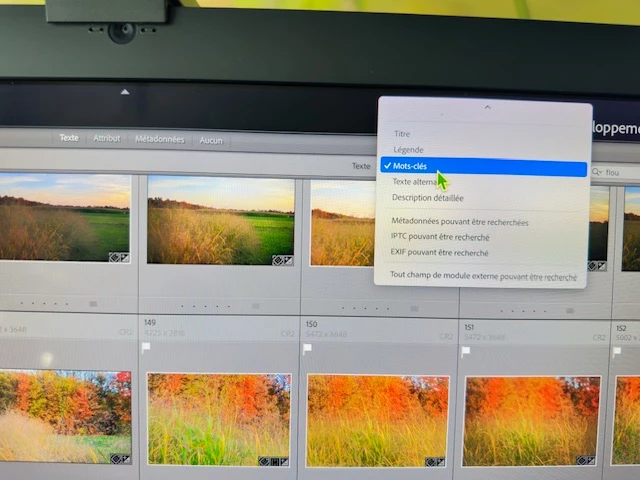
I finally found the problem...  The "Texte" section was off... I had to activate it  with "mot-clés"  (see on the attached photo, sorry for the quality)

Claude


1 reply

dj_paige
Legend
November 28, 2025

First thing I would try is to turn off filters before you do the keyword search. In the Library Module, select Library->Enable Filters so it is unchecked.


If that doesn't help:

Please explain in a lot more detail what happens or does not happen when you do a keyword search. Please give a specific example. Please show us a screen capture of the entire Lightroom Classic Library module before the keyword search and another screen capture after the keyword search. Please use the "Insert Photos" icon to include your screen capture in your reply. Please do NOT attach files.

ClaudeThellenAuthorCorrect answer
November 28, 2025

Thank you dj_paige

I finally found the problem...  The "Texte" section was off... I had to activate it  with "mot-clés"  (see on the attached photo, sorry for the quality)

Claude