Participant
December 14, 2022
Question

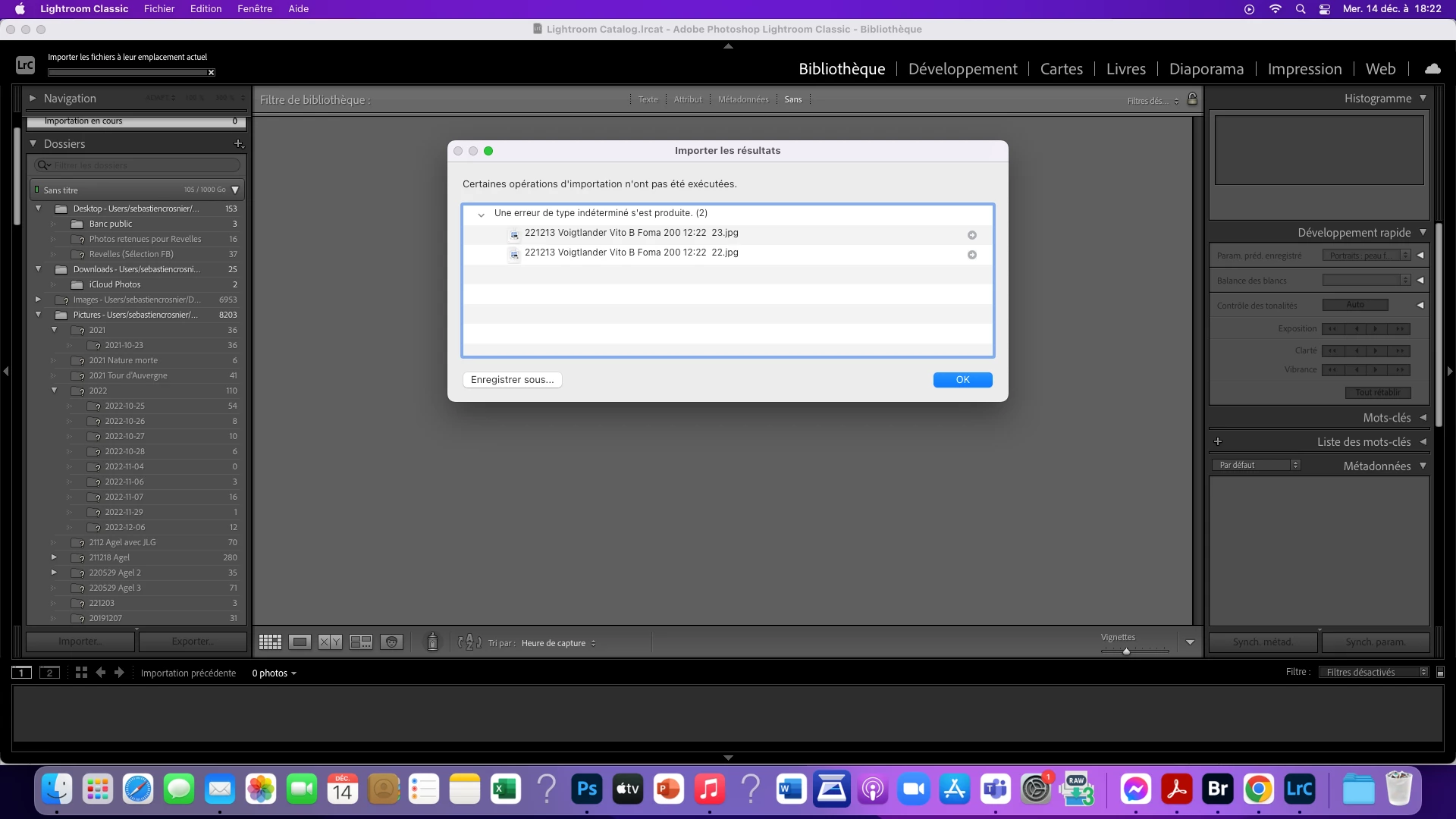
Message erreur à l'importation de photos

  • December 14, 2022
  • 2 replies
  • 171 views

Bonjour, Pourquoi LRC affiche un message "erreur inconnue" à l'importation de photographies ? Merci pour vos réponses.
This topic has been closed for replies.

2 replies

GoldingD
Legend
December 15, 2022

Looking at your folders panel, all those ? marks. They indicate missing folders, often caused by moving/renaming folders outside of LrC, or due to being on a external hard drive not connected, or far worse on a Network share.   (the later two, not indicative from what is presented)


This needs to be addressed. You need to update those folder locations.


The more of a mess your folders get, the more likely you will get such errors. and eventually, catalog corruption.


see:

https://www.computer-darkroom.com/lr2_find_folder/find-folder.htm


https://helpx.adobe.com/lightroom-classic/help/create-folders.html

that one in French (I hope)

https://helpx.adobe.com/fr/lightroom-classic/help/create-catalogs.html


Sameer K
Community Manager
Community Manager
December 14, 2022

Welcome to the Lightroom Classic community. I'll need more info to help you figure this out.


Where are the images stored & where are you importing them to? Could you please share a screenshot of the import settings you are using? What specific version of macOS are you working on?


Try the import operation with the following suggestions:


Let me know how it goes,

Thanks!

Sameer K