Participant
October 27, 2023
Question

Metadata not displayed

  • October 27, 2023
  • 2 replies
  • 267 views

The metadata are note displayed in the library mode :
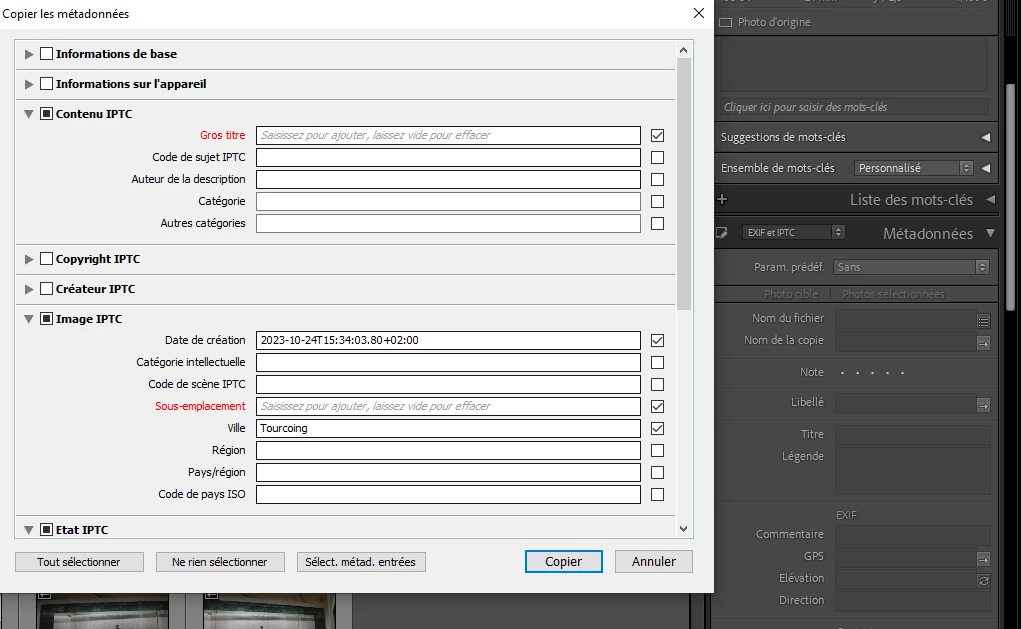
Lightroom classic 
Why?

 

This topic has been closed for replies.

2 replies

Community Expert
October 27, 2023


The 'pencil' (?) icon indicated in the screenshot indicates that your LrC is set to a metadata fast-entry mode. This gives you metadata fields to type new data into, but without displaying any data that may be already entered into those. I suppose this may be done for maximum speed of response when quickly moving from one image (or group of images) to the next. I didn't design this option, nor ask for it, nor do I use it, so I will stay silent about whether this is wise!


By changing that selector to an 'eye' icon, you will then see any metadata that is currently entered in each field, still with the opportunity to edit or to completely overwrite that. There is another selector just above the metadata area, which controls what happens if multiple images are highlighted. One way only the active image's metadata gets displayed: the other way a summary is displayed considering all the selected images, and if these currently vary for a certain metadata field, then you will be shown so.

Participant
October 28, 2023

Thank you Richard for those explanations!

When clicking that pencil icon, i retrieve my metadata!

Regards

Didier

dj_paige
Legend
October 27, 2023

Whatever photo you have selected does not have metadata in the empty fields.

Participant
October 27, 2023

I can select any photo having metadata, and nothing is displayed. 

When i ask "copy metadata" in the menu, I can see them.